
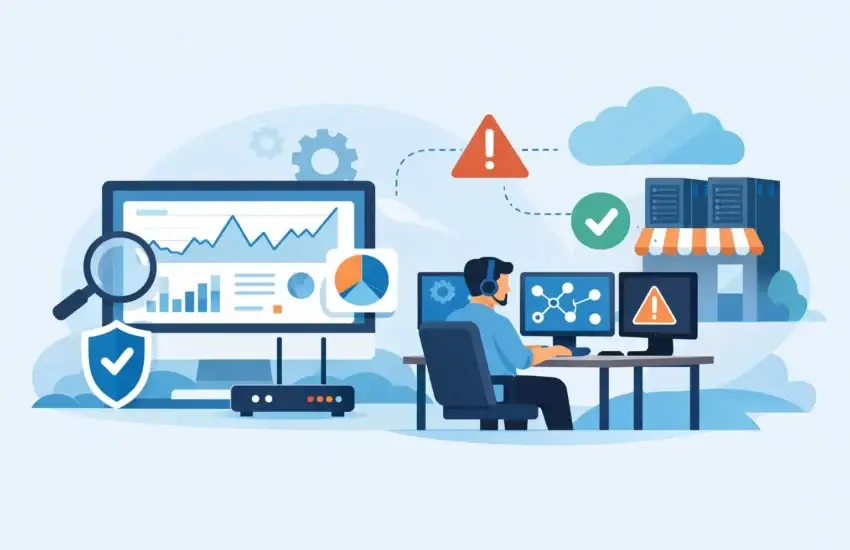
A slow file server at 8:15 a.m. can become a missed construction deadline, a delayed patient record, or an entire office unable to work before lunch. Network monitoring for small businesses is how leaders find and address these issues before employees, clients, and revenue feel the impact.
For a small business, the network is not just a collection of routers, Wi-Fi access points, computers, and servers. It is the path to cloud applications, payment systems, phone services, client files, security cameras, and backup data. When that path is unreliable or exposed, even a short interruption can create expensive operational problems.
Why Small Business Networks Need Active Oversight
Many organizations still discover network problems the hard way: an employee reports that the internet is down, a customer cannot reach the office, or a critical application has stopped responding. This break/fix approach may appear less expensive until downtime, emergency repair rates, lost productivity, and reputational damage are added up.
Active monitoring changes the sequence. Instead of waiting for a full outage, it watches for warning signs such as rising server temperatures, unusual bandwidth use, storage capacity running low, a failing backup job, or an internet connection that drops intermittently. A technical team can investigate while the issue is smaller, more contained, and often easier to fix.
This is especially valuable for professional firms and regulated organizations. A law office may need reliable access to case files. A dental practice cannot afford to lose connectivity to scheduling or imaging systems. A manufacturer may depend on workstations, inventory tools, and production equipment staying connected. The details vary, but the business need is the same: technology should support the work, not interrupt it.
What Network Monitoring for Small Businesses Actually Covers
Effective monitoring is more than checking whether the internet is online. A good program provides visibility into the systems that keep daily operations moving and flags conditions that could lead to downtime or security exposure.
Internet connections, firewalls, and network equipment
Monitoring verifies that internet connections, firewalls, switches, and Wi-Fi access points are available and performing within expected ranges. If a device goes offline, loses power, or begins reporting errors, the right people should know quickly.
Performance matters as much as availability. An office may technically be connected to the internet while video meetings freeze, cloud software lags, and file transfers crawl. Monitoring can help identify whether the cause is a failing device, wireless coverage problem, bandwidth saturation, or an issue with the service provider.
Servers, workstations, and cloud-connected systems
Servers and employee computers can show early signs of failure long before they stop working. Low disk space, repeated application crashes, high processor use, missing updates, and hardware alerts all deserve attention. For businesses that rely heavily on cloud platforms, monitoring also helps distinguish an internal network issue from an issue with the cloud service itself.
That distinction saves time. Employees need a clear answer and a fast path to resolution, not a series of guesses about who is responsible.
Backups and business continuity safeguards
A backup that has not completed successfully is not a backup a business can count on. Monitoring should confirm that backup jobs run as scheduled and alert the support team when they fail. It should also support a broader business continuity plan that identifies critical systems, recovery priorities, and the steps required after a hardware failure, ransomware incident, or local disaster.
Monitoring does not replace tested recovery procedures. It makes those procedures more dependable by revealing problems before a recovery is needed.
Security events and unusual activity
Cybersecurity monitoring focuses on activity that may signal a threat, including failed login attempts, unexpected administrative changes, suspicious traffic, inactive security tools, or devices communicating with known malicious destinations. Not every alert means an active attack. The value comes from reviewing alerts in context, prioritizing genuine risks, and responding before a small warning becomes a business interruption.
For California organizations handling financial records, health information, legal documents, or proprietary designs, this oversight also supports accountability. Leaders gain clearer evidence that systems are being maintained, protected, and reviewed.
The Business Outcomes That Matter Most
Business owners do not need a screen full of technical alerts. They need confidence that their people can work, their data is protected, and technology spending is controlled. The strongest network monitoring program should produce practical outcomes:
- Fewer unexpected outages and less employee downtime.
- Faster diagnosis when a problem does occur.
- Better protection against preventable security gaps.
- More predictable IT costs through planned maintenance rather than emergency repairs.
- Clearer decisions about when to upgrade aging equipment or add capacity.
The final point is often overlooked. Monitoring data can show whether a recurring problem stems from an overloaded internet connection, inadequate Wi-Fi coverage, an aging firewall, or a server nearing the end of its useful life. That allows leadership to budget for improvements based on evidence rather than wait for a failure to force the decision.
How to Build a Monitoring Plan That Fits Your Business
The right level of monitoring depends on the size of the organization, its applications, its risk profile, and the cost of downtime. A five-person professional office does not need the same setup as a multi-location medical practice or a construction company with crews accessing plans from job sites. Both, however, need reliable support and clear ownership.
Start by identifying what cannot be unavailable. This may include the internet connection, phones, line-of-business software, file storage, email, payment processing, or remote access. Then determine the acceptable downtime for each service. A few minutes without guest Wi-Fi may be manageable. Several hours without access to client records probably is not.
Next, document the environment. An accurate inventory should include network devices, servers, workstations, software subscriptions, user access, backup systems, and vendor contacts. Without this foundation, support teams waste valuable time during an incident trying to understand what is connected and who manages it.
Finally, define what happens after an alert. Some alerts can be resolved remotely through patching, restarting a service, adjusting capacity, or replacing a failing component. Others require escalation, vendor coordination, or an on-site visit. The process should identify who is notified, how urgent situations are handled, and what updates business leaders receive.
Common Monitoring Gaps That Create Avoidable Risk
Small businesses often have monitoring tools installed but still lack meaningful coverage. The problem is usually not the absence of alerts. It is the absence of consistent review and action.
One common gap is alert fatigue. If a team receives hundreds of low-value notifications, urgent warnings can be missed. Monitoring rules should be tuned to reflect the business environment, with clear thresholds and an escalation process for critical events.
Another gap is unmanaged equipment. A consumer-grade router, an old switch in a closet, or a former employee’s laptop can become a weak point if it is not documented, updated, and reviewed. Shadow IT also deserves attention. Employees may adopt unsanctioned file-sharing or communication tools to solve a workflow problem, creating security and compliance concerns outside the business’s normal controls.
Remote work adds another layer. Home networks and personal devices may not be managed to the same standard as office equipment. The goal is not to monitor every aspect of an employee’s home environment. It is to protect business access through secure remote connections, managed endpoints, multi-factor authentication, and defined policies.
Monitoring Is Not the Same as 24/7 Response
This distinction matters when comparing IT support options. A tool may detect an outage at 2:00 a.m., but detection alone does not restore service. Businesses should ask who receives alerts, whether they are reviewed after hours, what response times apply, and whether the provider has authority to take corrective action.
There is also a trade-off between cost and coverage. Basic monitoring may be appropriate for a very small organization with limited systems and low after-hours needs. Businesses with customer-facing operations, sensitive data, multiple locations, or strict uptime requirements usually benefit from more comprehensive monitoring tied to managed support, cybersecurity protections, and backup oversight.
For organizations in Sacramento and surrounding communities, a local managed services partner can add practical value when remote remediation is not enough. On-site support, familiarity with regional service providers, and an accountable point of contact can shorten the path from alert to resolution.
Questions to Ask Before Choosing a Provider
Before outsourcing monitoring, ask direct questions about scope and accountability. Which devices and services are monitored? Are backups, security tools, and critical cloud connections included? Who responds to alerts after business hours? How are recurring issues documented and prevented? Will leadership receive reports that explain risks and recommended improvements in plain language?
Also ask about exclusions. Some providers monitor network devices but do not manage patches, backups, user access, or cybersecurity response. That may be acceptable if internal IT owns those responsibilities. If no one on staff has the time or expertise to do so, separate services can leave costly gaps between vendors.
A dependable provider should not use technical complexity to obscure the answer. The goal is a clear plan that aligns technology coverage with operational priorities and budget.
Reliable technology rarely gets noticed on a good day, and that is the point. When monitoring is proactive, employees can focus on clients and projects while leadership has fewer surprises to manage. RJ PRO Tech Group helps small businesses turn that quiet reliability into a practical advantage: less downtime, stronger protection, and more control over the systems the business depends on.
