
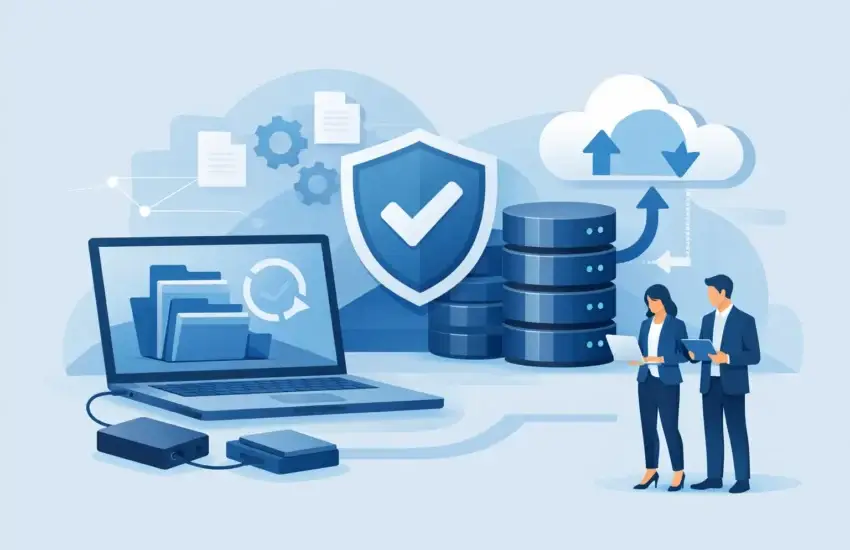
A deleted project folder, a failed server, or one successful ransomware attack can stop business faster than most leaders expect. Automated business data backup services give your organization a controlled way to recover critical information without relying on someone to remember a daily backup task – or hoping that cloud storage alone is enough.
For a law firm, that may mean restoring case files and communications. For a construction company, it may mean recovering estimates, schedules, jobsite documentation, and accounting records. For medical, financial, and professional-service organizations, recovery also affects client trust, compliance obligations, and the ability to continue serving people when systems are unavailable.
Why Automated Business Data Backup Services Matter
Data loss is not limited to dramatic disasters. A staff member can overwrite a spreadsheet. A software update can corrupt a database. A laptop can be stolen. A server drive can fail with little warning. Ransomware can encrypt shared files and attempt to destroy accessible backups before demanding payment.
The cost is rarely limited to the files themselves. When teams cannot access the information they need, work stops, deadlines slip, customers wait, and employees begin creating workarounds. Those workarounds can create additional security and recordkeeping problems.
A properly managed backup service turns recovery from an uncertain, manual process into an operational safeguard. It automatically captures data on a defined schedule, stores protected copies in separate locations, monitors backup activity, and provides a tested path to restore what was lost. The goal is not simply to keep copies of files. The goal is to reduce downtime when something goes wrong.
Backup Is Not the Same as File Sync
Many businesses assume that Microsoft 365, Google Workspace, Dropbox, or another cloud platform has all backup needs covered. These platforms are valuable, but synchronization and backup solve different problems.
Syncing makes the current version of a file available across devices and users. If an employee deletes a folder or ransomware encrypts a synced file, that change can also synchronize. Retention features may help in some cases, but they are not a complete business-continuity strategy, especially when recovery must be fast, comprehensive, and predictable.
Automated business data backup services preserve recoverable versions outside the day-to-day environment. Depending on the business, that can include servers, workstations, cloud email, SharePoint or OneDrive data, line-of-business applications, databases, and virtual machines. The correct scope depends on where your critical information lives and how quickly each system must return to service.
What a Business-Ready Backup Strategy Includes
A backup plan should be built around business priorities, not a generic storage quota. Your accounting system may need more frequent protection than archived marketing images. A practice-management database may require a different recovery method than ordinary documents. Knowing those differences is what prevents a backup plan from looking adequate on paper but failing during an outage.
More Than One Protected Copy
A common standard is the 3-2-1 approach: maintain at least three copies of important data, store them on two different types of media, and keep one copy offsite. Many organizations now strengthen that model with an immutable copy – a backup that cannot be altered or deleted for a set retention period.
Immutability is particularly valuable against ransomware. If an attacker gains administrative access to the network, a backup that remains protected from modification can be the difference between restoring operations and facing an impossible choice about a ransom demand.
Automated Scheduling and Active Monitoring
Automation removes the risk of a skipped backup because the person responsible was busy, sick, or simply forgot. However, automation without monitoring is incomplete. A backup job can fail because storage is full, credentials change, a device is offline, or an application update affects the backup process.
A managed provider should review backup alerts and address failures promptly. Business leaders should not need to discover that backups have been failing for weeks only after a server crash.
Encryption and Access Controls
Backup data is still sensitive data. It should be encrypted while moving to storage and while at rest. Access should be limited, protected with multifactor authentication, and reviewed regularly. This matters for every business, but it is especially significant for organizations handling protected health information, financial records, legal files, engineering plans, or confidential client information.
Defined Retention That Fits the Business
Keeping every version of every file forever is expensive and unnecessary. Keeping too little can leave your company unable to recover from a problem discovered weeks or months later. Retention should reflect operational needs, contract requirements, regulatory expectations, and the types of information being protected.
For example, a business may need daily versions for recent files, monthly versions for longer-term reference, and specialized retention for financial or client records. The right policy is deliberate, documented, and periodically reviewed as the organization changes.
Recovery Speed Is the Question That Counts
When evaluating a backup service, the most useful question is not, “How much storage do we get?” Ask, “How quickly can we work again?”
Two measurements help answer that question. Recovery point objective, or RPO, identifies how much recent data you can afford to lose. If a system is backed up every four hours, the potential data gap may be up to four hours. Recovery time objective, or RTO, identifies how long the business can tolerate that system being unavailable.
A small file restore may take minutes. Restoring a large server or a complex database can take longer, particularly if it must be downloaded from the cloud. Some organizations need the ability to run critical systems temporarily from a recovery environment while their primary equipment is repaired or replaced. Others can tolerate a next-business-day restoration. Neither approach is automatically right – the decision should match the financial and operational cost of downtime.
How to Choose a Backup Service Without Guesswork
Start by identifying the information and systems your business cannot operate without. Do not limit the conversation to the file server. Consider cloud applications, employee laptops, email, databases, shared drives, network devices, and specialized industry software.
Then ask a prospective provider to explain recovery in plain language. You should receive clear answers to practical questions:
- What data and systems are included in the backup scope?
- How often are copies created, and how long are they retained?
- Is at least one copy isolated or immutable against ransomware?
- Who monitors failed backup jobs, and when are problems corrected?
- Can individual files, full servers, and cloud data be restored?
- How often is recovery tested, and can we see the results?
- What is the estimated recovery time for our most critical systems?
The last question is often the most revealing. A provider that can describe the recovery process, expected timelines, and responsibilities is focused on continuity, not just selling storage.
Testing Turns Backup Into Business Continuity
A backup that has never been restored is an assumption, not proof. Testing confirms that the files are usable, applications open correctly, permissions are intact, and the team knows what to do during an incident.
Testing does not always require taking the business offline. It can include scheduled file-level restores, verification reports, and controlled recovery exercises for priority systems. The frequency should reflect risk. A company with a high-volume database or strict compliance needs may require more frequent validation than an organization with simpler file-sharing needs.
Testing also reveals overlooked dependencies. A restored server may need a specific application license, a network configuration, or access to another system before employees can use it. Finding that out during a planned test is far less costly than finding it out during an outage.
A Practical Role for Managed IT Support
Backup technology is only one part of the solution. Someone must assess what needs protection, configure the tools correctly, watch for failures, document recovery procedures, and coordinate restoration when pressure is high. That is where proactive managed IT support adds value.
For businesses in Sacramento and surrounding communities, RJ PRO Tech Group can align backup and disaster recovery with the systems employees use every day. The focus is straightforward: protect critical data, reduce recovery time, and give leadership a clear plan instead of a last-minute scramble.
Your business should not have to learn whether its backups work on the worst day of the year. A thoughtful, monitored, and tested backup strategy gives your team room to respond calmly, keep serving clients, and get back to productive work.


