
How RJ PRO Tech Group Cut IT Downtime by 75% for a Folsom Dental Practice
Client Overview
Client: Dental practice in Folsom, California
Industry: Dental / Healthcare
Location: Folsom, CA
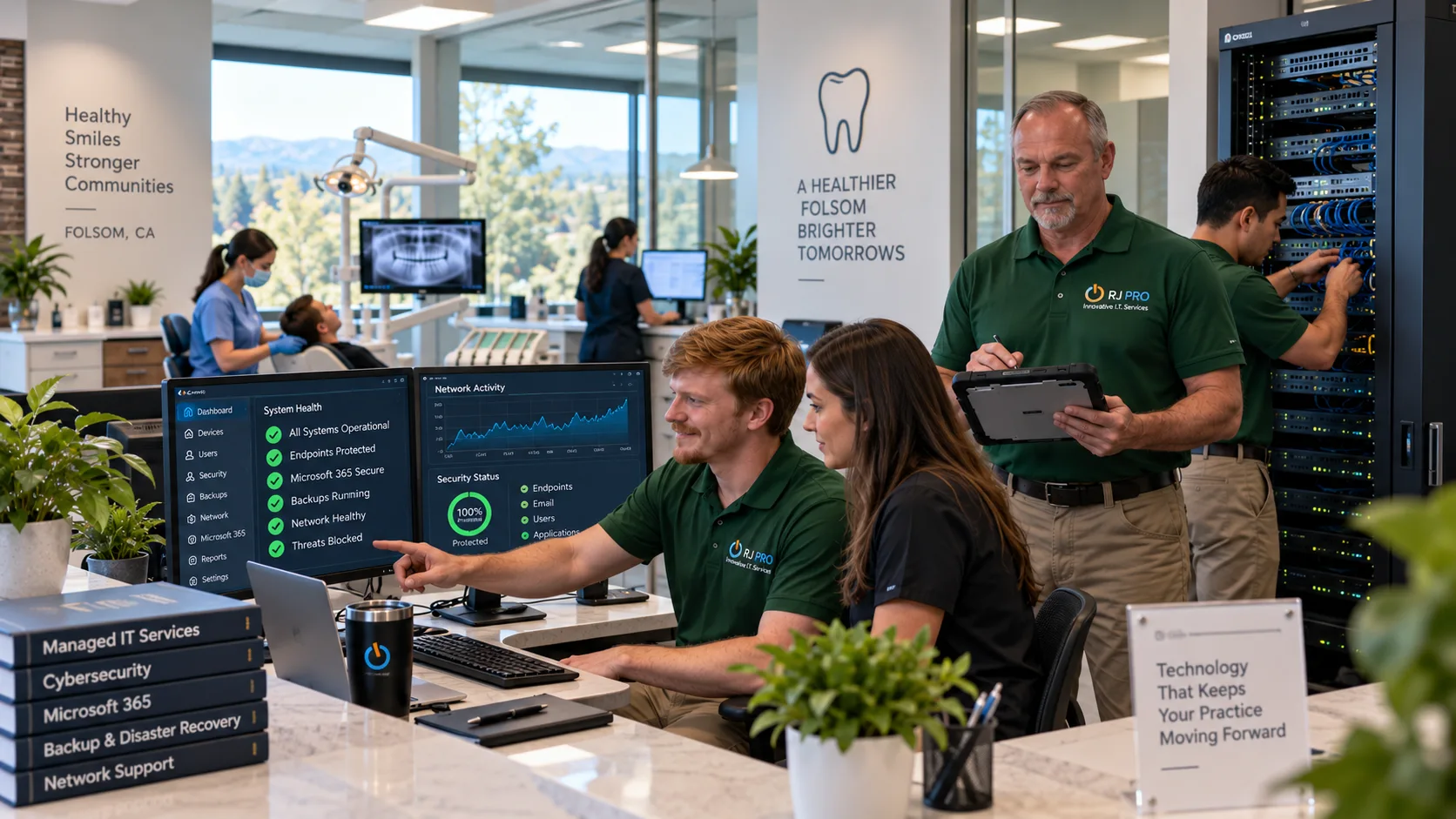
Services Provided: Managed IT Services, IT Support, Cybersecurity, Microsoft 365, Network Support, Backup & Disaster Recovery
A dental practice runs on its technology whether or not anyone in the building thinks about it that way. Patient records, practice management software, digital imaging, email, workstations at the front desk and in every operatory, cloud applications, staff accounts, and data storage all have to work at the same time, every day the office is open.
When any one of those pieces goes down, the schedule feels it immediately. A frozen imaging workstation or an unreachable practice management server doesn’t just annoy the team — it slows down appointments that were booked weeks ago.
This Folsom practice reached the point where its technology needed a plan behind it rather than a phone call after something broke. RJ PRO Tech Group was brought in to assess the environment, secure it, and manage it on an ongoing basis.
The Challenge
The practice wasn’t dealing with a crisis. It was dealing with accumulation — years of devices, accounts, and software added one at a time without a central strategy tying them together.
The assessment found several recurring issues:
- Reactive IT support. Problems were addressed after they interrupted work, not before. There was no monitoring layer catching early warning signs.
- Aging and inconsistently managed devices. Workstations had been purchased at different times and configured differently, with no shared standard for updates, security software, or settings.
- Limited network visibility. Nobody had a clear picture of what was connected to the network or how it was behaving.
- Security gaps across endpoints and accounts. Protection varied device to device and user to user.
- Inconsistent backup processes. Backups existed, but coverage was partial and monitoring was incomplete — meaning nobody could confirm with certainty that every critical system was protected.
- Downtime risk to the schedule. Any extended technology failure would directly affect appointments and staff productivity.
- A Microsoft 365 environment needing tighter management. Accounts, access, and email security had not been reviewed against a consistent standard.
- No centralized IT strategy. Decisions were made case by case.
- Limited security awareness among staff. The team had never been given practical guidance on phishing, passwords, or account safety.
- No documented disaster recovery process. There was no tested answer to the question of how the practice would get back up and running after a serious failure.
Individually, none of these were emergencies. Together, they added up to an environment where downtime was more likely than it needed to be, and recovery would have been slower than it should have been.
Project Objectives
RJ PRO Tech Group set nine objectives at the start of the engagement:
- Improve the overall reliability of the practice’s IT environment
- Strengthen cybersecurity across devices, accounts, and email
- Protect sensitive patient and business data
- Reduce technology-related downtime
- Improve backup and disaster recovery readiness
- Bring every device under proactive monitoring
- Improve Microsoft 365 security and management
- Deliver faster, more structured IT support
- Build a technology foundation the practice can grow on
RJ PRO’s IT & Cybersecurity Strategy
Assessment First
Before changing anything, RJ PRO documented what was actually in place: computers and endpoints, network infrastructure, Wi-Fi, servers and storage, the Microsoft 365 tenant, user accounts, existing security controls, backup systems, installed software, and the informal IT processes the team had built up over time.
This step matters more than it sounds. Rolling out security tools or monitoring agents across an environment nobody has mapped tends to create gaps — devices that get missed, accounts nobody knew were still active, backup jobs quietly failing in the background. The assessment gave both sides a shared, accurate picture and set the order of work: fix what carried the most risk first.
The strategy that came out of it combined five things: proactive monitoring, layered security, dependable backup, network stability, and ongoing management. No single one of those would have moved the numbers on its own.
Implementation
1. Managed IT Services
The practice moved from break-fix support to proactive management.
RJ PRO deployed remote monitoring across all workstations and brought endpoint management under a single standard. Patch management was scheduled and tracked rather than left to individual machines. System health monitoring flagged issues like failing drives, low disk space, and repeated errors before they turned into a support call.
Helpdesk support gave staff a defined path for getting help, replacing informal escalation with tracked requests. Preventive maintenance and software and device management became routine rather than occasional.
Result: 27 endpoints brought under management, and monitoring coverage moved from 20% of devices to 100%.
2. Cybersecurity Improvements
Security was addressed as layers rather than a single product.
- Endpoint security and threat protection standardized across every managed device
- Security monitoring to surface unusual activity
- Firewall and network security configuration reviewed and tightened
- User access controls aligned to what each role actually needs
- Password and account security practices documented and applied consistently
- Multi-factor authentication rolled out across user accounts
- Security updates applied on a managed schedule
- Email security improved to reduce exposure to phishing and spoofed messages
- Employee security awareness training so staff can recognize suspicious email and account activity
Critical security issues identified during the assessment dropped from 12 to 3.
3. Microsoft 365 Security & Management
The Microsoft 365 environment was reviewed and reconfigured.
RJ PRO cleaned up user account management, removing and correcting accounts that no longer matched the current team. MFA was extended from partial adoption to full coverage. Email security settings and access controls were brought to a consistent configuration, and account protection and secure collaboration settings were reviewed against the practice’s actual needs.
MFA coverage moved from 38% to 100%.
4. Backup & Disaster Recovery
Backups were expanded, monitored, and tested.
The improved setup addresses hardware failure, accidental deletion, data loss, system failure, cybersecurity incidents, and other unexpected disruptions. Just as importantly, backup jobs are now monitored daily — a backup nobody checks is an assumption, not a protection.
RJ PRO also documented a recovery process so the practice knows what happens, in what order, if a critical system fails.
Backup monitoring coverage moved from 55% to 100%.
5. Network & Connectivity
Network reliability was addressed through monitoring, firewall configuration review, and correcting the connectivity issues that had been causing intermittent problems for staff. Wi-Fi performance was improved across the office, and device-to-network communication was stabilized so workstations and imaging equipment connect predictably.
Before vs After
| Before RJ PRO | After RJ PRO |
|---|---|
| Reactive IT support | Proactive managed IT |
| Inconsistent monitoring | 100% endpoint monitoring |
| Security gaps across devices and accounts | Stronger, standardized cybersecurity controls |
| Partial MFA adoption | 100% MFA coverage |
| Incomplete backup monitoring | Fully monitored backups |
| Longer issue resolution | Faster IT response |
| Unpatched devices | Better patch compliance |
| Higher risk of downtime | More reliable technology environment |
Results
| Metric | Before | After | Improvement |
|---|---|---|---|
| IT-related downtime | 8.5 hrs/month | 2.1 hrs/month | 75% reduction |
| Critical security issues | 12 | 3 | 75% reduction |
| Managed endpoints | 0 | 27 | 27 endpoints |
| Devices receiving proactive monitoring | 20% | 100% | +80 percentage points |
| MFA coverage | 38% | 100% | +62 percentage points |
| Backup monitoring coverage | 55% | 100% | +45 percentage points |
| Average IT response time | 6.2 hrs | 1.8 hrs | 71% faster |
| Unpatched critical devices | 9 | 1 | 89% reduction |
Key Outcomes
75% reduction in IT-related downtime
75% reduction in critical security issues
100% MFA coverage
100% backup monitoring coverage
71% faster average IT response time
89% reduction in unpatched critical devices
The downtime figure is the one the practice notices most. Going from 8.5 hours a month to 2.1 hours means the majority of the interruptions that used to affect the schedule no longer happen. Most of that reduction came from monitoring and patching rather than from replacing equipment — problems were caught and fixed before they reached the point of stopping work.
Response time dropped from 6.2 hours to 1.8 hours, a 71% improvement. When something does go wrong, it gets picked up the same morning rather than the next day.
On the security side, unpatched critical devices fell from 9 to 1 — managed patching closed most of that gap within the first cycles. Critical security issues dropped from 12 to 3, with the remaining items tracked on a roadmap rather than left open.
Business Impact
For the practice, the technical numbers translate into a few practical changes.
Fewer interruptions during the day. Staff spend less time waiting on a machine to come back or working around a system that isn’t cooperating.
More reliable systems. Workstations, imaging, and practice management software behave consistently because they’re maintained to the same standard.
Better protection of sensitive information. Patient and business data sits behind stronger endpoint security, tighter account controls, and full MFA coverage.
Faster resolution when issues come up. A structured helpdesk with a tracked queue replaced informal requests.
Confidence in backups. Full backup monitoring means the practice knows its data is protected, rather than assuming it.
Better preparedness. A documented recovery process means an unexpected failure has a known response instead of an improvised one.
More attention on patients. The clearest benefit is what the team no longer has to think about. Technology problems take up less of the day, which leaves more of it for the work the practice is actually there to do.
Why RJ PRO
The improvements came from combining five things and keeping them running: proactive monitoring, cybersecurity, reliable IT support, backup protection, and ongoing management.
A one-time security cleanup would have faded within months as new devices and accounts were added. Monitoring without a support team behind it produces alerts nobody acts on. Backups without monitoring are a guess. The results here came from treating these as one connected service rather than separate projects.
RJ PRO Tech Group works with Folsom businesses on exactly this model — assess, secure, manage, and stay involved.
Final Takeaway
This Folsom dental practice moved from a reactive IT setup to a managed one. Downtime fell 75%. Every device is monitored, every user account is protected with MFA, every backup is checked, and support requests are answered in under two hours on average instead of over six.
None of that required rebuilding the practice’s technology from scratch. It required assessing what was there, closing the gaps that carried real risk, and putting a management process behind it.
RJ PRO Tech Group provides Managed IT Services, IT Support, Cybersecurity, Microsoft 365, Network Support, and Backup & Disaster Recovery to businesses across Folsom and the surrounding area. Dental practices, medical offices, professional services, and small businesses all run into the same core problem: technology that grew faster than the plan for managing it. That’s the problem we solve.
Ready to Talk About Your IT Environment?
If your business is dealing with reactive IT support, uncertain backups, or security gaps you haven’t had time to close, RJ PRO Tech Group can start with an assessment of what you have today.