
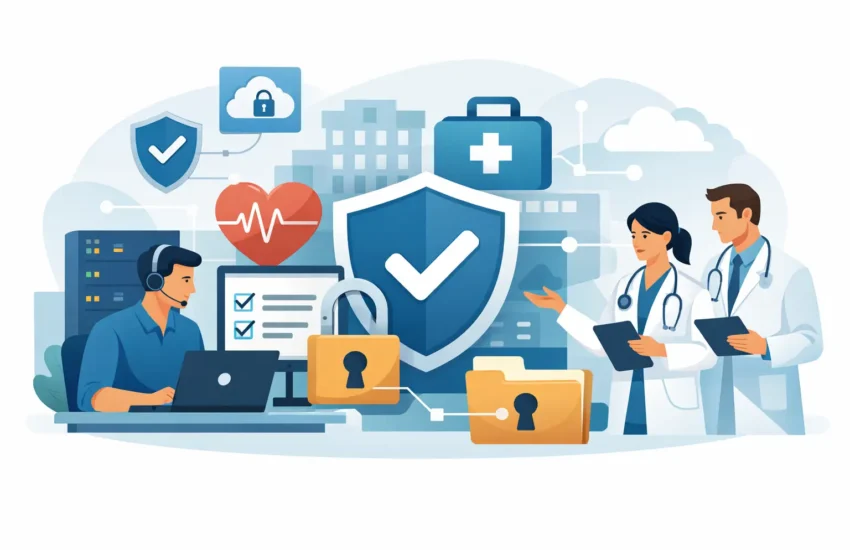
A patient calls because they cannot access their portal. A provider cannot open a chart. Your front desk is working around a slow system while a ransomware message appears on a screen. These are not simply IT problems. They are business continuity and patient trust problems – and they show why IT compliance for medical practices must be managed as an everyday operational priority.
For a medical or dental office, compliance is not a binder on a shelf or a one-time software purchase. It is the ongoing discipline of protecting electronic protected health information, controlling who can access it, recovering it when systems fail, and documenting the safeguards your practice actually uses. Done well, it supports better uptime, more confident staff, and fewer expensive surprises.
Why compliance failures disrupt more than your technology
Medical practices depend on technology from the first appointment request through billing, follow-up care, and records retention. Electronic health record systems, imaging platforms, email, workstations, cloud applications, mobile devices, and backup systems may all handle sensitive patient information. A weakness in any one of those areas can create a much larger problem.
HIPAA requires covered entities and business associates to protect the confidentiality, integrity, and availability of electronic protected health information. That language can sound technical, but the business impact is clear. If staff cannot access records, patient care and scheduling slow down. If information is exposed, the practice may face notification obligations, financial penalties, reputational harm, and a long distraction from serving patients.
Smaller practices are often especially vulnerable because a few people may share administrative responsibilities, use a mix of older and newer systems, or rely on a reactive IT resource. Cybercriminals do not limit their attention to large hospital networks. A local practice with limited internal IT oversight can be an attractive target because patient data is valuable and downtime creates immediate pressure to pay.
Compliance also has a practical connection to profitability. Unplanned outages delay appointments, frustrate patients, increase overtime, and interrupt revenue cycles. Clear standards and proactive support reduce the chance that routine technology issues become operational emergencies.
IT compliance for medical practices starts with risk, not products
Buying security tools without understanding where data lives and how staff use it can leave critical gaps. The right starting point is a HIPAA-focused risk analysis that examines the systems, people, and processes involved in handling patient information.
A useful assessment follows data through the practice. Where are patient records created? Which employees, vendors, and devices can access them? Is information sent by email, stored in cloud applications, scanned from paper forms, or viewed on personal phones? What happens if the internet connection, server, EHR platform, or a staff laptop becomes unavailable?
The assessment should identify realistic threats and weaknesses, then rank them based on likely impact. Common findings include shared user accounts, former employees with active access, unencrypted laptops, outdated operating systems, weak password practices, untested backups, and vendors without appropriate agreements or security review.
The goal is not to eliminate every possible risk. No practice can do that. The goal is to make informed decisions, put reasonable safeguards in place, and document why those decisions fit the size and needs of the organization. A one-provider office and a multi-location clinic will not have identical technology environments, but both need to show that they have addressed their risks deliberately.
Build safeguards your staff can actually follow
The strongest compliance program is usable on a busy Tuesday morning. If a security rule makes normal work impossible, employees will find workarounds. Effective safeguards protect the practice without making patient service unnecessarily difficult.
Control access at the individual level
Every team member should have an individual user account, with access limited to what that role needs. Shared logins make it difficult to know who accessed information and create problems when staff members leave. Require strong passwords and multifactor authentication, particularly for email, remote access, cloud applications, and administrator accounts.
Access reviews should happen regularly and whenever roles change. Promptly disabling accounts for departed employees is one of the simplest, most important controls a practice can maintain. It is also worth reviewing outside access, including billing providers, IT vendors, consultants, and software support teams.
Protect the endpoints people use every day
Most attacks begin at an endpoint: a desktop, laptop, mobile device, or email account. Managed updates, antivirus or endpoint detection tools, encryption, and centralized monitoring reduce risk across these devices. Unsupported operating systems and unpatched applications should not remain connected to systems that handle patient data simply because replacing them is inconvenient.
Email deserves focused attention. Phishing messages can imitate a physician, an EHR vendor, a payroll service, or a patient. Staff training should use clear, relevant examples and give employees an easy way to report suspicious messages. Training is not about blaming someone for one mistake. It is about creating a consistent habit of pausing before sharing information or entering credentials.
Secure vendors and cloud services
Medical practices commonly rely on outside partners for billing, transcription, scheduling, hosted applications, backups, and IT support. When a vendor creates, receives, maintains, or transmits protected health information on your behalf, a Business Associate Agreement may be required.
A signed agreement matters, but it is not the entire review. Ask what data the vendor can access, how that access is secured, where information is stored, how incidents are reported, and what happens to data if the relationship ends. Not every vendor presents the same risk, so the level of review should match the service and the information involved.
Backups and recovery are compliance controls
A backup that has never been tested is only a hopeful assumption. Availability is part of HIPAA compliance, and a practice needs a workable plan for restoring critical systems after ransomware, equipment failure, accidental deletion, fire, or an internet outage.
A dependable recovery strategy includes automated backups, secure copies separated from the primary environment, and a documented restoration process. It should also establish recovery priorities. The practice may need EHR access first, followed by scheduling, communications, imaging, billing, and file storage. The right sequence depends on how your office operates and which systems affect patient care most directly.
Testing is where many plans fall short. A provider should be able to verify that files and systems can be restored, estimate how long recovery will take, and identify any gaps before a real incident. This is especially important for California practices that may face regional disruptions, power events, or connectivity issues in addition to cyber threats.
Document the work and prepare for the worst day
Policies are valuable when they reflect real practice operations. Your documentation should cover how staff access systems, use email, handle mobile devices, report concerns, protect workstations, and respond to security incidents. It should also include risk analysis records, training activity, access reviews, vendor agreements, backup testing, and incident-response actions.
An incident response plan does not need to be complicated, but it must answer immediate questions. Who has authority to make decisions? Who contacts the IT provider, cyber insurance carrier, legal counsel, and affected vendors? How will the team preserve evidence, communicate with staff, and keep serving patients if systems are unavailable?
Do not wait for an incident to find the right phone number or discover that no one knows how to operate in downtime mode. A short tabletop exercise can expose practical issues that a written policy misses, such as where paper forms are kept, who can communicate with patients, or how providers access urgent information safely.
Make compliance an ongoing managed process
Compliance changes as your practice changes. Adding a new physician, opening another location, adopting a new patient communication platform, or allowing remote work can all change your risk profile. Annual reviews are necessary, but meaningful oversight should continue throughout the year.
For many practices, this is where managed IT support provides real value. A qualified IT partner can monitor systems, manage patches, enforce security standards, review backups, support staff quickly, and keep compliance tasks from being pushed aside by urgent daily work. RJ PRO Tech Group helps medical practices turn that ongoing responsibility into a structured plan with clear accountability and predictable support.
The best next step is not to chase every security product on the market. Start by understanding your current risks, confirm that your safeguards work in real conditions, and assign ownership for the actions that protect your patients and practice. When compliance becomes part of normal operations, technology stops being a constant source of uncertainty and becomes a more dependable foundation for care.


