
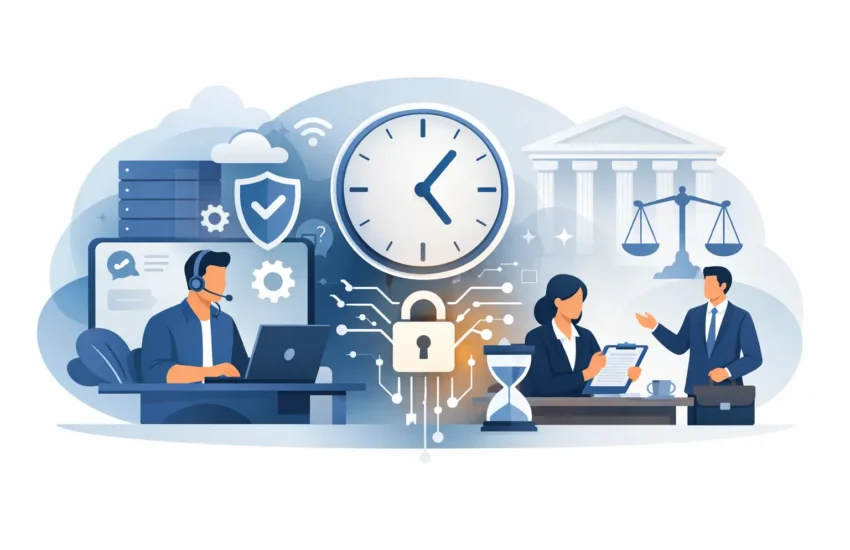
A frozen case-management system at 8:30 a.m. does more than frustrate your team. It can delay filings, interrupt client communication, create missed deadlines, and turn billable hours into unplanned downtime. Effective IT support for law firms is built around preventing those disruptions while protecting the sensitive information your firm is trusted to handle.
For a small or mid-sized practice, technology should support client service and profitability without demanding constant attention from partners, attorneys, or office managers. That requires more than someone to call when a computer stops working. It requires proactive management, clear accountability, and a plan for keeping your firm operating when technology problems or cyber threats occur.
Why Law Firms Need Specialized IT Support
Law firms operate under pressures that make ordinary break/fix IT especially risky. Your team works with privileged communications, financial records, evidence, contracts, health information in some matters, and confidential client files. A single compromised email account or missing laptop can expose far more than a technical problem.
At the same time, legal work has little tolerance for delays. Attorneys need reliable access to document management, email, legal research platforms, calendars, remote files, video meetings, and court-related systems. If any of those tools become unavailable, the effects can spread quickly through the office.
The right IT partner understands that the goal is not simply to keep devices running. The goal is to preserve confidentiality, maintain access to critical systems, control technology costs, and protect the time your firm bills and the reputation it has earned.
The Hidden Cost of Reactive Support
Many firms rely on a local technician only when something breaks. That arrangement can appear less expensive until an emergency exposes the gaps. Response times vary, the technician may not know your environment, and the invoice arrives after the disruption has already affected staff and clients.
Reactive support also tends to leave important work unfinished. Software updates get postponed. Old devices remain in service longer than they should. Backups may exist but are never tested. Employee access is not reviewed when someone changes roles or leaves the firm. These small oversights can become expensive failures.
Managed IT support replaces surprises with a predictable monthly service model. Your systems are monitored, maintained, and documented before a small issue becomes a full day of lost productivity.
What IT Support for Law Firms Should Include
A legal practice does not need every available technology tool. It needs a well-managed environment that fits its size, workflows, client obligations, and budget. The exact plan depends on whether your team works from one office, multiple locations, courtrooms, or home offices, but several services are foundational.
Responsive Helpdesk Support
When an attorney cannot access a document before a hearing, waiting until tomorrow is not an option. A responsive helpdesk gives employees a direct path to qualified technical assistance for everyday issues such as login failures, printer problems, application errors, and remote-access trouble.
Fast support matters, but ownership matters too. Your provider should track recurring issues, identify root causes, and recommend improvements rather than repeatedly applying temporary fixes. This reduces disruptions and gives office managers a clearer view of what is affecting productivity.
Proactive Monitoring and Maintenance
Servers, workstations, networks, and critical applications need regular attention even when users are not reporting problems. Proactive monitoring can detect low storage capacity, failing hardware, unusual activity, outdated software, and performance issues before they interrupt legal work.
Routine maintenance also reduces avoidable security exposure. Operating system updates, application patches, endpoint protection, and network equipment all need to be managed on a schedule. There can be trade-offs when an update affects compatibility with a legacy legal application, which is why changes should be planned, tested where appropriate, and communicated clearly.
Cybersecurity That Protects Confidential Files
Cybercriminals target law firms because confidential data has value. Phishing emails, fraudulent payment requests, stolen passwords, ransomware, and compromised cloud accounts can all put client information and firm operations at risk.
A practical cybersecurity program should combine technology with clear processes. That includes multi-factor authentication, managed endpoint protection, email security, secure access controls, monitoring for suspicious activity, and security awareness training for employees. Training is not a one-time presentation. Tactics change, and staff need simple guidance on how to recognize suspicious links, payment changes, and unexpected document-sharing requests.
The strongest technical controls can still be undermined by excessive access. Employees should have access to the systems and files required for their roles, not unrestricted access by default. When someone leaves the firm, access should be removed promptly across email, cloud systems, shared drives, and legal applications.
Backup and Disaster Recovery
A backup is only useful if it can be restored when needed. Firms should know what data is backed up, how often backups run, where copies are stored, and how long restoration could take after a serious incident.
Disaster recovery planning goes further. It addresses how the firm will continue operating if a server fails, ransomware encrypts files, internet service is interrupted, or the office becomes temporarily unavailable. For some firms, the priority is restoring document access within hours. For others, the most critical need may be keeping remote staff connected and communications available. The plan should reflect the reality of your practice, not a generic checklist.
Questions to Ask Before Choosing an IT Provider
The best IT provider for a law firm is not necessarily the one offering the lowest monthly price. A lower quote may exclude security tools, after-hours assistance, strategic planning, or recovery support when a real emergency occurs. Ask what is included, what creates additional charges, and who is responsible for coordinating vendors when problems involve internet providers, software companies, or hardware manufacturers.
You should also ask how the provider protects privileged and confidential information, how quickly it responds to urgent requests, and whether it has experience supporting the applications your firm relies on. An IT partner should be able to explain its recommendations in plain language and connect them to business risk, uptime, and cost.
Look for a provider that can answer these practical questions:
- Who will respond when an attorney has an urgent technology issue outside standard office hours?
- How are backups monitored and tested for successful restoration?
- What protections are in place against phishing, ransomware, and unauthorized account access?
- How will the provider document your network, devices, software, and vendor relationships?
- What does the firm receive in regular reporting and technology planning discussions?
Clear answers help you compare providers on value rather than promises.
Turn IT Into a More Predictable Part of Your Practice
Technology planning should not begin after an outage, a data-loss event, or a failed compliance review. A proactive assessment can identify aging equipment, unsupported software, weak passwords, unnecessary user access, backup gaps, and network bottlenecks before they create an urgent problem.
It also gives leadership a realistic roadmap. Rather than facing surprise replacement costs, your firm can prioritize upgrades over time based on risk and operational need. That makes budgeting easier and helps prevent critical systems from reaching the end of their useful life without a plan.
For law firms in Sacramento and surrounding California communities, a local managed IT partner can add practical value when on-site support, network projects, or hands-on troubleshooting are needed. RJ PRO Tech Group combines local responsiveness with ongoing monitoring, cybersecurity, helpdesk support, and continuity planning designed around the way your firm operates.
Your attorneys should spend their attention on matters, clients, and deadlines, not unreliable technology. When IT is managed proactively, your firm is better positioned to protect client trust, preserve billable time, and respond calmly when unexpected events occur.


