
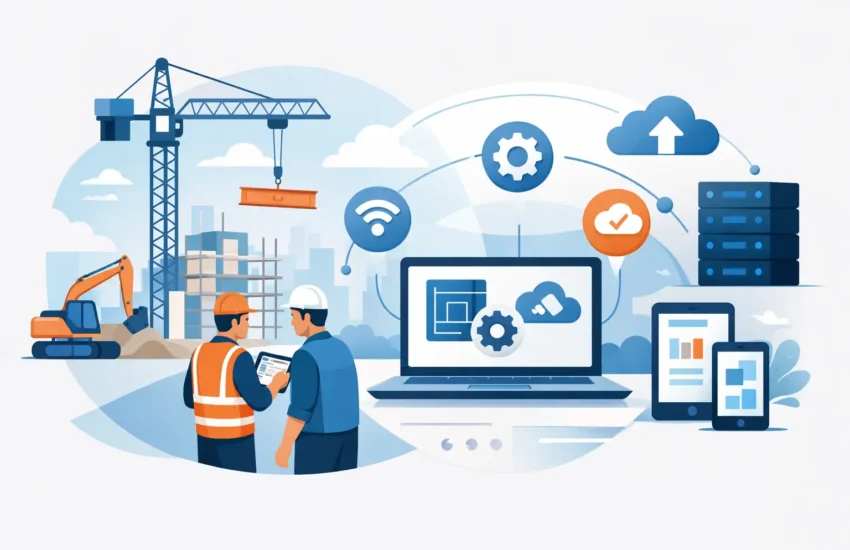
A superintendent cannot wait until the office reopens to access revised drawings. A project manager cannot afford to lose a day of field reports because a laptop fails. For contractors, IT solutions for construction companies are not just back-office improvements. They keep projects moving, protect margins, and help teams make decisions with current information.
Construction technology has to work across the office, trailer, jobsite, and home. That creates a different set of risks than a typical office environment. Devices travel, internet connections vary, plans contain sensitive information, and a missed email or unavailable file can trigger expensive delays. The right IT plan reduces those points of failure before they disrupt a project.
Why construction IT problems become project problems
Most construction firms depend on a mix of estimating software, accounting systems, project management platforms, email, mobile devices, shared drawings, and cloud storage. When one system is slow or unavailable, the impact spreads quickly. Crews may work from an outdated plan set, an invoice may be delayed, or a subcontractor may not receive a needed change order.
The cost is rarely limited to a repair bill. Downtime consumes supervisor time, interrupts billing, slows communication, and can create disputes over documentation. A break/fix approach may restore a device after it fails, but it does little to prevent the failure from affecting the next deadline.
Proactive IT support changes that equation. It monitors the systems your team relies on, applies updates before known vulnerabilities become an issue, and gives employees a clear place to call when technology gets in the way of work. The goal is simple: fewer interruptions and faster recovery when something does go wrong.
The IT solutions construction companies need most
Every contractor has different software, jobsite conditions, and compliance obligations. Still, a dependable IT environment usually starts with four connected areas:
- Managed support and monitoring for computers, servers, networks, and users
- Secure access to drawings, project files, and business applications from the field
- Cybersecurity protection for email, devices, identities, and sensitive data
- Automated backup and disaster recovery that can restore operations after failure or attack
These services are most effective when they are managed as one plan rather than purchased as separate fixes. For example, a secure cloud file system is useful only if employees can access it reliably, devices are protected, permissions are controlled, and data can be recovered if it is deleted or encrypted by ransomware.
Reliable access for office and field teams
Construction teams need access without sacrificing control. Project managers may need to review plans from a tablet at a jobsite. Estimators may work from the office with large files. Accounting personnel may require secure access to financial systems from a different location.
A well-designed network and cloud environment gives each role access to the information it needs while limiting unnecessary exposure. Multi-factor authentication, managed user permissions, secure remote access, and standardized device setups help protect files without making legitimate work harder.
There is a trade-off to manage. Giving everyone unrestricted access may feel convenient, but it increases the risk of accidental changes, lost files, or unauthorized sharing. Overly restrictive controls can slow down a fast-moving project. The right approach matches access levels to job responsibilities and reviews them as employees, projects, and subcontractor relationships change.
Jobsite connectivity that supports the work
A job trailer with unreliable internet can turn a minor technology issue into a productivity drain. Before choosing equipment or service providers, assess what the site actually requires. A temporary trailer with a few users has different needs than a long-term project with cameras, tablets, cloud applications, and frequent document uploads.
Connectivity planning should account for redundancy when the work depends on internet access. That may mean a backup connection, managed wireless equipment, or a cellular failover option. It also requires secure Wi-Fi segmentation so visitors, personal devices, cameras, and company systems are not all operating on the same open network.
The best option depends on the project location, duration, user count, and available service. What matters is having a plan before the trailer opens, not discovering limits after the team is already behind schedule.
Cybersecurity built around construction risk
Construction companies are attractive targets because they handle payment information, bids, contracts, banking details, employee records, and valuable project documents. Cybercriminals often use phishing emails and business email compromise to impersonate executives, vendors, or subcontractors. A fraudulent request to change payment instructions can be costly if no verification process is in place.
Technology should support disciplined processes. Advanced email protection can filter many malicious messages before they reach an inbox. Multi-factor authentication makes a stolen password less useful. Endpoint protection helps detect suspicious activity on laptops and desktops. Regular patching closes security gaps that attackers frequently exploit.
Employee training matters as well, especially for staff who process invoices, approve payments, or handle payroll. The objective is not to turn your team into cybersecurity specialists. It is to make them comfortable pausing, questioning unusual requests, and following a verification process before money or sensitive data changes hands.
Backup and recovery that goes beyond file storage
Cloud applications and shared drives improve collaboration, but they do not eliminate the need for backup. Files can be deleted, corrupted, overwritten, or encrypted during a ransomware incident. A business also needs a clear recovery plan for its servers, accounting data, line-of-business applications, and critical configurations.
A useful backup strategy defines what must be restored first and how quickly it needs to be available. Restoring a single deleted document is different from recovering a failed server or rebuilding access for an entire office. Those recovery targets should be based on the operational cost of an outage, not on guesswork.
Backups must also be tested. A backup that has never been verified is a promise, not a recovery plan. Regular testing confirms that data is available, applications can be restored, and the responsible people know what to do during an incident.
A practical way to prioritize IT investments
Construction firms do not need to replace every system at once. In many cases, the better path is to start with an IT assessment that identifies the most serious risks: unsupported equipment, inconsistent backups, weak passwords, poor wireless coverage, unmanaged user accounts, or no documented recovery process.
Prioritize fixes that reduce costly downtime or serious security exposure. If field staff cannot reliably access current project files, stabilize connectivity and file access first. If the company has no tested backup, address that before adding less critical tools. If invoice fraud is a concern, strengthen email security and payment verification procedures.
Then create a technology roadmap tied to business plans. A contractor opening a second office, adding crews, moving to cloud-based project management, or taking on larger public work will need different capacity and security controls than a firm with a single location. Planning ahead keeps technology from becoming an emergency expense.
What to expect from a managed IT partner
A capable managed services provider should do more than answer tickets. It should document your environment, monitor systems, keep devices maintained, communicate in plain language, and provide recommendations that connect to project operations and budget planning.
For construction businesses in Sacramento and surrounding communities, local accountability can make a meaningful difference when an onsite issue needs attention. RJ PRO Tech Group helps businesses replace reactive technology support with ongoing monitoring, cybersecurity protection, backup, and responsive assistance designed around how their teams work.
Predictable monthly IT management also makes costs easier to plan. It does not mean every project or hardware purchase is included automatically. It means routine support, monitoring, and preventive maintenance are organized around an agreed service plan instead of surprise repair charges.
Make technology a dependable part of the job
Construction already involves enough variables: weather, schedules, materials, inspections, labor, and changing client expectations. Your technology should not add another source of uncertainty. Start by identifying where a system failure would stop work, expose data, delay billing, or create confusion in the field. Then put the support, security, and recovery measures in place before the next urgent project makes the gaps impossible to ignore.


