
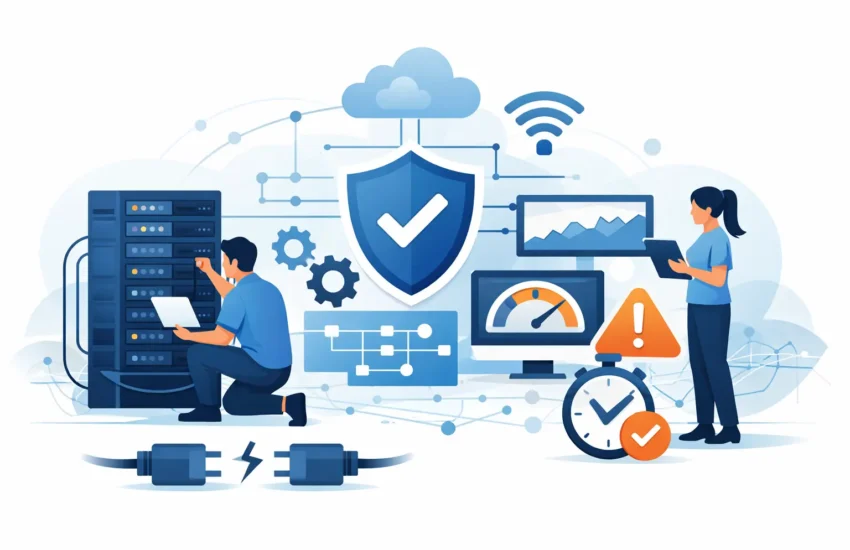
A slow file server at 10:00 a.m. can cost far more than a few frustrated employees. Projects pause, client calls drag on, cloud applications time out, and staff start finding workarounds that create new security risks. For a construction company sharing plans, a medical office accessing patient records, or a law firm working through a filing deadline, network optimization services are a direct investment in productivity and continuity.
The goal is not simply to make the internet feel faster. A well-managed network gives your team reliable access to the applications, files, phones, printers, and cloud platforms they need to do their jobs. It also gives leadership better control over risk, technology spending, and the disruptions that can pull attention away from clients.
What Network Optimization Services Actually Address
Your network is the operating system behind your business operations. It connects workstations, servers, Wi-Fi access points, firewalls, cloud software, mobile devices, and increasingly, specialized equipment. When one part is misconfigured, overloaded, aging, or unsecured, the symptoms can show up anywhere.
Employees may report dropped video calls, slow cloud applications, unreliable Wi-Fi, or trouble reaching shared files. Those symptoms do not automatically mean you need to buy more bandwidth. The real issue may be a weak wireless design, outdated switches, a failing firewall, excessive traffic from an unmanaged device, poor network segmentation, or a provider connection that is not meeting its service commitment.
Network optimization services identify the cause before recommending a fix. This matters because replacing equipment without a clear plan can be expensive and may not solve the actual problem. The right approach combines assessment, monitoring, configuration, security, and lifecycle planning.
Why Network Problems Become Business Problems
Small and medium-sized organizations often tolerate network issues longer than they should. A few minutes of lag can seem minor until it happens several times a day across a team of 20, 50, or 100 people. The cost is not limited to lost minutes. It appears in missed deadlines, duplicate work, reduced employee morale, delayed customer responses, and emergency repair bills.
Network instability can also create a cybersecurity concern. When every device operates on one flat network, a compromised computer may have an easier path to sensitive files, business systems, or connected backups. A network that has not been reviewed in years may also contain unsupported equipment, weak passwords, unnecessary remote access, or incomplete visibility into who and what is connected.
For regulated organizations, the stakes are even higher. Financial firms, medical and dental practices, and legal offices must protect confidential information while keeping authorized users productive. Security controls that are poorly designed can slow work down. Controls that are missing can expose the organization to a costly incident. Optimization finds the practical middle ground.
The Work Behind a Better-Performing Network
Effective network management starts with understanding how people actually work. An architectural firm has different traffic patterns than a dental practice. A manufacturing operation may rely on equipment that cannot tolerate interruptions, while a professional-services firm may depend heavily on cloud applications and video meetings.
A qualified IT provider reviews the full environment: internet connections, firewall settings, switching equipment, Wi-Fi coverage, device inventory, server performance, remote access, and critical applications. The assessment should also look at where the business is headed. A network designed for 15 employees may not support a planned second location, more remote staff, new cloud platforms, or larger project files.
From there, optimization commonly includes four connected areas:
- Performance monitoring: Ongoing monitoring helps identify bottlenecks, unusual traffic, device failures, and capacity constraints before they cause a widespread interruption.
- Wireless and network design: Proper placement and configuration of access points, switches, and network segments improve coverage and protect business systems from unnecessary exposure.
- Security controls: Firewalls, secure remote access, network segmentation, firmware updates, and device policies reduce opportunities for unauthorized access.
- Lifecycle planning: Documenting equipment age and support status allows the business to replace critical technology on a planned schedule rather than during an outage.
This is proactive work, not break/fix support. Instead of waiting for a switch to fail during a busy workday, a managed IT team can identify warning signs, schedule maintenance, and make decisions with less pressure.
Better Wi-Fi Is Not Always the Whole Answer
Wi-Fi receives the most attention because employees experience it directly. But better coverage is only one part of a healthy network. Adding access points can help in a large office, warehouse, or facility with thick walls, but too many poorly configured access points can create interference and make performance worse.
The same applies to bandwidth. If a business has enough internet capacity but its firewall is overloaded or a backup process is consuming the connection during business hours, purchasing a larger internet plan may only mask the problem. In other cases, additional bandwidth is the correct answer, particularly for offices with heavy cloud use, frequent video conferencing, large data transfers, or multiple locations.
The distinction is why measurement matters. A provider should be able to explain whether a problem is inside the office, at the internet provider level, within a cloud application, or tied to a specific device. Plain answers help business leaders approve the right investment instead of guessing.
How Optimization Supports Cybersecurity and Recovery
Network performance and cybersecurity should not be treated as separate projects. The same visibility that identifies traffic congestion can reveal suspicious activity. Unexpected connections, repeated failed login attempts, or unusually high data transfers may indicate a device problem, an employee mistake, or a more serious threat.
Segmentation is especially valuable. It separates sensitive systems from general employee devices and isolates guest Wi-Fi, cameras, printers, or operational equipment where appropriate. If one device is compromised, segmentation can limit how far the incident spreads. The exact design depends on your workflow and risk profile. An overly restrictive design can create support burdens, while an overly open one creates unnecessary exposure.
A well-managed network also supports business continuity. Backups need dependable paths to secure storage. Remote employees need reliable, protected access during a disruption. If a server fails or a location becomes inaccessible, recovery plans are more likely to work when the underlying network has been documented, maintained, and tested.
Signs Your Business Should Request a Network Review
You do not need a major outage to justify an assessment. Recurring small issues are often the earliest warning signs. Pay attention when employees repeatedly complain about slow systems, video calls drop, Wi-Fi works only in certain areas, or cloud software performs differently from one workstation to another.
Other warning signs include an office move, a new location, growth in headcount, an upcoming compliance requirement, a transition to cloud applications, or aging equipment with unknown support status. A recent cybersecurity incident, even one that appears contained, should also prompt a review of how devices are connected and protected.
For California businesses with distributed jobsites, satellite offices, or remote staff, consistency matters. The network has to support work wherever it happens without making employees choose between convenience and security. That requires clear standards, active oversight, and someone accountable for the whole environment.
What to Expect From a Managed Network Partner
A capable managed services provider should not respond to every complaint with a generic equipment quote. They should document the environment, establish a baseline, prioritize risks, and explain recommendations in business terms. You should know what needs immediate attention, what can be planned into the budget, and what outcome each change is expected to produce.
Ongoing support matters as much as the initial project. Networks change as employees add devices, applications evolve, providers update services, and cyber threats shift. Continuous monitoring and responsive helpdesk support keep small issues from becoming expensive disruptions.
RJ PRO Tech Group helps businesses treat network reliability as part of a broader technology strategy – one that includes security, support, backup, and a predictable plan for the future. The objective is simple: technology should help employees serve clients and complete work, not become another daily management problem.
The best time to improve a network is before your busiest day exposes its weak points. A clear assessment and a practical plan can replace recurring IT frustration with dependable performance your business can build on.


