

Running a business in Stockton means keeping several things moving at once. Customer requests need attention, employees have deadlines, documents need reviewing, and everyday administrative work can quickly fill the schedule. For small and midsize businesses, these responsibilities often leave little time to focus on improving operations.
Artificial intelligence (AI) offers another way to handle some of that workload. From organizing customer inquiries to speeding up document processing, the right AI tools can help employees spend less time on repetitive work. The key is knowing where AI actually fits into your business. Here are seven practical ways Stockton businesses can use AI to improve productivity without making daily operations more complicated.
Where Does Your Business Lose the Most Time During the Day?
Before investing in AI software, look at the tasks that repeatedly take employees away from their main responsibilities.
For many small and midsize businesses in Stockton, the problem isn’t always a lack of employees. It is the amount of time spent managing routine work that could be handled more efficiently.
Consider these common situations:
- Customer communication: Employees spend hours responding to similar questions, checking emails, and following up on requests.
- Manual paperwork: Invoices, forms, reports, and other documents require repeated data entry.
- Scheduling conflicts: Appointments, meetings, and employee schedules require constant coordination.
- Information gathering: Employees spend time searching through files, emails, and shared folders to find specific details.
- Repetitive reporting: Preparing weekly updates and organizing business information takes time away from other responsibilities.
These are the types of tasks worth reviewing before introducing AI. Rather than adding another application to your software list, identify one problem that regularly slows your team down.
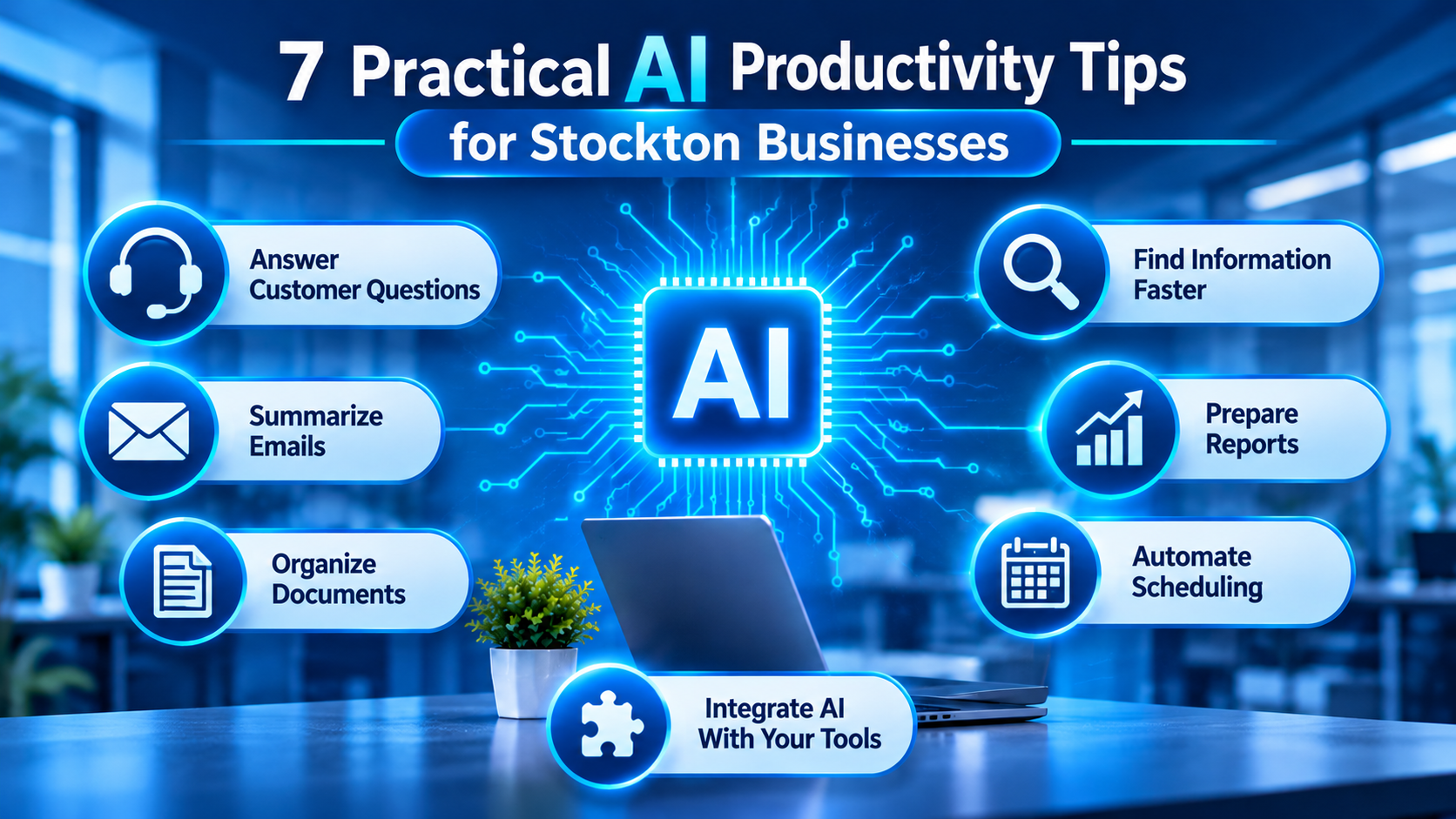
7 Practical AI Productivity Tips for Stockton Businesses
AI becomes useful when it takes work off someone’s daily task list. Here are seven ways businesses can put it to work.
1. Stop Answering the Same Customer Questions Manually
If your employees repeatedly answer questions about business hours, appointment availability, service details, or order updates, AI-powered customer support tools can help handle some of those requests.
For example, a Stockton-based service company could use a website chatbot to:
- Answer frequently asked questions.
- Direct visitors to the correct service information.
- Collect basic customer details before a team member responds.
- Route more complicated requests to the appropriate employee.
This gives customers another way to find basic information without requiring someone to monitor every inquiry.
A useful starting point: Review your most common customer questions and identify which ones can be answered using approved business information.
2. Turn Long Email Threads Into Short Action Lists
Important details can easily get buried in long email conversations. Employees may need to read several messages just to understand what a customer requested or what needs to happen next.
AI assistants can summarize conversations, draft replies, and pull out action items.
For example, an employee handling a customer request could use AI to:
- Summarize a long email discussion.
- Identify outstanding questions.
- Draft a response for review.
- Create a list of follow-up tasks.
Tools such as Microsoft Copilot and ChatGPT can assist with these activities.
The employee should still review the final message, particularly when it involves pricing, commitments, customer complaints, or sensitive business information.
3. Reduce the Time Spent Sorting Business Documents
Invoices, purchase orders, customer forms, and internal records can create a significant administrative workload.
AI-powered document processing can help extract relevant information from supported documents and organize it for further review.
For example, a business receiving multiple invoices could use document automation to identify:
- Vendor names and invoice numbers.
- Invoice dates and payment deadlines.
- Total amounts and line items.
- Missing or incomplete information.
Instead of manually transferring every detail, employees can review the extracted information and correct anything that needs attention.
This is particularly useful for businesses that process a large volume of paperwork each week.
4. Give Employees a Faster Way to Find Business Information
How often does someone need to ask a coworker where a document is saved or search through multiple folders to find an older project file?
AI-assisted search and knowledge tools can make internal information easier to access when properly configured.
Businesses can explore these tools for:
- Finding relevant information in approved company documents.
- Summarizing internal procedures.
- Locating project notes and meeting records.
- Answering employee questions using authorized business resources.
For example, a new employee could use an approved internal knowledge assistant to find the company’s expense procedures instead of waiting for someone to send the relevant document.
The important part is setting appropriate access permissions. Employees should only receive information they are authorized to view.
5. Prepare Reports Without Starting From a Blank Page
Business reports often involve collecting information from spreadsheets, reviewing figures, and explaining what has changed.
AI tools can help employees organize and summarize that information.
A sales or operations team might use AI to:
- Summarize weekly performance figures.
- Identify changes between reporting periods.
- Organize notes into a readable report.
- Prepare an initial explanation of important trends.
However, AI-generated figures and conclusions should always be checked against the original records. A polished report is not useful if the numbers are incorrect.
6. Take Repetitive Scheduling and Follow-Up Work Off the Team’s Plate
Missed reminders, delayed responses, and scheduling conflicts can create unnecessary back-and-forth communication.
AI-assisted scheduling and workflow automation can help coordinate routine activities.
Consider a few examples:
- Sending appointment reminders.
- Creating follow-up tasks after customer interactions.
- Notifying employees when a request needs attention.
- Updating task records when a workflow reaches a specific stage.
These processes can be particularly useful for Stockton businesses managing multiple customer requests or service appointments.
Not every scheduling task requires AI, though. Sometimes a straightforward automation rule is enough. Choose the simplest solution that handles the problem.
7. Connect AI With the Software Your Business Already Uses
One of the biggest productivity opportunities comes from reducing the number of times employees enter the same information into different applications.
Suppose a customer submits a request through your website. Your business might need to transfer that information into a customer management system, notify an employee, and create a follow-up task.
With suitable integrations and workflow automation, some of these steps can happen automatically.
With managed AI services, businesses can receive help evaluating AI platforms, configuring integrations, managing access permissions, and monitoring how these tools are used. This makes AI workflow automation easier to manage while keeping business information under control.
Business activity | Possible AI or automation use | Potential benefit |
Customer inquiries | Categorize and route incoming requests | Faster response handling |
Invoice processing | Extract information from documents | Less manual data entry |
Email management | Summarize conversations | Easier follow-ups |
Internal reporting | Summarize business data | Faster report preparation |
Appointment management | Automate reminders | Fewer missed appointments |
Document search | Search approved company information | Less time looking for files |
The goal is to make existing software work together more effectively rather than introduce several disconnected tools.
Which AI Tools Are Worth Exploring for Your Business?
Not every business needs an expensive AI platform. Some tools are designed for everyday assistance, while others are better suited to connecting applications or handling specific workflows.
Here are a few options worth evaluating.
AI tool | Where businesses can use it | Example task |
Microsoft Copilot | Microsoft 365 productivity | Summarizing emails and working with documents |
ChatGPT | Research and business assistance | Drafting proposals and organizing information |
Google Gemini | Research and document assistance | Summarizing information and generating ideas |
Zapier | Workflow automation | Connecting applications and triggering tasks |
Before choosing a tool, consider the following:
- Does it work with your existing business software?
- Can employees use it without extensive training?
- Does it offer appropriate security and administrative controls?
- Will it solve a recurring problem?
- Is its pricing reasonable for the amount of work it saves?
A tool with dozens of features isn’t necessarily the right choice. The best option is one that fits an actual business need.
What Can Go Wrong When Businesses Start Using AI?
AI can save time, but introducing it without proper planning can create new problems.
Businesses should also establish clear guidelines for using AI responsibly. The NIST AI Risk Management Framework provides guidance on identifying, assessing, and managing risks associated with AI systems. Following a structured approach can help businesses address security concerns, protect sensitive information, and maintain oversight of AI-generated results.
Here are some mistakes Stockton business owners should watch for.
Giving AI Access to Sensitive Business Information
Customer records, financial documents, employee information, and confidential company files should not be entered into unapproved AI platforms.
Before employees use an AI tool, establish clear rules about what information they can share and which platforms are approved.
Trusting Every AI-Generated Answer
AI can produce incorrect information, misunderstand instructions, or create summaries that leave out important details.
Keep employees involved in reviewing:
- Customer communications.
- Financial information.
- Business reports.
- Legal or contractual documents.
- Important operational decisions.
Automating a Process That Already Needs Fixing
If your current process has unclear responsibilities or inconsistent information, automation may simply move those problems into another system.
Review the workflow first. Remove unnecessary steps and decide how the process should work before automating it.
Ignoring Software Compatibility
An AI application might look useful on its own but create problems when it cannot communicate with your existing business systems.
Check integration requirements, user permissions, and technical limitations before committing to a platform.
How Stockton Businesses Can Start Using AI Without Disrupting Daily Work
You don’t need to change every business process at once. A small, controlled starting point is often more practical.
Use this approach to evaluate your first AI project:
Step | What to do | What to check |
1. Identify the problem | Find a task employees repeat frequently | How much time does it take? |
2. Choose one tool | Find an AI application that addresses that task | Does it fit your existing software? |
3. Run a small test | Try it with a limited workflow | Are the results accurate? |
4. Train employees | Explain how and when to use the tool | Can employees use it correctly? |
5. Measure the results | Compare the process before and after implementation | Is it saving time or reducing errors? |
6. Expand carefully | Introduce additional workflows when appropriate | Are security and performance being maintained? |
For example, a Stockton business might begin by automating customer inquiry sorting. After testing the process and reviewing its results, the business could consider document processing or internal reporting.
This approach gives employees time to adjust and helps management understand whether the investment is worthwhile.
AI Productivity Starts With the Right IT Setup
Choosing an AI application is only one part of the process. Your existing IT environment also matters.
Businesses need to consider whether their computers, networks, cloud applications, user accounts, and software integrations can support the tools they want to introduce.
For example, an AI application that connects to company documents needs properly configured access permissions. A workflow that transfers customer information between applications needs secure connections and clear rules about where that information goes.
This is where having the right technical guidance becomes important.
RJ PRO Tech Group helps businesses explore AI services and practical technology improvements in Stockton. If you’re considering AI for customer communication, document management, or everyday business workflows, the first step is understanding which processes are worth improving and what your existing systems can support.
Explore AI Services in Stockton to learn more about how RJ PRO can help your business approach AI implementation.
Frequently Asked Questions
1. How can a small business in Stockton start using AI?
Start by identifying one repetitive task, such as answering common customer questions, organizing emails, or preparing reports. Choose an appropriate tool, test it with a small workflow, and review the results before expanding its use.
2. Can AI work with the software my business already uses?
Yes, depending on the application and available integrations. Some AI tools work directly within existing business software, while others require third-party connectors or technical configuration. Check compatibility before choosing a solution.
3. Is AI expensive for small businesses to implement?
Costs depend on the tools, number of users, integrations, and level of customization required. Some applications offer free or lower-cost plans, while more advanced business implementations may require additional investment.
4. Can AI handle administrative work without replacing employees?
AI can assist with repetitive activities such as document sorting, email summaries, and appointment reminders. Employees still need to review important information, handle exceptions, and make decisions that require business judgment.
5. How can Stockton businesses protect company information when using AI?
Use approved business platforms, review their data handling policies, restrict access to sensitive information, and establish employee guidelines. Avoid entering confidential customer or company information into unapproved tools.
6. Does a business need an IT team to implement AI?
Not every basic AI application requires a dedicated IT team. However, businesses connecting AI to internal systems, customer databases, or company documents may need technical assistance with integrations, permissions, security, and ongoing maintenance.

