
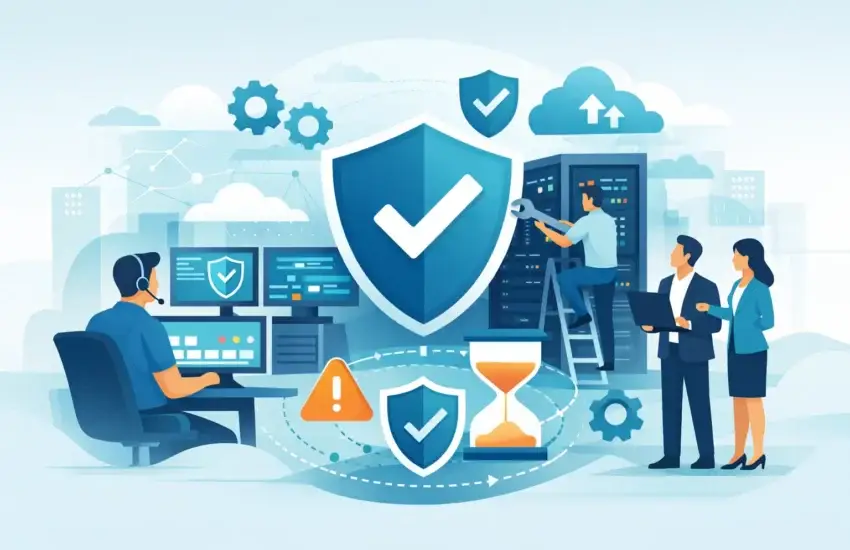
A server failure at 8:15 a.m. does not stay an IT problem for long. It becomes missed client calls, delayed projects, frustrated employees, and a business owner trying to get answers while the workday slips away. Proactive IT support for businesses is designed to prevent that scramble by finding and fixing technology issues before they interrupt operations.
For small and medium-sized organizations, the difference between reactive and proactive support is more than technical. It affects productivity, security, client trust, and the ability to plan expenses with confidence. If your team depends on email, cloud applications, phones, shared files, specialized software, or connected equipment, waiting for something to break is an expensive operating model.
Why Break/Fix IT Creates Expensive Surprises
Break/fix support follows a familiar pattern: a device fails, a network slows down, or an employee cannot access a critical application. Then someone calls for help. The technician diagnoses the issue, proposes a repair, and bills for the time required. The immediate problem may be resolved, but the underlying cause is not always addressed.
This approach can appear less expensive when everything is working. The problem is that businesses do not budget around quiet months. They absorb the cost when an outage arrives at the worst possible time, often with lost labor, delayed revenue, emergency repair charges, and damage to customer confidence.
A construction company may lose access to plans in the field. A law firm may be unable to retrieve client documents before a deadline. A medical or dental practice may have to reschedule appointments when systems are unavailable. In each case, the technology issue is only the beginning. The real cost comes from interrupted work.
Reactive support also makes it easier for small issues to become major ones. A storage drive nearing capacity, an outdated firewall, repeated failed backups, or an unmanaged employee laptop can all create risk long before a visible outage occurs.
What Proactive IT Support for Businesses Looks Like
Proactive support means your IT environment is monitored, maintained, and improved on an ongoing basis. Rather than treating technology as a series of emergencies, your provider takes responsibility for the health of the systems your business relies on.
That typically starts with a clear understanding of your network, devices, users, applications, security controls, and data. From there, routine maintenance and monitoring help identify warning signs such as unusual network activity, failing hardware, missing software updates, backup errors, or systems that are approaching capacity.
The goal is not to eliminate every possible issue. No IT partner can promise that hardware will never fail or that threats will never target your business. The goal is to reduce the likelihood of disruption, catch problems earlier, and ensure your team has a tested response when something does happen.
Monitoring Turns Warning Signs Into Action
Many business disruptions give advance notice. A server may show recurring errors. A workstation may have a failing drive. Internet equipment may be dropping connections. Backup jobs may complete with warnings rather than success.
Without active monitoring, those alerts can go unnoticed until an employee reports that something is no longer working. With proactive management, technicians can investigate and resolve many issues before employees feel the impact. That is how IT support protects productive time rather than simply restoring it after a loss.
Maintenance Reduces Avoidable Problems
Routine maintenance is not glamorous, but it prevents a large share of recurring IT headaches. It includes applying appropriate security updates, reviewing system performance, managing user accounts, checking backup status, updating documentation, and keeping network equipment in a supported condition.
Timing matters. Updates should be planned around business needs, not pushed without consideration for compatibility or critical workflows. A financial firm, engineering office, or medical practice may use specialized applications that require careful testing and scheduling. Proactive support should be disciplined, not disruptive.
Security Is Part of Daily IT Management
Cybersecurity cannot be treated as a one-time software purchase. Criminals target small and medium-sized businesses because they often have valuable data, limited internal IT resources, and employees who are busy serving clients.
Proactive support incorporates security into everyday operations. That can include managed endpoint protection, email security, multifactor authentication, access controls, patch management, and monitoring for suspicious activity. Just as important, it includes clear processes for onboarding and offboarding employees so former staff, lost devices, and shared passwords do not create unnecessary exposure.
For organizations with compliance obligations, security management should also support documented controls, data protection practices, and a more organized response to audits or client security questionnaires.
The Business Outcomes Leaders Actually Care About
Technology decisions should be measured by their effect on the business, not by the number of tools installed. A proactive IT strategy delivers value when it helps employees work without interruption, protects sensitive data, and gives leadership a clearer picture of risk and cost.
The most meaningful results usually include:
- Fewer avoidable outages and faster resolution when problems occur
- More productive employees who can access the systems and files they need
- Better protection against ransomware, phishing, and unauthorized access
- Reliable backups and recovery plans for critical business data
- Predictable monthly IT costs instead of surprise emergency invoices
Predictable costs deserve particular attention. Managed IT agreements generally shift routine support, monitoring, and maintenance into a consistent monthly investment. That does not mean every project or hardware replacement is included. It does mean leaders can separate planned technology investments from unpredictable repair bills and make better decisions about their budget.
Backup Is Not the Same as Business Continuity
Many businesses believe they are protected because they have a backup solution. A backup is essential, but it is only one part of recovery. The real question is whether your business can restore the right data, systems, and access quickly enough to continue serving clients.
A practical business-continuity plan identifies which systems are most critical, how long the business can operate without them, who makes decisions during an incident, and how employees will communicate if normal tools are unavailable. It should also account for threats beyond ransomware, including equipment failure, accidental deletion, power events, and local disasters.
Testing matters. A backup that has never been verified is an assumption, not a recovery plan. Proactive IT support includes checking backup results and periodically validating that restoration procedures work as intended.
When Proactive Support Needs a Customized Plan
There is no single IT plan that fits every business. A small professional office with cloud-based applications has different needs than a manufacturer with on-site systems or an architectural firm managing large design files. The right level of support depends on the number of users, the sensitivity of the data, remote-work needs, compliance requirements, and the cost of downtime.
Some organizations need 24/7 response because their operations extend beyond normal business hours. Others may prioritize rapid onsite assistance, stronger cybersecurity controls, or a roadmap for replacing aging equipment. A good provider asks about business goals before recommending technology.
For California businesses in Sacramento, El Dorado Hills, Folsom, and surrounding communities, local access can add real value when an issue requires hands-on support or when leadership wants an IT partner who understands the region and can meet face to face. Remote support resolves many issues quickly, but it should not be the only option when your operations need more.
Questions to Ask Before Choosing an IT Partner
Before signing a managed IT agreement, ask how the provider monitors systems, handles after-hours incidents, verifies backups, and communicates about risks. Ask what is included in the monthly fee and what may be billed separately. You should also understand response expectations, escalation procedures, and who owns the documentation and administrative access for your environment.
The best relationship is not built on technical jargon or vague promises. It is built on accountability. Your provider should be able to explain what they are managing, what they are improving, and what decisions require your input.
RJ PRO Tech Group approaches managed IT as a long-term business partnership, not a ticket-by-ticket transaction. That means keeping an eye on the details that prevent interruptions while helping leaders make smart, practical technology decisions.
Your employees should not have to become technology experts to keep the business moving. When the right people are watching your systems, protecting your data, and planning ahead, your team can spend more time serving clients, completing projects, and building a stronger business.


