
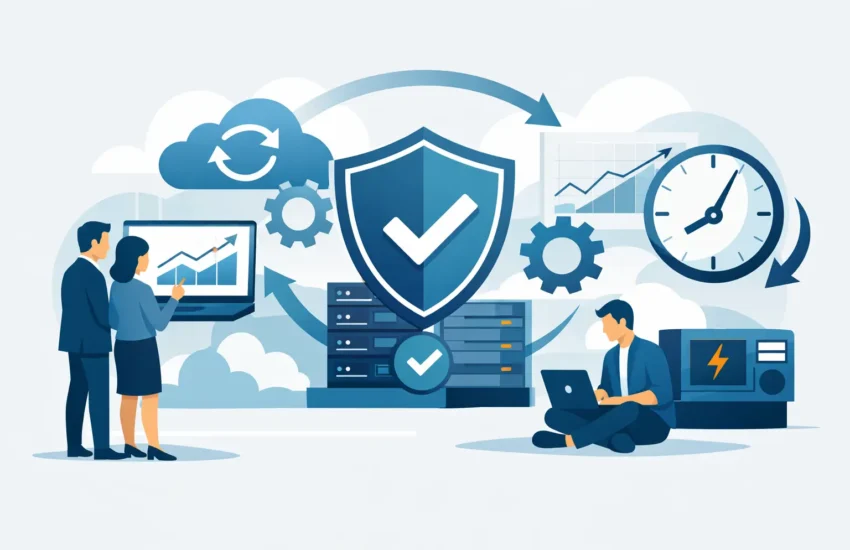
A server failure at 10:00 a.m. can stop far more than email. It can delay construction bids, prevent a medical practice from accessing patient records, interrupt payroll, hold up legal filings, and leave employees waiting for answers. For a small or medium-sized business, even a short outage creates pressure on revenue, client trust, and staff productivity.
Business continuity solutions are designed to prevent that disruption from becoming a business crisis. They give your organization a clear, tested way to keep operating when technology fails, data is compromised, or a local event makes the office unavailable. The goal is not merely to restore systems eventually. It is to protect the work your team needs to do right now.
What Business Continuity Solutions Actually Do
Business continuity is often confused with backup. Backups are essential, but they are only one part of the plan. A backup answers, “Can we restore our files?” Business continuity answers broader questions: “How will employees work? Who makes decisions? Which systems come back first? How long can we operate without our office, server, or internet connection?”
Effective business continuity solutions combine people, processes, and technology. They identify the systems your business cannot operate without, protect the data those systems use, and establish a practical recovery path before an incident occurs.
For example, an engineering firm may need access to project files, estimating software, email, and client communications within hours. A dental office may prioritize practice-management software, imaging records, secure communications, and compliance-sensitive patient information. The right plan reflects those differences rather than applying the same recovery standard to every business.
Downtime Has a Cost Beyond Lost Revenue
The most visible cost of downtime is lost billable work or interrupted sales. The less visible costs can be just as damaging. Employees may spend hours trying to work around unavailable systems. Leaders may make rushed decisions with incomplete information. Clients may question whether their information is protected or whether deadlines can be met.
Cyberattacks raise the stakes further. Ransomware can encrypt files, disrupt operations, and threaten to expose sensitive information. Restoring from an untested backup may take longer than expected, especially if the backup is incomplete, inaccessible, or also affected by the attack.
A continuity plan helps reduce uncertainty when time matters. It establishes recovery priorities in advance, so your team is not trying to decide what matters most while customers are calling and employees cannot log in.
The Four Parts of a Practical Continuity Plan
A plan should be detailed enough to guide action but simple enough that your leadership team can use it under pressure. Most small and medium-sized organizations need four connected capabilities.
- Risk assessment and recovery priorities: Identify the systems, data, vendors, and business functions that would cause the greatest disruption if unavailable. Set realistic recovery time objectives, meaning how quickly a system must be restored, and recovery point objectives, meaning how much recent data you can afford to lose.
- Protected, recoverable data: Use automated backups with secure offsite or cloud copies. Backup schedules should reflect how frequently your information changes. A firm processing transactions throughout the day may require more frequent protection than an office that updates records once daily.
- Disaster recovery technology: Ensure critical systems can be restored to working hardware, a secure cloud environment, or another approved location. This may include image-based backups, virtual server recovery, replacement device procedures, and documented application configurations.
- Clear communication and testing: Define who contacts employees, clients, vendors, and technical providers during an outage. Test recovery procedures regularly. A plan that has never been tested is an assumption, not a dependable operating plan.
These elements work together. Strong backups do not solve a communication gap. A documented process does not help if the business has no secure copy of its data. Continuity requires both preparation and the ability to execute.
Business Continuity Solutions Should Match Your Operations
There is no single recovery timeline that works for every organization. A company that can tolerate a day without a secondary internal application may need near-immediate access to email, shared files, and customer information. A manufacturer may have different priorities, including production systems, supplier communications, and inventory data.
Start by separating critical systems from convenient systems. Critical systems are those that directly affect revenue, safety, compliance, client service, or daily operations. Convenient systems can be restored later without placing the business in a serious position.
This distinction makes continuity planning more affordable and more effective. Attempting to give every system the highest level of protection can add unnecessary cost. Underprotecting key systems can create an unacceptable recovery delay. The right balance depends on your obligations, available budget, client expectations, and the real cost of an interrupted workday.
For organizations in Sacramento and surrounding communities, local conditions can also matter. Power interruptions, wildfire-related disruptions, severe weather, and regional connectivity issues can affect more than one office at a time. A plan that assumes employees can simply return to the building may not be enough. Remote work procedures, secure access, alternate communication methods, and offsite recovery options should be considered where they fit the business.
Why Cybersecurity Belongs in Continuity Planning
Business continuity and cybersecurity cannot be treated as separate conversations. The same systems that need to stay available must also be protected from unauthorized access, malware, phishing, and ransomware.
A cyber incident may require a different response than a hardware failure. With a failed server, the priority may be restoring operations quickly. With suspected ransomware, restoring too quickly without investigating the environment could reintroduce the threat or compromise evidence needed for response and insurance requirements.
That is why continuity planning should include layered security controls, monitored systems, secure backup practices, account protection, and an incident-response process. It should also establish who has authority to make decisions during a security event. Waiting for consensus after an attack begins can extend downtime and increase exposure.
Compliance-focused organizations have additional concerns. Law firms, financial businesses, and medical or dental practices may have obligations related to confidential data, notifications, record retention, and access controls. A continuity plan should support those responsibilities without forcing staff to interpret technical requirements during an emergency.
Testing Is Where Confidence Comes From
Many businesses believe they have a recovery plan because files are copied to the cloud or a backup device runs each night. The real question is whether the organization can restore what it needs within the time it has promised clients, employees, and regulators.
Testing does not have to mean shutting down the entire business. It can begin with controlled tests: restoring a critical file, recovering a server image in an isolated environment, verifying that backup alerts are reviewed, or walking leadership through a tabletop outage scenario. Each test reveals practical gaps, such as missing credentials, unclear vendor contacts, overlooked applications, or recovery steps that take longer than expected.
Regular testing also changes employee behavior. Staff members who understand how to report a suspected phishing message, work from an alternate location, or communicate during a system outage are less likely to add confusion when an incident occurs.
Turning Continuity Into a Managed Business Process
A continuity plan should not sit untouched in a shared folder for three years. Technology changes, employees change, software vendors change, and the business itself may take on new clients, locations, or compliance responsibilities. Plans need review as those changes occur.
Managed IT support can make that process more practical by monitoring infrastructure, maintaining backups, addressing vulnerabilities, documenting systems, and providing responsive help when disruption occurs. Rather than reacting to the latest failure, business leaders gain a clearer view of risks, recovery readiness, and technology costs.
RJ PRO Tech Group helps organizations build continuity around the systems that keep their work moving. That includes proactive IT management, cybersecurity protection, automated backup and disaster recovery, and support that is available when an issue cannot wait until the next business day.
The best time to evaluate continuity is when your systems are working and your team has room to make deliberate decisions. Identify what cannot stop, confirm how it will be restored, and test the plan before your next outage tests it for you.


