
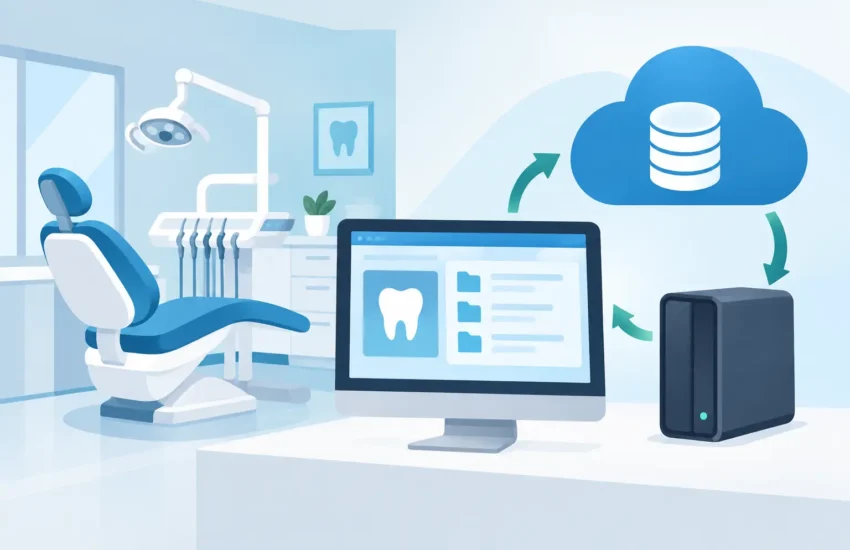
A dental practice backup recovery example becomes very real at 7:30 a.m. when the front desk cannot open the schedule, treatment notes are unavailable, and patients are already arriving. The question is no longer whether the office has a backup. It is whether the practice can restore the systems it needs quickly enough to keep delivering care, protecting patient information, and avoiding a costly day of disruption.
For a dental office, recovery is not simply copying files back onto a server. It is a coordinated return to normal operations: patient management, digital imaging, billing, email, file sharing, and the workstations that staff use to access them. A backup plan that looks good on paper but has never been tested can leave a practice with the worst kind of surprise – data may exist, but it may not be usable when the office needs it.
A Dental Practice Backup Recovery Example: Ransomware Before Opening
Consider a realistic scenario. A 12-person dental practice uses a local server for practice-management data, imaging records, shared documents, and accounting files. The office also depends on cloud email and several workstations at the front desk and in treatment areas.
At 6:45 a.m., a staff member arrives and finds a ransomware message on the front-desk computer. Shared folders are encrypted. The practice-management application will not launch, and the server is showing unusual activity. The office manager calls the IT provider before patients begin checking in.
The correct first move is not to start clicking through the ransomware message or reboot every device. The affected systems must be isolated to prevent additional encryption or malware spread. The IT team disconnects impacted computers from the network, preserves information needed for investigation, and determines whether the server, cloud accounts, or backup environment were affected.
Because the practice has managed backup and disaster recovery in place, its recovery process does not begin with guesswork. The provider confirms the most recent clean recovery point, then prepares a secure restoration path. Depending on the system design and the extent of the attack, the practice-management server may be restored to replacement hardware, a protected recovery environment, or a virtual server that allows the office to resume operations while permanent repairs are completed.
By mid-morning, the staff has access to the prior evening’s patient schedule, clinical notes, billing records, and shared files. A few recent entries may need to be recreated from paper notes or patient communications, but the office avoids losing weeks or months of critical data. Appointments can continue with manageable adjustments instead of a full shutdown.
That is the business outcome that matters: controlled downtime, verified data, and a documented path back to patient care.
What Must Be Recovered First
Not every system carries the same operational urgency. A recovery plan should reflect how the practice actually works, not just what devices are connected to the network.
The first priority is usually the practice-management platform and its database. Without access to schedules, patient histories, treatment plans, insurance information, and account balances, the front desk and clinical team are working blind. Digital imaging is often next, particularly for practices that rely on image access during exams and treatment planning. Email, phone integrations, document storage, payment processing, and accounting systems may follow based on their role in same-day operations.
This order can vary. An oral surgery practice may place imaging and clinical documentation at the top of the list. A high-volume family practice may prioritize scheduling, eligibility verification, and payment processing to keep patient flow moving. The right recovery plan is built around recovery time objectives: how long each system can be unavailable before the impact becomes unacceptable.
A serious plan also considers recovery point objectives. This is the amount of recent data the practice can afford to lose. If backups run only once each night, a failure at 4:00 p.m. could mean recreating an entire day of notes, charges, and schedule changes. More frequent backup intervals reduce that exposure, but they may require additional infrastructure and management. The right balance depends on the practice’s workflow, budget, and tolerance for disruption.
Why a Backup Alone Is Not Enough
Many dental offices assume they are protected because someone occasionally copies data to an external drive or because their software vendor says data is stored in the cloud. Those measures may help, but neither automatically guarantees a usable recovery.
An external drive connected to the server can be encrypted by ransomware along with the production data. A cloud application may protect the vendor’s platform, yet leave gaps around local files, imaging databases, email, endpoint configurations, or data exports. Even a well-designed backup can fail the practice if restore procedures are untested or credentials are unavailable during an emergency.
A dependable strategy typically includes protected backups that are separated from the production environment, retained recovery points, encryption, monitoring, and routine restore testing. The goal is not merely to keep another copy of data. The goal is to verify that the copy can be restored within the time the business can tolerate.
For dental practices handling protected health information, security also matters throughout the process. Recovery should preserve appropriate access controls, auditability, and the confidentiality of patient data. A rushed restoration that introduces unverified systems or exposes records can create a second problem after the original outage.
The Recovery Process Staff Should Expect
During a disruption, staff should not have to decide which files to restore or whether a strange server alert is serious. Clear ownership shortens downtime and reduces stress.
A managed recovery process begins with triage. The IT team identifies the cause of the outage, isolates affected devices, and confirms what remains operational. If ransomware or another security event is suspected, the response includes containment and investigation before systems are returned to the network.
Next comes restoration. The team selects a clean backup point and recovers the highest-priority systems first. Before declaring success, staff should validate that the practice-management application opens correctly, the expected patient records are present, imaging is accessible, printing works, user permissions are appropriate, and key integrations function as expected.
Finally, the practice returns to a stable environment. That can include rebuilding compromised workstations, changing passwords, strengthening security controls, documenting the event, and reviewing what could improve the response next time. Recovery is not complete just because a server turns on. It is complete when the office can work safely and confidently again.
How to Prepare Before an Outage Happens
The best time to answer recovery questions is during a calm business day, not while patients are waiting in the lobby. Practice leaders should know where critical data lives, who can authorize recovery decisions, and how quickly key systems are expected to return.
Ask your IT provider to explain the plan in business terms. What would happen if the server failed at opening time? How much data could be lost between backup points? Where are backups stored? Are they protected from ransomware? When was the last successful test restore? Who contacts the practice, and who coordinates with software vendors if needed?
Staff procedures matter as well. Keep an up-to-date contact list outside the primary network. Maintain a limited paper downtime process for appointments, clinical notes, and payments. Train employees to report suspicious emails and unexpected login prompts immediately. These steps will not replace technology, but they give the office a workable bridge while systems are being recovered.
For practices in Sacramento and surrounding communities, local, responsive support can make a practical difference when a disruption requires onsite coordination or fast communication with office leadership. RJ PRO Tech Group helps businesses build and test recovery plans that align with their daily operations, security requirements, and budget rather than relying on a one-size-fits-all backup setup.
Turn Recovery Into a Business Decision
A dental practice does not need to buy every available technology to reduce downtime. It does need a recovery plan that matches the real cost of interruption. If one day without scheduling, imaging, and billing would create canceled appointments, frustrated patients, payroll waste, and reputational damage, the backup strategy should be designed for more than basic file storage.
Ask for proof that recovery works. A tested plan gives leadership a clearer understanding of downtime risk, protects staff from improvising under pressure, and helps patients receive consistent care even when technology fails. That confidence is worth building before the next busy morning depends on it.
