

A single suspicious email can turn into an operational emergency before the workday is over. That is why the EDR versus antivirus protection decision matters to businesses that depend on customer records, job files, accounting systems, and connected employees. The question is not whether basic antivirus has value. It does. The real question is whether it gives your organization enough visibility and response capability when an attacker gets past the first line of defense.
For a small or medium-sized business, a cyber incident is rarely just an IT problem. It can stop billable work, delay construction or engineering projects, expose regulated information, interrupt patient or client communications, and create expensive recovery decisions under pressure. Understanding the difference between antivirus and endpoint detection and response, or EDR, helps leaders make a security choice based on business risk rather than product labels.
What Traditional Antivirus Is Designed to Do
Traditional antivirus software is primarily designed to prevent known malicious files and programs from running on a computer. It checks files, downloads, email attachments, and system activity against known threat signatures and established patterns of suspicious behavior.
This remains useful protection. Antivirus can identify many common threats before they cause harm, and modern next-generation antivirus tools use behavior-based detection in addition to older signature matching. For organizations with limited security needs, it is far better than leaving endpoints unprotected.
The limitation is that prevention tools are built to make a fast decision: allow, block, or quarantine. If a threat looks unfamiliar, uses legitimate software in a suspicious way, or begins with a compromised user account instead of a malicious file, traditional antivirus may have little context to determine what is happening.
That gap matters because many attacks no longer arrive as an obvious virus. A criminal may use stolen Microsoft 365 credentials, remote access tools, a malicious script, or a trusted employee’s account. By the time the activity looks clearly malicious, the attacker may have already accessed sensitive files or moved to another system.
EDR Versus Antivirus Protection: The Key Difference
EDR is designed to detect, investigate, and respond to suspicious activity on endpoints such as laptops, desktops, and servers. Rather than only looking for a known bad file, it continuously collects and analyzes security activity across those devices.
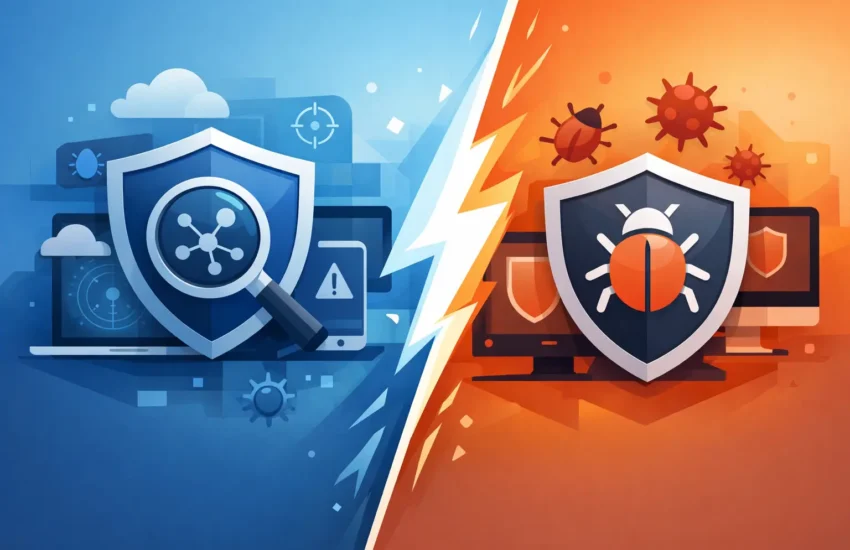
Think of antivirus as a security guard at the entrance, checking for known threats before they enter. EDR adds cameras, records of activity, alerts for unusual behavior, and a response process when something gets through the door.
An EDR platform can help identify events such as unusual login behavior, unexpected attempts to access credentials, rapid file encryption, suspicious PowerShell commands, or a user account trying to reach systems it does not normally use. When it detects a credible threat, it can alert a security team and, depending on the solution and policy, isolate the affected device from the network.
That response capability is the practical distinction. Antivirus focuses heavily on stopping threats before execution. EDR assumes some threats will evade prevention and gives your IT team the information and tools to contain the incident quickly.
Why Prevention Alone Can Leave a Business Exposed
No security control catches every attack. Threats change quickly, attackers test their methods against common defenses, and employees can be persuaded to share credentials or approve a fraudulent request. Even well-trained teams make mistakes when a message appears urgent or comes from a trusted-looking sender.
A business that relies only on antivirus may not know a problem exists until there are obvious symptoms: locked files, systems running slowly, fraudulent emails sent from an employee account, or a call from a client whose data has been exposed. At that point, the response becomes more costly and disruptive.
EDR shortens the time between suspicious activity and action. It provides the evidence needed to understand what happened, which devices were involved, whether the threat spread, and what should be removed or restored. That can make the difference between isolating one laptop and recovering an entire environment after ransomware.
This is especially relevant for organizations that handle confidential client data, financial information, health records, legal documents, designs, or proprietary project files. A compromised endpoint is often the starting point for a larger business interruption event.
When Antivirus May Be Enough
There are situations where a basic antivirus solution may be a reasonable starting point. A very small organization with few devices, no regulated data, limited remote work, and low dependence on digital systems may choose it because of budget constraints.
However, that decision should be made with clear expectations. Antivirus is not a complete cybersecurity program. It does not replace secure email filtering, multifactor authentication, patch management, backups, user awareness training, access controls, or a tested incident response process.
It also depends on who is watching the alerts. An EDR tool produces more value when someone has responsibility for reviewing suspicious activity and taking action. If alerts are sent to an inbox nobody monitors after business hours, the technology cannot deliver its full benefit.
For many California businesses, the better conversation is not “antivirus or EDR?” It is whether the security approach matches the consequences of downtime, lost data, compliance exposure, and reputational damage.
What to Look for in an EDR Solution
Not all EDR services provide the same level of protection. Some are software platforms that alert your internal IT team. Others include managed detection and response, often called MDR, where trained security professionals monitor alerts and help investigate threats. For small and medium-sized businesses without an in-house security operations center, the managed approach is often more realistic.
When evaluating protection, ask how the service handles these four operational needs:
- Continuous monitoring, including after-hours coverage when many attacks are discovered or launched.
- Device isolation and containment when suspicious activity requires immediate action.
- Human investigation to separate meaningful threats from routine alerts and reduce false alarms.
- Clear incident communication that explains the business impact, response steps, and next actions in plain language.
Also ask whether the EDR tool is integrated with patching, identity security, email protection, and backup systems. Security tools work best when they support a coordinated process. A device can be isolated quickly, but recovery still depends on clean backups, documented systems, secure credentials, and a team that knows who is responsible for each decision.
The Business Case Is Faster Recovery, Not More Software
Business leaders should not buy EDR simply because it is newer than antivirus. The value is in reduced risk and a more controlled response when prevention fails.
Consider a law firm that loses access to active case files, a medical office that cannot use its practice-management system, or a construction company that cannot reach drawings, bids, or project communications. The cost of disruption includes more than technical cleanup. Staff lose productive hours, clients lose confidence, deadlines move, and leadership must make decisions without complete information.
EDR helps create a more defensible position by preserving visibility into endpoint activity. It can support faster containment, more accurate investigation, and a clearer recovery plan. Those outcomes protect uptime and reduce the chance that a small incident becomes a prolonged operational crisis.
There is a trade-off. EDR usually costs more than basic antivirus and requires proper deployment, ongoing tuning, and active oversight. Yet the comparison should include the cost of unplanned downtime, emergency support, possible data loss, notification obligations, and lost business. For organizations with valuable data or high dependence on technology, the additional investment is often easier to justify than the consequences of a preventable escalation.
Build Protection Around Your Actual Risk
The right choice begins with an honest assessment of your environment. How many devices connect to business systems? Do employees work remotely? Where is sensitive information stored? Can your business operate for a day without its primary applications? Are backups protected and tested? Who responds if a threat alert occurs on a weekend?
Those answers determine whether antivirus is a basic starting point or an insufficient safeguard. They also reveal where EDR should fit into a broader security plan that includes identity protection, managed monitoring, reliable backups, and tested recovery procedures.
RJ PRO Tech Group helps Sacramento-area organizations turn those questions into practical, business-focused IT decisions. The goal is not to create unnecessary complexity. It is to reduce surprises, protect productivity, and give leadership a clear plan when technology risks threaten normal operations.
The next useful step is to review the endpoints your business depends on most and decide who would see, investigate, and contain suspicious activity if it happened tonight. That answer will tell you far more than a product comparison ever could.
