
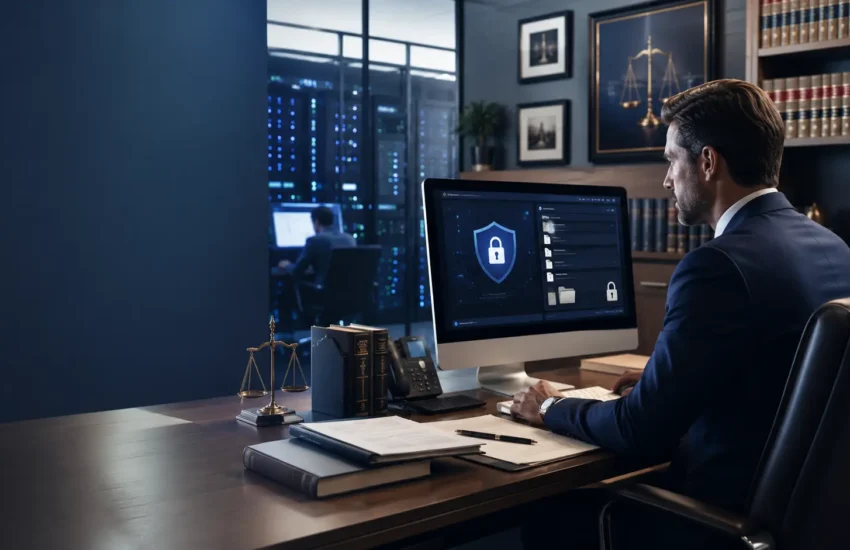

It is 8:40 on a Monday morning. A paralegal at a six attorney firm off Serrano Parkway opens an email that looks like a routine filing notification. The formatting is right. The case number looks familiar. She clicks the attachment, sees nothing happen, and moves on with her day.
By Tuesday afternoon, every case file on the firm’s server is encrypted. Billing records, discovery documents, client correspondence, trust account statements. All of it locked behind a ransom note demanding payment in cryptocurrency. Court deadlines do not pause for this. Clients still call. The firm has no idea whether their data was copied before it was locked.
That scenario is hypothetical, but the pattern behind it is not. Here is the part that surprises most managing partners: your firm is not too small to be attacked. In many cases, you are attacked precisely because you are small. You hold data as valuable as a Fortune 500 company’s, with a fraction of the security budget protecting it.
If your firm operates anywhere near El Dorado Hills, this post explains why you are on the target list, what an attack actually costs, and what a real defense looks like. If you would rather skip ahead and talk to someone about IT support in El Dorado Hills, that option is open too.
Why Law Firms Are High Value Targets for Cybercriminals
Cybercriminals are not romantics. They target whoever offers the best return for the least effort. Law firms score high on both counts.
You concentrate other people’s secrets. Think about what sits on your network right now. Merger and acquisition terms that have not been announced. Intellectual property in a patent dispute. Settlement figures under confidentiality agreements. Estate plans listing every asset a family owns. Medical records attached to personal injury claims. Bank statements and tax returns from family law matters. Criminal defense files. A single small firm can hold more genuinely damaging information than a mid sized bank.
You are a one stop shop. A hacker who breaches one manufacturing company gets one company’s data. A hacker who breaches the firm representing thirty companies gets thirty at once. That multiplier is exactly why attackers moved down market toward smaller firms in the first place.
You are seen as the softer entrance. Your corporate clients likely have security teams, monitored networks, and formal incident response plans. Attackers know this. So they stop attacking the fortress and start attacking the vendor with a key to the side door. In security circles this is called supply chain attack, and law firms sit in the supply chain of nearly every industry.
You move money. Real estate closings. Settlement disbursements. Client trust and IOLTA accounts. Few small businesses initiate wire transfers of that size that routinely. A criminal who can impersonate one email in that chain does not need to sell your data at all. They just redirect the wire.
The Six Attacks Actually Hitting Small Law Firms Right Now
Skip the abstract threat lists. These are the attack types that show up repeatedly in small and midsize legal practices.
1. Ransomware and double extortion
Older ransomware just encrypted your files and demanded payment for the key. Good backups defeated it. Attackers adapted. Modern groups now copy your data out first, then encrypt it, then threaten to publish the stolen files if you refuse to pay. Backups still get your operations back, which matters enormously, but they do not un publish privileged client documents. This is why prevention and detection have to sit alongside recovery.
2. Business email compromise and wire fraud
An attacker quietly reads a real estate or settlement email thread for weeks. At exactly the right moment, they send updated wiring instructions from an address one character off from the real one. The money lands in a criminal account within minutes. The FBI’s Internet Crime Complaint Center consistently ranks this among the costliest cybercrime categories reported annually [VERIFY current IC3 figures before publishing].
3. Phishing that impersonates courts, clients, and opposing counsel
Generic spam is easy to spot. Legal phishing is not. Attackers craft messages that mirror e filing confirmations, subpoena notices, calendar updates, and requests from opposing counsel. Your staff are trained to respond quickly to court communications, and attackers exploit that reflex directly.
4. Credential theft and password reuse
Employees reuse passwords. It is human. When an unrelated website suffers a breach, those username and password pairs end up circulating on criminal forums. If a staff member reused their work email password on that site, an attacker now has valid credentials to your systems without hacking anything at all. Dark web monitoring exists specifically to catch this before it is used.
5. Insider and departing employee risk
Not every incident involves a criminal in another country. An associate leaving for a competing firm may take client lists or work product. A terminated employee may still have active credentials weeks later because nobody revoked them. Access control and offboarding procedures matter as much as firewalls.
6. Unsecured remote and mobile access
Attorneys work from courthouses, home offices, coffee shops, and airports. When someone reads privileged email over unsecured public Wi Fi, or opens case files on a personal laptop with no encryption or endpoint protection, your security perimeter is wherever that device happens to be. Secure network management has to account for that reality rather than pretend it away.
What a Breach Actually Costs an El Dorado Hills Law Firm
Partners tend to picture a ransom payment and stop there. The ransom is often the smallest line item.
Lost billable hours. Every hour your attorneys cannot access case files is an hour nobody bills. Multiply your firm’s blended hourly rate by the number of attorneys and staff, then by several days of degraded operations. That number usually gets attention faster than any statistic.
Recovery and forensics. You will likely need incident response specialists to determine what was accessed, systems rebuilt, and a forensic report your insurer and clients will ask for.
California breach notification obligations. California Civil Code section 1798.82 requires businesses to notify California residents when unencrypted personal information is acquired by an unauthorized person. For a firm with hundreds of client files, that notification exercise is expensive and highly visible.
CCPA and CPRA exposure. Depending on your firm’s size, revenue, and data practices, California’s consumer privacy framework may add further obligations and potential liability. Confirm how it applies to your specific practice with qualified counsel.
Ethics complaints and State Bar scrutiny. A confidentiality failure is not just an IT problem. It raises professional responsibility questions, and those questions get asked by people whose opinion of your firm carries weight.
Malpractice claims. Clients harmed by a disclosure have an obvious avenue, and it leads back to your firm.
Cyber insurance denial. This one blindsides people. Many policies now require specific controls, most commonly multi factor authentication, endpoint protection, and tested backups. If you attested to controls you do not actually have, your claim may be reduced or denied at the worst possible moment.
Reputational damage, which is the most expensive item on this list. Legal work in communities like El Dorado Hills, Folsom, Cameron Park, and Granite Bay moves on referral and reputation. A breach notification letter to every client, plus a possible news mention, does damage no line item captures. Some firms recover. The recovery takes years.

Your Ethical Duty Is Not Optional, and Neither Is the Technology
This section is general information, not legal advice. Confirm your specific obligations with the State Bar of California.
ABA Model Rule 1.6(c) requires lawyers to make reasonable efforts to prevent the inadvertent or unauthorized disclosure of information relating to representation. Reasonable efforts is a moving standard. What passed in 2015 does not pass now.
ABA Model Rule 1.1, Comment 8 ties competence to technology, stating that lawyers should keep abreast of the benefits and risks associated with relevant technology. California’s Rules of Professional Conduct address competence and confidentiality along similar lines under rules 1.1 and 1.6.
California Formal Opinion No. 2010-179 examined an attorney’s duties when using technology such as public wireless networks to transmit confidential client information, and concluded that attorneys must evaluate the risks and take appropriate precautions [VERIFY exact language against the published opinion].
There is also a commercial driver that has nothing to do with ethics rules. Corporate clients increasingly send outside counsel security questionnaires before releasing sensitive matters. They ask whether you enforce multi factor authentication, how you encrypt data, whether you train staff, and how quickly you can detect an intrusion. Firms that cannot answer those questions credibly lose work to firms that can.
Ten Security Controls Every Law Firm Should Have in Place
Use this as a self audit. If you cannot confirm an item, that is your starting point.
- Multi factor authentication everywhere, especially on email and remote access. This single control blocks the majority of credential based attacks.
- Managed detection and response, meaning someone is actually watching alerts and responding, not just collecting logs nobody reads.
- Advanced endpoint protection on every computer, including personal devices used for firm work.
- Email security and phishing filtering tuned for impersonation and lookalike domains.
- Encrypted, tested, offsite backups including at least one copy attackers cannot reach or delete. An untested backup is a hope, not a plan. This is the core of proper backup and disaster recovery.
- A written incident response plan that names who calls the insurer, who calls counsel, and who talks to clients. Deciding this during a crisis costs hours you do not have.
- Role based access controls and least privilege. Not every staff member needs access to every matter.
- Ongoing security awareness training. Your people are the control that fails most often and improves fastest with attention.
- Dark web monitoring for leaked firm credentials, so you find out before an attacker uses them.
- Patch and vulnerability management across workstations, servers, and network devices, handled on a schedule rather than when someone remembers.
Say this plainly: antivirus software plus a consumer cloud drive is not a security program. It is a starting point that stopped being sufficient years ago.
Why Generic IT Support Fails Law Firms
Plenty of competent IT companies would struggle to support a legal practice, because legal operations carry requirements most businesses do not have.
Your applications are specialized. Clio, MyCase, PracticePanther, NetDocuments, Worldox, Westlaw, Time Matters, Microsoft 365, Adobe Acrobat Pro, and DocuSign all interact in ways a general provider may never have configured. When document assembly breaks two days before a filing, you need someone who already understands the stack.
Your deadlines do not move. A retailer losing a morning loses sales. A firm losing a morning may lose a statute of limitations. That difference should shape response time expectations, and it should be written into your service agreement.
Your downtime converts directly into lost revenue. Support that runs on business hours only is a poor fit for attorneys who work nights before trial. Firms in El Dorado Hills and along the Highway 50 corridor also benefit from a provider who can physically show up. Remote support resolves most issues, but when a server fails or your network goes down before a hearing, having a technician who can drive to your office rather than ship a part matters. That is one practical reason local matters more here than a national help desk queue.
Your documentation gets audited. Clients and insurers ask for evidence of controls, access logs, and policies. A provider used to serving law firms delivers that as a normal part of IT services for law firms, rather than scrambling to assemble it.
How RJ PRO Tech Group Protects Law Firms in El Dorado Hills
RJ PRO Tech Group has supported businesses across Calaveras, Amador, Sacramento, and El Dorado counties since 2010, with more than sixteen years of experience keeping small and midsize organizations secure and operational. We work with firms near El Dorado Hills Town Center, in the El Dorado Hills Business Park, and throughout the surrounding communities we list on our areas we service page.
For legal practices, our managed cybersecurity services include:
- Managed detection and response with 24/7/365 monitoring
- Advanced endpoint protection across workstations and mobile devices
- Email security and anti phishing controls
- Dark web monitoring for exposed firm credentials
- Firewall management and vulnerability scanning
- Multi factor authentication rollout and enforcement
- Security risk assessments and access control reviews
- Written security policies and compliance documentation
- Employee security awareness training
- Cloud backup, local backup appliances, and ransomware recovery protection
- Disaster recovery and business continuity planning
- Secure remote access for attorneys working from court or home
That security layer sits on top of fully managed IT, including server monitoring and support, network management, and a help desk your staff can actually reach. Everything runs on flat monthly pricing, which means an entire IT department for less than the cost of one full time employee, with no surprise invoices after an incident.
If you want to see how this works for organizations similar to yours, our case studies and what our clients say cover firms and businesses across the region. We also support cybersecurity for small and midsize businesses outside the legal sector.
⭐⭐⭐⭐⭐ “As a law firm in El Dorado Hills, protecting our client information and keeping our systems secure is critical. RJ PRO Tech Group helped us strengthen our cybersecurity, improve our IT environment, and put better protections in place. They took the time to understand our needs, explained everything clearly, and have been incredibly responsive whenever we need help. We now have much greater confidence knowing our technology and sensitive client data are better protected.”
David S., President, El Dorado Hills, CA
Frequently Asked Questions
Why would a hacker target a small law firm instead of a large corporation?
Because small firms hold concentrated confidential data while typically running lighter security than the corporations they represent. A single firm may store financial records, medical files, trade secrets, and privileged communications for dozens of clients at once. Attackers view that as high value data behind a lower barrier, which is why small and midsize practices now see attacks that once focused on large enterprises.
What is the first thing my firm should do to improve cybersecurity?
Turn on multi factor authentication for email and remote access, then verify your backups actually restore. Those two steps block the most common attack path and protect your ability to recover. After that, book a security risk assessment so you understand your real exposure instead of guessing. Most firms discover gaps they assumed their current provider had already closed.
Does my law firm in El Dorado Hills need a local IT provider?
Remote support resolves most issues quickly, but hardware failures, network outages, and server problems sometimes require someone onsite. A provider serving El Dorado Hills and El Dorado County can dispatch a technician rather than schedule one for next week. Local providers also understand regional business needs and are easier to hold accountable than a national help desk with rotating staff.
Will cyber insurance cover us if we get hit by ransomware?
Possibly, but coverage increasingly depends on the controls you have in place. Many policies now require multi factor authentication, endpoint protection, and tested backups, and ask you to attest to them at renewal. If your actual environment does not match your application, a claim can be reduced or denied. Review your policy requirements against your real configuration before renewal, not after an incident.
How much does cybersecurity cost for a small law firm?
Cost depends on headcount, systems, and compliance needs, but managed security and IT support is typically priced as a predictable flat monthly fee per user or per device. Compare that figure against a few days of lost billable hours during an outage. Most firms find that ongoing protection costs meaningfully less than a single serious incident.
Your Data Is Already Valuable to Someone Else
Every firm that suffered a breach believed it was too small to matter, right up until it happened. The uncomfortable truth is that attackers already know what your case files are worth. The only open question is whether your current setup can stop them, detect them, and get you running again.
You do not need to become a security expert. You need a partner who already is, one who understands legal workflows, deadlines, and the confidentiality obligations you carry.
If your firm operates in El Dorado Hills or anywhere across El Dorado, Sacramento, Amador, or Calaveras counties, RJ PRO Tech Group can review your current environment and show you exactly where you stand. Start with our managed IT services for El Dorado Hills businesses, or schedule a free consultation and we will walk through it with you.
Call (916) 345-3451 or email help@rj-pro.net. A short conversation now is considerably cheaper than a forensic investigation later.


&media=https://www.rj-pro.net/wp-content/uploads/2026/08/law-firm-cyber-security.webp)