

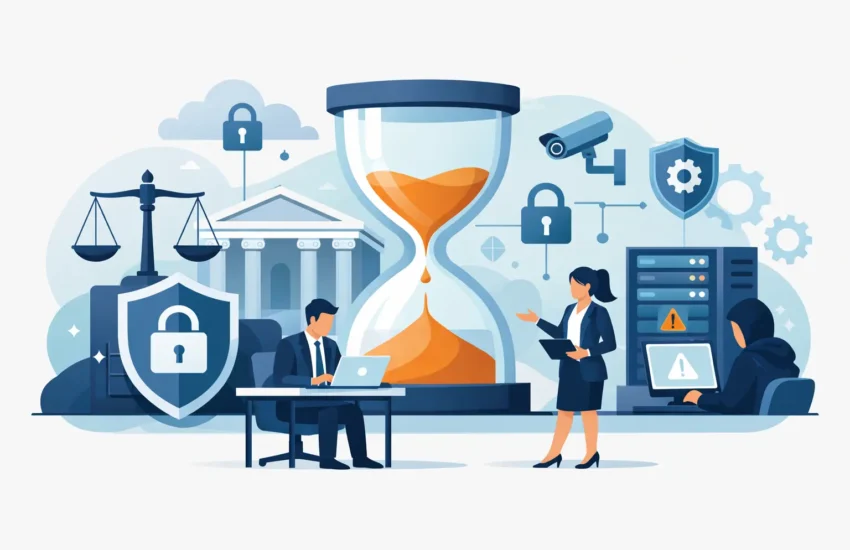
A missed filing deadline, inaccessible case files, or a compromised email account can cost a law firm far more than a few hours of inconvenience. It can interrupt client service, delay billable work, create ethical concerns, and damage the trust your firm has spent years earning. Law firm IT services should be built around that reality: protecting client information while keeping attorneys and staff productive.
For a small or mid-sized firm, technology cannot be a collection of devices that receive attention only after something fails. It needs to be a managed system with clear ownership, responsive support, layered security, and a recovery plan that works when pressure is highest.
Why Law Firms Need a Different Level of IT Support
Most businesses rely on email, files, and internet access. Law firms depend on them to maintain privileged communications, meet court and client deadlines, document every matter, and account accurately for time. A problem with a workstation is frustrating in any office. In a legal practice, it may prevent an attorney from reviewing discovery, joining a hearing, accessing a settlement draft, or responding to a time-sensitive client request.
The stakes are also higher because law firms hold information that criminals want: financial records, personally identifiable information, litigation strategy, contracts, medical documentation, and credentials that can open the door to client accounts. Ransomware and business email compromise do not target only large firms. Smaller practices are often appealing because they may have fewer internal resources devoted to security.
That is why break/fix support is a poor fit for many firms. Waiting for an outage before calling for help leaves too much to chance. A proactive managed IT approach monitors systems, applies updates, identifies weak points, and responds to user issues before they become a firm-wide interruption.
What Effective Law Firm IT Services Should Include
The right plan depends on your practice size, applications, remote-work policies, and client obligations. Still, several capabilities should be part of the conversation for nearly every law office.
Responsive support for attorneys and staff
An attorney who cannot access a document management system shortly before a deposition does not need to navigate a generic support queue. They need a knowledgeable technician who understands the urgency, communicates clearly, and takes ownership of the problem.
Reliable helpdesk support handles everyday issues such as login failures, printing problems, slow computers, video-conference trouble, and software access. Just as importantly, it tracks recurring problems. If the same office loses connectivity every month or a critical application repeatedly crashes, the goal should be to fix the underlying cause rather than repeatedly apply a temporary patch.
Proactive monitoring and maintenance
Servers, networks, workstations, wireless access points, and cloud applications require consistent attention. Monitoring can flag capacity issues, failing hardware, unusual activity, or backup failures before they create an emergency.
Routine maintenance also matters. Security patches, operating-system updates, antivirus management, and device health checks are not glamorous, but skipped maintenance creates avoidable risk. Firms should expect their IT provider to maintain a documented schedule and explain what is being done in plain business terms.
Security designed for confidential data
A firewall alone is not a security strategy. Law firms need layers that work together, including managed endpoint protection, email filtering, multi-factor authentication, secure access controls, and continuous monitoring for suspicious behavior.
Email deserves special attention. A convincing fraudulent payment request or fake shared-document notice can look like it came from a client, court, title company, or colleague. Technical protections can stop many threats, but employee awareness remains essential. Short, practical security training helps staff recognize phishing attempts and report concerns quickly.
Access should also follow the principle of least privilege. Staff members should have the access needed for their roles, not unrestricted access to every matter and every system. This can take planning, particularly in a smaller office where people cover multiple responsibilities, but it reduces the damage a compromised account can cause.
Tested backup and disaster recovery
Backups are only valuable if they can be restored. A firm should know which data is backed up, how often backups run, where copies are stored, and how long recovery is likely to take after an incident.
A sound strategy typically includes protected backups separate from the primary network, so ransomware cannot simply encrypt every available copy. It should also include periodic restoration tests. Finding out that a backup is incomplete after a server failure is not a recovery plan.
For firms with strict downtime tolerances, disaster recovery planning may include alternate access methods, replacement equipment procedures, prioritized system restoration, and documented communication steps. The appropriate level of investment depends on how long the firm can operate without key systems and what that interruption would cost.
The Business Costs Hidden Behind IT Problems
IT spending is often viewed as overhead until a major incident reveals the actual price of instability. Consider the effect of a few hours without email, a document management platform, practice-management software, or internet access. Billable work pauses. Staff members create workarounds. Clients wait for answers. Partners lose time coordinating a response instead of serving clients.
There are less visible costs, too. Slow computers can add minutes to routine tasks throughout the day. Unplanned repair invoices make budgeting difficult. Inconsistent onboarding can leave new hires without access to necessary systems. Weak offboarding practices can leave former employees with credentials that should have been removed.
Predictable monthly managed services can make these costs easier to control. Rather than treating technology as a series of surprises, firm leaders can plan around a defined support model, agreed priorities, and a technology roadmap that aligns with the practice’s goals.
Choosing a Provider That Understands Legal Workflows
A capable IT provider does not need to practice law, but it should understand the operational pressures of a law office. During an assessment, the provider should ask about your case-management tools, document storage, remote access, communication methods, staff roles, and the systems that would create the greatest disruption if unavailable.
The provider should also be willing to explain trade-offs. For example, stronger login controls can add a few seconds to daily access but greatly reduce the risk of a stolen password becoming a breach. Cloud applications can improve mobility and collaboration, but they require deliberate identity management, permissions, and backup planning. There is no single technology stack that suits every firm.
Look for clear accountability as well. Who answers when an attorney has an urgent issue? Is support available outside normal business hours? How are critical incidents escalated? Will the provider document your network, users, licenses, backups, and recovery procedures? Vague assurances are not enough when client data and deadlines are on the line.
For law firms in Sacramento and surrounding California communities, a local provider can also offer practical value. Onsite help may be needed for office moves, network equipment, conference-room technology, or a serious hardware failure. Local access should complement, not replace, reliable remote support and proactive monitoring.
A Practical Starting Point for Improving Your Firm’s IT
The first step is not buying more technology. It is gaining a clear picture of what you already have and where the risks are. An IT assessment should identify critical systems, aging equipment, unsupported software, weak password practices, backup gaps, excessive user permissions, and unclear recovery responsibilities.
From there, prioritize the issues with the greatest business impact. For one firm, that may mean securing email and enforcing multi-factor authentication. For another, it may mean replacing an unreliable server, improving remote access for attorneys, or confirming that backups can restore case files quickly. Addressing every issue at once is rarely necessary, but ignoring known gaps becomes expensive over time.
RJ PRO Tech Group helps businesses take this proactive approach by combining day-to-day support with cybersecurity, monitoring, and business-continuity planning. The objective is straightforward: fewer technology interruptions, greater control over risk and costs, and more time for your team to focus on clients.
Your firm should never have to choose between moving a case forward and dealing with a preventable technology failure. With the right IT partner and a plan built for the way your office works, technology becomes a dependable part of client service rather than a source of distraction.
