
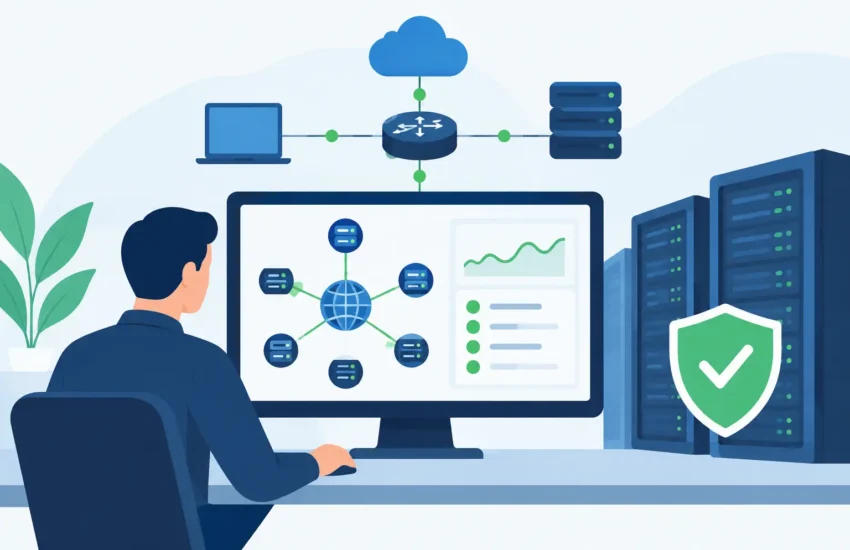
A slow server at 8:00 a.m. can turn into missed deadlines, frustrated employees, and unhappy clients before anyone has time to submit a support ticket. Network monitoring gives your business an early warning system for the technology problems that interrupt work, expose data, and create unplanned expenses.
For a small or midsized business, the goal is not to collect more technical alerts. The goal is to keep people productive, client information protected, and operations moving without constant IT distractions. When monitoring is handled proactively, many issues can be addressed before they become a business-wide outage.
What Network Monitoring Actually Does
Your network connects the systems your team depends on every day: workstations, servers, cloud applications, internet connections, Wi-Fi access points, printers, firewalls, and backup tools. When one of those pieces fails or begins to perform poorly, the effect can spread quickly.
Network monitoring continuously checks the health, availability, and performance of those systems. It can identify warning signs such as a server running out of storage, a failing hard drive, unusual network traffic, an internet connection that is dropping, or a critical security update that has not been installed.
This is fundamentally different from waiting for employees to report that something is wrong. By the time users notice an issue, it may already be affecting payroll, project files, patient scheduling, customer communications, or access to business applications.
A well-managed monitoring program does more than send notifications. It connects alerts to action. The right IT team reviews what the alert means, determines the business impact, and resolves the underlying issue instead of simply closing a ticket.
Why Downtime Costs More Than Lost Minutes
Downtime is rarely limited to the time a system is unavailable. It also creates a chain reaction across your business. Employees may switch to manual workarounds, postpone client responses, repeat work after files become inaccessible, or wait for a resolution without knowing when they can resume.
For a construction or engineering firm, network problems can delay access to plans, job documentation, and field coordination. For a law office or financial organization, an outage may interfere with time-sensitive client communications and secure records. Medical and dental practices can face disrupted appointments, billing delays, and increased pressure to protect sensitive information.
The financial impact is not always obvious on a single invoice. It appears in lost billable time, delayed decisions, employee frustration, missed opportunities, and emergency repair costs. Repeated interruptions also undermine confidence in your technology and make it harder to plan growth.
Proactive monitoring helps replace emergency spending with predictable maintenance. It gives your IT provider the information needed to address a deteriorating system during a planned service window, rather than after it causes a major disruption.
The Problems Monitoring Should Catch Early
Effective network monitoring looks for conditions that create risk long before a complete failure occurs. While every business has different systems and priorities, a proactive approach should watch for several common issues:
- Server and workstation performance problems, including high processor use, low memory, storage shortages, and hardware warnings.
- Internet, firewall, and Wi-Fi interruptions that prevent employees from reaching business-critical systems.
- Backup failures that leave your organization without a usable recovery point when data loss or ransomware occurs.
- Security concerns such as suspicious login activity, unprotected devices, missing patches, and unusual traffic patterns.
- Application and service outages that affect email, file access, line-of-business software, remote access, or cloud connectivity.
Not every alert deserves the same response. A temporary spike in network activity may be normal, while a failed backup or an offline server requires immediate attention. That is why monitoring needs experienced oversight and clear escalation procedures, not just automated notifications.
Network Monitoring Is Part of Cybersecurity
Many business leaders think of monitoring primarily as a way to prevent equipment failures. It also plays a direct role in cybersecurity.
Cyberattacks often begin with small, unusual signals: repeated failed login attempts, activity from an unfamiliar location, a device communicating with a suspicious destination, or sudden file changes across a shared drive. No single signal always proves an attack is underway. However, identifying and investigating unusual behavior quickly can limit the damage.
Monitoring also supports basic security discipline. It can reveal devices that are missing updates, antivirus tools that are not reporting properly, backup jobs that have failed, and systems that should no longer have access to your network. These routine checks matter because attackers often exploit known weaknesses that have been left unattended.
For organizations handling financial data, legal records, health information, or confidential client files, visibility is especially valuable. Compliance requirements vary by industry, but the operational expectation is consistent: know what is happening in your environment and be able to respond when a risk appears.
What Business Leaders Should Expect From a Monitoring Partner
Monitoring software is widely available. The value comes from how it is configured, reviewed, and supported. A generic setup that produces hundreds of alerts can create noise without improving reliability.
Your monitoring partner should begin by understanding which systems are essential to your business. A file server that holds active project documents, a practice management application, and a cloud accounting platform may all require different response priorities. The plan should reflect the consequences of an outage, not merely the number of devices in your office.
You should also expect clear ownership. When an alert indicates a problem, someone should be responsible for investigating it, communicating the impact in plain language, and following through until the issue is resolved. If outside vendors are involved, your IT partner should help coordinate the response rather than leaving your staff caught in the middle.
Regular reporting is useful when it answers practical questions: Are recurring issues being eliminated? Are backups completing successfully? Is equipment approaching replacement age? Are there security gaps that require attention? Reports should help you make informed budget decisions, not bury you in technical details.
Monitoring and Maintenance Work Better Together
Network monitoring identifies potential problems. Maintenance reduces the likelihood that those problems will occur. Businesses get the strongest results when both are part of an ongoing managed IT plan.
For example, monitoring may show that a server is repeatedly running low on space. Maintenance addresses the cause by cleaning up unnecessary files, adjusting storage, archiving data appropriately, or planning a capacity upgrade. Monitoring might detect an unstable Wi-Fi connection, while maintenance checks equipment placement, firmware, configuration, and whether the current hardware still fits the number of users.
This distinction matters. If a provider only responds to alerts, the same problems can continue to return. Proactive management looks for patterns and prevents recurring disruptions from becoming accepted as normal.
There are trade-offs to consider. Smaller organizations may not need the same level of monitoring as a company with multiple offices, remote teams, regulated data, and around-the-clock operations. However, every business needs visibility into its critical systems, backups, security controls, and internet connectivity. The appropriate level of service depends on your risk, operational schedule, and the cost of being unable to work.
Questions to Ask Before You Choose a Service
Before selecting a provider, ask how alerts are handled outside business hours, which devices and services are covered, and what happens when a serious issue is detected. Ask whether failed backups are reviewed and tested, not simply reported. Ask how the provider distinguishes between a minor technical event and a condition that could interrupt your operations.
It is also reasonable to ask about response expectations, documentation, cybersecurity coordination, and the process for planning upgrades. A good provider will explain these answers clearly without making you decode technical jargon.
For businesses in Sacramento and nearby communities, a local IT partner can add practical value when an issue requires onsite support, equipment replacement, or direct coordination with your team. Remote tools solve many problems quickly, but local accountability still matters when your business is under pressure.
Turn Alerts Into Business Continuity
The best time to deal with a failing drive is before it stops a server. The best time to find a backup problem is before you need to recover data. The best time to investigate suspicious activity is before it becomes a costly security incident.
Network monitoring provides the visibility needed to make those decisions early. With responsive support, regular maintenance, and a plan built around your business priorities, technology becomes less of a source of interruption and more of a dependable foundation for the work ahead.
