

Businesses rely on digital systems to manage customer information, financial records, employee details, and daily operations. However, cyberattacks, accidental data loss, hardware failures, and unauthorized access can put this valuable information at risk. Without the right safeguards, even a small security incident can interrupt operations, damage customer trust, and create unexpected expenses.
Business IT Support in Placerville helps organizations protect sensitive information through cybersecurity monitoring, secure data backups, access controls, network protection, and proactive IT maintenance. Working with an experienced IT support provider allows businesses to identify potential vulnerabilities, respond to threats, and maintain reliable technology systems.
Whether you operate a small office, professional service firm, retail business, or growing organization, a well-planned IT security strategy can reduce risks and support long-term growth. Understanding how professional IT support protects business data is the first step toward building a more secure and resilient organization.
How Does Business IT Support Protect Your Data?
Business IT support protects company data by combining cybersecurity tools, regular maintenance, employee education, and reliable recovery procedures.
Key ways IT support helps safeguard business information include:
- Cybersecurity monitoring: Identifies suspicious activity and potential threats before they cause significant damage.
- Data backups: Creates recoverable copies of important business files.
- Access control: Limits sensitive information to authorized employees.
- Network security: Helps protect business systems against unauthorized access and malicious activity.
- Software updates: Addresses known vulnerabilities through timely security patches.
- Employee training: Helps staff recognize phishing emails, suspicious links, and social engineering attempts.
- Disaster recovery planning: Establishes procedures for restoring systems and resuming operations after an incident.
By combining these measures, businesses can strengthen their defenses, reduce downtime, and protect the information they depend on every day.
Why Business Data Protection Matters for Placerville Businesses
Business data includes much more than documents stored on office computers. It may include customer contact information, invoices, payment records, contracts, employee files, intellectual property, and login credentials.
Losing access to this information can affect productivity, customer relationships, and business continuity. A ransomware attack, for example, may prevent employees from accessing essential files. An employee clicking a fraudulent email link could expose account credentials, while a failed hard drive could erase important records.
For businesses in Placerville, California, protecting digital information is an essential part of responsible business management. Security measures should address both external threats and internal risks, including human error and outdated technology.
A proactive IT strategy helps businesses identify weaknesses before they become serious problems. It also establishes clear procedures for protecting information, responding to incidents, and recovering lost data.
Small Business IT Support Placerville: Protecting Your Data
Small businesses may not have dedicated cybersecurity departments or full-time IT employees. However, they face many of the same digital threats as larger organizations. Professional IT assistance can help close this gap by providing access to technical expertise and security solutions without requiring an extensive in-house IT team.
Small Business IT Support Placerville services can be tailored to the size, industry, infrastructure, and security requirements of an organization.
1. Proactive Cybersecurity Monitoring
Cyber threats can develop at any time, making continuous visibility into business systems important. IT professionals can monitor networks, endpoints, and security alerts to identify suspicious behavior.
Depending on the service arrangement, monitoring may include endpoint protection, antivirus management, firewall oversight, suspicious login detection, and incident response support.
Early detection can help limit the impact of malware, unauthorized access, and other security incidents. Businesses should also establish a clear process for investigating alerts and escalating serious threats.
2. Secure Data Backups and Recovery
Data backups are among the most important safeguards against accidental deletion, hardware failures, ransomware, and other disruptive events.
A reliable backup strategy should include automated backups, regular restoration tests, and copies stored separately from primary systems. Businesses should consider offline or immutable backups to reduce the risk of attackers altering or deleting recovery data.
A common starting point is the 3-2-1 backup approach: maintain three copies of important data, store them on two types of media, and keep one copy off-site. Backup frequency should reflect how much data the business can afford to lose.
Professional IT support can help establish backup schedules, monitor failures, and verify that essential files can be restored when needed.
3. Strong Access Controls and Authentication
Not every employee needs access to every business file or system. Giving users only the permissions required for their responsibilities reduces the potential damage caused by compromised accounts or accidental changes.
IT support providers can help implement role-based permissions, multifactor authentication (MFA), secure password practices, and timely removal of access when employees leave.
MFA adds another layer of protection by requiring an additional verification method beyond a password. Businesses should prioritize it for email accounts, administrative accounts, remote access, and other critical systems.
4. Regular Software and Security Updates
Outdated operating systems, applications, routers, and other devices can contain known vulnerabilities that attackers exploit.
Business IT Support Services Placerville can include patch management, software inventory reviews, operating system updates, and checks for unsupported equipment. Applying security patches promptly helps reduce exposure to known threats.
Businesses should also replace unsupported software and hardware when security updates are no longer available. A documented maintenance schedule makes it easier to track updates and address devices that need additional attention.
5. Employee Cybersecurity Training
Technology alone cannot prevent every security incident. Employees may receive convincing phishing messages, fraudulent invoices, fake password-reset requests, or messages impersonating company executives.
Regular cybersecurity training helps staff identify suspicious communications, verify unexpected payment requests, and report potential incidents quickly.
Businesses should encourage employees to report mistakes or suspicious activity without delay. A quick report can help IT teams disable a compromised account, investigate an incident, and reduce further damage.
How an IT Support Company Placerville Businesses Trust Can Reduce Risk
Choosing the right IT partner involves more than finding someone who can repair computers. Businesses need a provider that understands security, reliability, data protection, and operational continuity.
An experienced IT Support Company Placerville organizations work with can help create a structured approach to managing technology risks.
Look for a provider that offers:
- Security assessments: Reviews existing systems, identifies vulnerabilities, and prioritizes improvements.
- Network and endpoint protection: Helps secure computers, servers, remote connections, and business networks.
- Backup management: Monitors backup jobs and tests recovery procedures.
- Incident response planning: Defines responsibilities and actions to take when a security incident occurs.
- IT documentation: Maintains records of systems, configurations, access permissions, and recovery procedures.
- Ongoing guidance: Recommends practical security improvements as the business grows.
RJ PRO Tech Group helps businesses approach IT management with an emphasis on dependable support and protecting critical technology resources. A suitable IT support arrangement should align security recommendations with business priorities, operational requirements, and available budgets.
Building a Business Data Protection Plan
Effective data protection requires a combination of technical safeguards and clear business procedures. Companies should regularly review their security practices rather than relying on a single tool or one-time assessment.
Businesses can strengthen their security practices by following the NIST Cybersecurity Framework, which provides guidance for managing cybersecurity risks and improving organizational resilience.
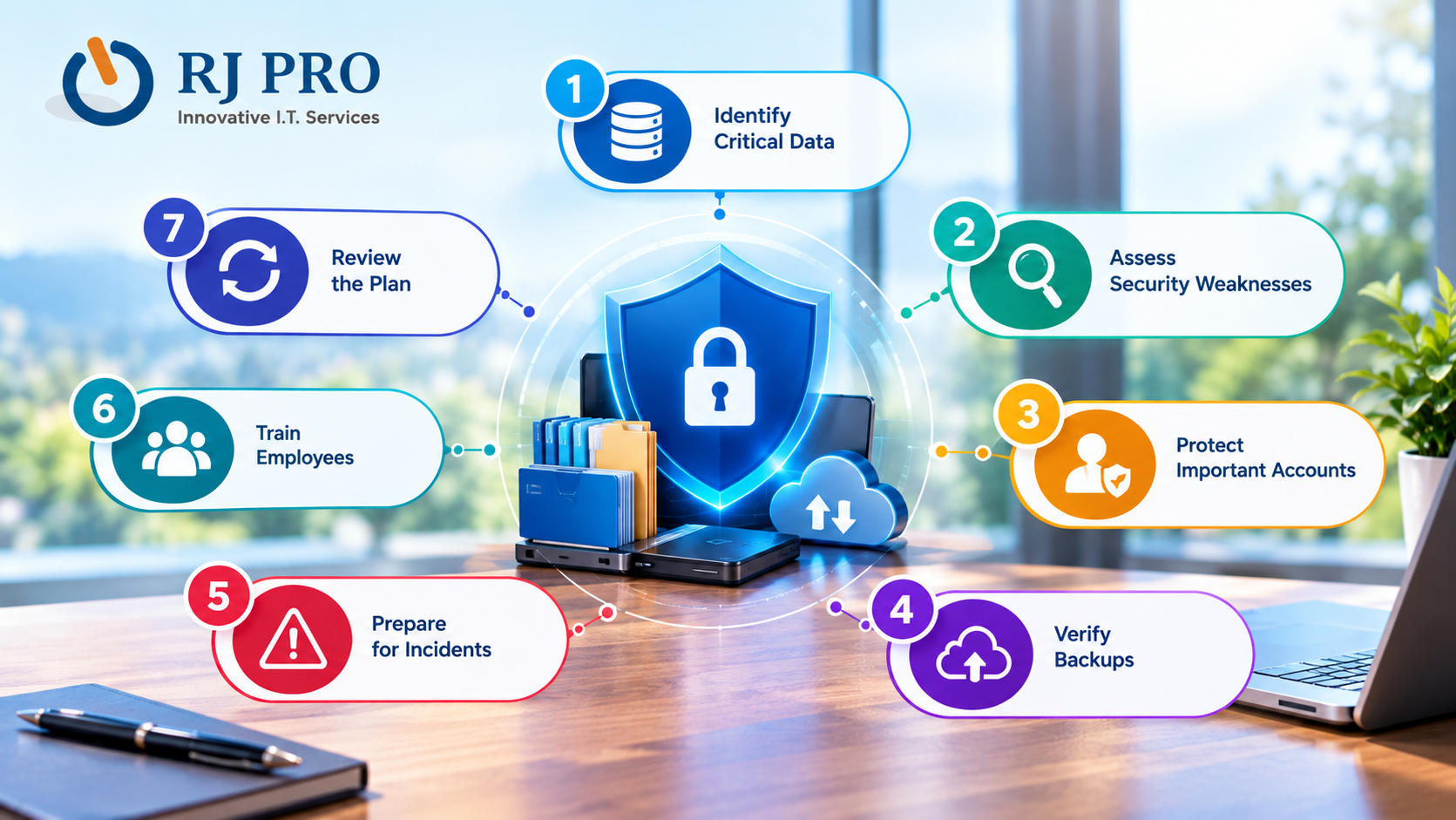
Start with these practical steps:
- Identify critical data: Determine which files, applications, and systems are essential to daily operations.
- Assess security weaknesses: Review user permissions, outdated software, network configurations, and existing security controls.
- Protect important accounts: Enable MFA, use unique passwords, and restrict administrative access.
- Verify backups: Confirm that backups run successfully and that files can be restored.
- Prepare for incidents: Document how to report security problems, isolate affected systems, and recover essential services.
- Train employees: Provide regular guidance on phishing, safe browsing, and responsible data handling.
- Review the plan: Reassess risks and update procedures as systems, staff, and business needs change.
Businesses that handle personal, financial, medical, or other regulated information should also determine which legal and contractual security requirements apply to their operations.
Frequently Asked Questions
1. How can IT support prevent data breaches in a business?
IT support can help prevent data breaches by implementing firewalls, endpoint protection, multifactor authentication, access restrictions, and continuous security monitoring. Regular vulnerability assessments and employee cybersecurity training also help reduce security risks. RJ PRO Tech Group can help businesses identify technology weaknesses and improve their data protection practices.
2. Can Business IT Support Services Placerville help protect cloud data?
Yes. Business IT Support Services Placerville can include cloud account security, access management, multifactor authentication, backup configuration, and monitoring for suspicious activity. These measures help protect files stored in cloud platforms and reduce the risk of unauthorized access or accidental data loss.
3. How does managed IT support reduce cybersecurity risks?
Managed IT support helps reduce cybersecurity risks through proactive monitoring, routine security updates, endpoint protection, network management, and regular system assessments. Instead of waiting for technology problems to occur, businesses can address vulnerabilities early and maintain more consistent security practices.
4. Is antivirus software enough to protect business data?
No. Antivirus software is an important security measure, but it cannot protect against every threat. Businesses should combine endpoint protection with firewalls, multifactor authentication, secure backups, software updates, employee training, and an incident response plan to establish stronger defenses.
5. How can businesses protect customer information from unauthorized access?
Businesses can protect customer information by limiting access to authorized employees, encrypting sensitive data, using strong authentication, maintaining updated systems, and monitoring access activity. Regular security reviews and clear data-handling policies also help prevent accidental exposure and unauthorized use.
6. What is the role of disaster recovery in business data protection?
Disaster recovery helps businesses restore critical systems and information after incidents such as ransomware attacks, hardware failures, accidental deletions, or natural disasters. A recovery plan should define backup procedures, recovery priorities, responsible personnel, and restoration testing to help minimize downtime.
7. How can RJ PRO Tech Group help businesses improve data security?
RJ PRO Tech Group can help businesses evaluate their technology requirements, identify potential security weaknesses, and determine appropriate IT management and data protection measures. Businesses should discuss available services, monitoring arrangements, backup procedures, and incident response capabilities to find a solution that fits their operational needs.

