

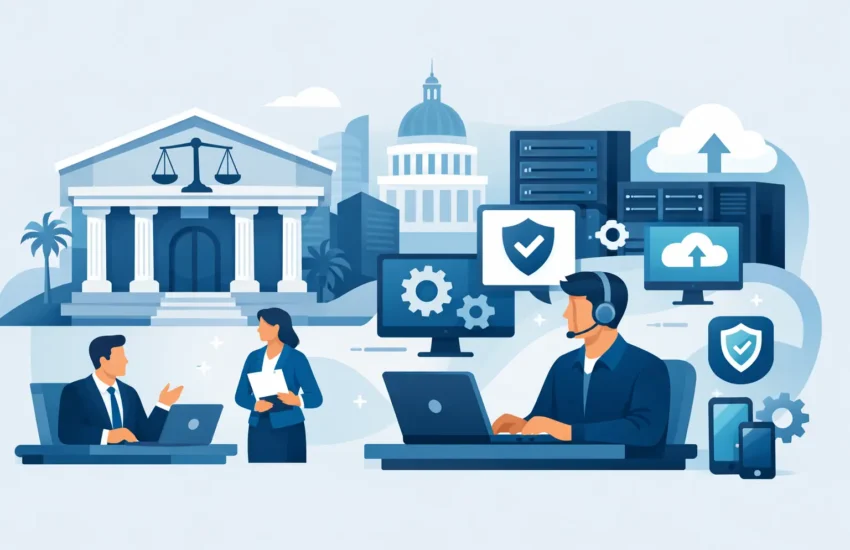
A missed filing deadline, an inaccessible case-management system, or a phishing email sent from a trusted-looking contact can put far more than one workday at risk. Law firm IT support Sacramento practices rely on must protect the systems, documents, and communications that keep client service moving. For firms handling confidential matters under tight deadlines, technology is not a background utility. It is part of the practice.
The right IT partner does more than respond when a computer stops working. It helps your firm prevent avoidable disruption, protect privileged information, and make decisions about technology with a clear view of cost and risk.
Why Law Firm IT Support in Sacramento Requires More
A law office has different operational pressures than a typical small business. Attorneys, paralegals, legal assistants, and administrative teams need dependable access to email, calendars, documents, billing tools, court portals, and case files. When one critical system fails, the interruption can affect client communications, court deadlines, time entries, and the firm’s reputation.
Confidentiality also changes the stakes. Law firms manage personally identifiable information, financial records, medical documents, settlement details, intellectual property, and privileged communications. A ransomware attack or compromised email account can create an immediate operational crisis, followed by expensive recovery work and difficult conversations with clients.
Break/fix IT support is poorly suited to this environment. Waiting until a server fails, storage fills up, or suspicious activity becomes obvious usually means the firm is already losing time. Proactive managed IT support focuses on monitoring, maintenance, security updates, and backup verification before small problems become major disruptions.
For Sacramento-area firms, local accountability matters as well. Remote support resolves many day-to-day issues quickly, but an experienced local team can also assess office networks, coordinate technology projects, and respond when onsite expertise is necessary.
The Technology Risks That Disrupt Legal Work
Most IT problems are not dramatic at first. They begin as recurring login issues, slow applications, unreliable Wi-Fi, failed backups, or a workstation that has not received critical updates. Over time, these gaps make employees less productive and leave the firm exposed.
Email remains one of the biggest risks. Legal professionals regularly receive messages containing links, attachments, wire instructions, shared files, and requests for urgent action. That makes firms attractive targets for phishing, business email compromise, and credential theft. A single employee entering credentials on a convincing fake login page can give an attacker access to sensitive correspondence and cloud files.
Data loss is another concern. Files can be deleted accidentally, damaged by hardware failure, encrypted by ransomware, or made unavailable during an internet outage. A backup is valuable only if it is protected, monitored, and tested for restoration. Firms should know not only that backups exist, but also how quickly critical systems and files can be recovered.
There is also a practical productivity issue. Legal teams often work across office desktops, laptops, mobile devices, home networks, conference rooms, and secure cloud applications. Without consistent device management and access controls, employees lose time troubleshooting technology or using workarounds that create security concerns.
What a Strong Managed IT Plan Should Cover
A reliable law firm technology plan starts with a clear inventory of systems, users, devices, data locations, and business priorities. Not every firm needs the same tools or level of complexity. A two-attorney practice using cloud-based legal software has different needs than a larger firm with an in-office server, multiple locations, and specialized litigation data. Both, however, need a documented plan for security, support, and recovery.
A complete managed IT approach should include these core protections:
- Responsive helpdesk support: Employees need a clear way to get help when a device, application, printer, or account issue interrupts their work. Fast support protects billable time and reduces frustration.
- 24/7 monitoring and maintenance: Networks, servers, workstations, and critical alerts should be watched continuously so issues can be addressed before they interrupt the business day.
- Layered cybersecurity: Security should include managed endpoint protection, email safeguards, patch management, multifactor authentication, access controls, and employee awareness training.
- Backup and disaster recovery: Critical files and systems need automated backups, secure storage, and a recovery process aligned with how long the firm can operate without each service.
- Strategic planning: Technology decisions should support the firm’s budget, growth plans, remote-work needs, and security obligations rather than being driven by the latest emergency.
The goal is not to add technology for its own sake. It is to remove uncertainty. When your systems are managed properly, staff spend less time dealing with recurring issues and leadership has a more predictable picture of IT expenses.
Security Must Protect the Way Your Firm Actually Works
Security controls fail when they make everyday work impossible. A law firm needs protection that fits real workflows, including secure document sharing, remote access, mobile email, client communications, and collaboration with approved outside parties.
Multifactor authentication is a good example. It adds a step to the login process, but that minor inconvenience can stop many account takeover attempts. The same is true of least-privilege access. Not every employee needs access to every client matter, financial system, or administrative account. Limiting access reduces the damage that can occur if a user account is compromised.
Employee training is equally important. The best security platform cannot prevent an employee from approving a fraudulent payment request or sharing a password if they have not been trained to recognize warning signs. Training should be clear, brief, and repeated over time. It should help staff understand what to do when a message feels urgent, unusual, or too good to be true.
Firms should also establish practical procedures for high-risk events. For example, changes to payment instructions, requests for sensitive records, and password reset requests should be verified through a separate, trusted channel. These procedures are simple, but they can prevent serious financial and confidentiality problems.
How to Evaluate a Law Firm IT Support Partner
Many firms have learned the hard way that an IT provider can sound responsive during a sales conversation but become difficult to reach when an urgent issue occurs. Before choosing a provider, ask direct questions about ownership, response expectations, and security responsibilities.
Find out whether support is available when your attorneys are working outside standard business hours. Ask how the provider monitors systems, handles critical alerts, documents your environment, and tests backups. You should also understand whether cybersecurity is included in the service plan or treated as an optional add-on after an incident.
Predictable monthly pricing is valuable because it allows firms to budget without worrying that every support request will create another invoice. Still, the lowest monthly quote is not always the lowest overall cost. A plan that excludes key security tools, after-hours support, backup management, or strategic guidance may leave the firm paying more when a problem occurs.
Look for a provider that explains recommendations in business terms. You should be able to understand why a change is needed, what risk it addresses, what it will cost, and what happens if you defer it. Technology decisions should never feel like a mystery reserved for technical people.
A Better Starting Point Than Waiting for an Emergency
A useful first step is an IT assessment that identifies the gaps between your current environment and the level of reliability your firm needs. This should review devices, user access, network health, backup status, email security, software updates, documentation, and recovery readiness.
The findings should lead to a prioritized plan, not a vague list of upgrades. Some issues require immediate attention, such as unsupported systems, unprotected administrator accounts, or backups that have never been tested. Others can be budgeted over time, including hardware refreshes, network improvements, or modernization projects.
RJ PRO Tech Group helps Sacramento law firms take this proactive approach by combining ongoing support, cybersecurity, monitoring, and business continuity planning under a managed IT strategy. The focus is straightforward: keep your people productive, your client data protected, and your technology costs easier to manage.
Your firm should not have to wait for a ransomware alert, failed server, or missed deadline to learn where its technology is vulnerable. A clear assessment and a dependable support plan can give your team the confidence to focus on the work clients hired you to do.
