

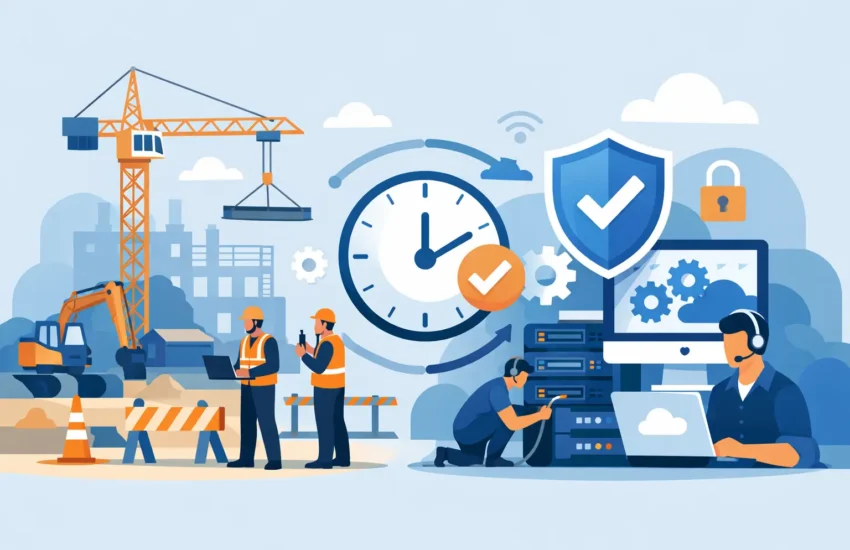
A superintendent cannot wait until the next business day to access revised plans. An estimator cannot afford to lose a bid package because a server failed. And when ransomware locks a shared project folder, the cost reaches far beyond a computer repair bill. The right construction company IT services keep people connected to plans, schedules, accounting systems, field photos, and each other – wherever work is happening.
For construction firms, technology is no longer confined to the office. It supports the handoff between estimating, project management, procurement, field crews, subcontractors, and clients. When those systems are unreliable or insecure, projects slow down, teams duplicate work, and leaders lose visibility into costs and progress.
Why Construction Technology Problems Become Project Problems
Construction operates on deadlines that do not pause for technical issues. A lost internet connection at the office can prevent a project manager from issuing updated documents. A failed laptop can delay an estimate. Poorly managed user access can leave former employees or outside vendors connected to sensitive project data long after they should be.
Many contractors rely on a mix of office computers, mobile devices, cloud platforms, shared drives, accounting software, jobsite internet, cameras, and specialized applications. That mix is useful, but it creates more points of failure. If no one is actively monitoring and maintaining those systems, small issues often become urgent disruptions.
Break/fix support can appear less expensive when everything is working. The trade-off is that problems are discovered only after they interrupt operations. A managed IT approach focuses on preventing common failures through monitoring, maintenance, security updates, backup checks, and responsive support when employees need help.
What Construction Company IT Services Should Cover
A useful IT plan starts with how your team actually works, not with a generic package of tools. A small general contractor with a central office has different needs than a multi-location builder with remote project managers and crews moving between jobsites. Still, several areas matter to nearly every construction business.
Reliable support for office and field teams
Employees need one clear place to call when technology gets in the way of work. That includes common issues such as password resets, email trouble, slow computers, printer failures, application access, and mobile device setup.
Responsive helpdesk support matters because construction teams cannot always troubleshoot on their own. Project managers may be working from a trailer, a client site, or home after hours. Office staff may need immediate access to payroll, invoices, purchase orders, or scheduling systems. Support should be available when delays would affect a project, not only when it is convenient for the provider.
Proactive network and device management
A slow network, aging server, or neglected laptop can quietly drain productivity for months. Proactive management identifies warning signs before equipment fails completely. It also keeps desktops, servers, firewalls, and critical software current with approved security updates.
This does not mean every company needs the newest equipment on a fixed schedule. Replacing technology too early wastes money, while waiting too long raises the chance of downtime and security problems. A good provider helps leadership plan replacements based on condition, performance, business risk, and budget.
Secure access to project information
Construction firms store valuable information: architectural plans, bids, contracts, change orders, financial records, employee details, client communications, and sometimes sensitive facility information. These files are routinely shared with internal teams, architects, engineers, subcontractors, and owners.
That access must be practical without becoming open-ended. Multi-factor authentication, secure file sharing, managed user permissions, and device protection reduce the risk that a stolen password becomes a costly breach. Access should also be reviewed when a role changes, a subcontractor completes work, or an employee leaves.
Email security deserves special attention. Construction companies are frequent targets for invoice fraud, fake payment-change requests, and impersonation messages that appear to come from vendors or executives. Strong filtering and employee awareness can stop many attacks, but payment procedures should also require verification through a known phone number or established contact method.
Backup and disaster recovery that can actually restore work
Backing up files is not the same as being prepared for a disaster. A backup strategy must account for how quickly your business needs to recover, what information is most critical, and where copies are stored. If a server fails, a cloud account is compromised, or ransomware spreads through the network, your team needs a proven path back to normal operations.
For a construction company, priorities may include accounting data, estimating files, project documents, email, shared folders, and configuration information for key applications. Backups should be automated, protected from unauthorized changes, and tested regularly. A backup that has never been tested can create false confidence at the worst possible moment.
Jobsite connectivity and mobile security
Jobsites are not always ideal technology environments. Internet service may be limited, temporary, or shared. Devices may move between trucks, trailers, offices, and employee homes. That creates a different set of risks than a traditional office.
The answer is not necessarily to overbuild every jobsite network. It depends on the project size, length, number of connected users, camera systems, and the sensitivity of the data being accessed. In some cases, secure mobile connectivity and properly managed devices are enough. On larger or longer-term sites, a dedicated, secured setup may be a better investment.
Whatever the setup, teams should avoid using unprotected public Wi-Fi for business systems. Company laptops, tablets, and phones should have screen locks, updates, encryption where appropriate, and the ability to remove company data if a device is lost or stolen.
Signs Your IT Support Is Falling Behind
Recurring technical frustration is often treated as normal in construction. It should not be. If your employees frequently wait for a computer to restart, lose access to files, struggle with remote connections, or work around unreliable systems, technology is already costing more than it should.
Other warning signs include surprise repair invoices, unclear ownership of passwords and software accounts, backups that no one can verify, unsupported servers or computers, inconsistent cybersecurity practices, and no documented plan for a major outage. These issues create uncertainty for leadership and put unnecessary pressure on employees.
A dependable IT partner gives you visibility. You should understand what systems you have, where the risks are, what improvements are recommended, and what those improvements will cost. Predictable monthly support agreements can make technology spending easier to plan than a cycle of emergency repairs.
How to Evaluate an IT Partner for Your Construction Business
Look beyond a provider’s list of technical certifications. The best fit is a partner that understands operational urgency and communicates in business terms. Ask how they handle after-hours issues, how quickly they respond, how they monitor your systems, and how they test backups.
Also ask who owns the documentation. Your business should have organized records for network equipment, software subscriptions, administrative accounts, devices, security tools, and recovery procedures. This documentation helps avoid disruption when staff changes or an urgent issue occurs.
A thoughtful assessment should identify immediate risks as well as a realistic improvement plan. Not every recommendation needs to happen at once. For example, a contractor may need to address exposed accounts and unreliable backups immediately, then phase in workstation upgrades or jobsite improvements over time. Prioritization protects the budget while reducing the risks that could stop work.
For California contractors, local accountability also matters. A provider that can understand your environment, communicate clearly with your office team, and respond when an on-site need arises brings more value than a distant helpdesk that only sees a ticket number. RJ PRO Tech Group helps businesses build practical IT plans around uptime, security, and continuity rather than one-size-fits-all technology purchases.
Make Technology a Reliable Part of the Build
Technology should help your team move information faster, protect project records, and keep decisions moving when conditions change. It should not create another daily layer of uncertainty for your project managers, accounting staff, or field leaders.
The strongest IT strategy is usually not the most complicated one. It is the one that gives the right people secure access, keeps critical systems maintained, prepares for failure before it happens, and provides help without finger-pointing. When your technology is dependable, your team can spend more time building projects and less time working around preventable problems.
