
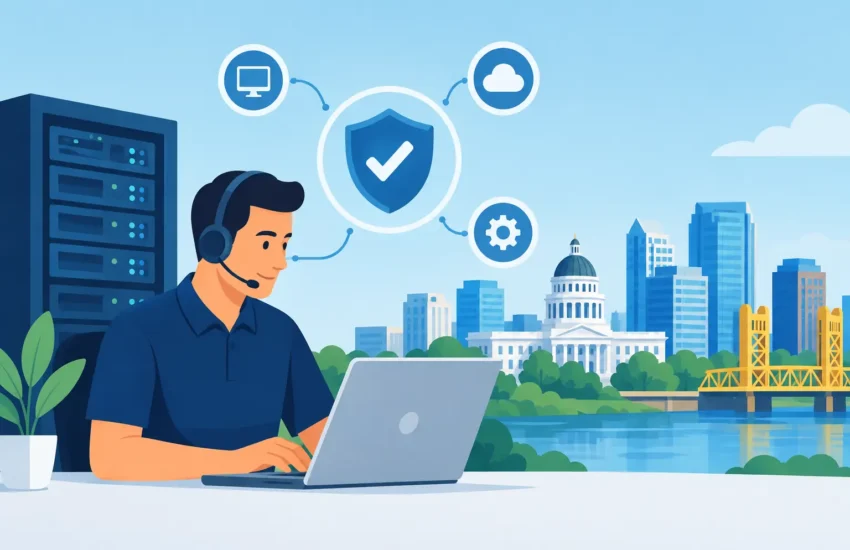
A stalled server at 8:15 a.m. can put an entire office behind before the first client call. A phishing email opened by one employee can become a business-wide security event. For small and midsized organizations, the business IT support Sacramento companies choose is not merely a way to fix computers. It is a decision about uptime, client trust, payroll, deadlines, and the ability to keep moving when something goes wrong.
Break/fix IT support often looks less expensive until the disruption arrives. A technician is called after a system fails, employees wait, the bill reflects the emergency, and the underlying issue may still be there. Managed IT support takes a different approach: identify risks early, maintain systems consistently, and provide a clear path to help when employees need it.
What Business IT Support in Sacramento Should Deliver
Reliable IT support should make technology less visible to your team, not more complicated. Your employees should be able to access the files, applications, devices, and communication tools they need without repeatedly working around the same technical obstacles.
That starts with proactive monitoring. Networks, servers, workstations, backups, and security alerts should be watched for warning signs before they become outages. A device running out of storage, a failing hard drive, or an unpatched application may seem small in isolation. Left alone, each can interrupt operations at the worst possible moment.
A capable managed service provider also gives business leaders a single accountable partner. Instead of asking staff to coordinate an internet provider, software vendor, copier company, and freelance technician, you have someone who understands the full environment and owns the next step. That accountability matters when a construction team needs plans immediately, a law firm cannot access case files, or a medical practice needs its systems restored quickly.
Support Must Be Responsive and Understandable
Fast response is more than answering the phone. It means triaging the issue correctly, communicating in plain language, and following through until work is restored. Employees do not need a technical lecture when they cannot print a contract or sign in to email. They need to know what is happening, what to do next, and when they can get back to work.
For business owners and office managers, responsiveness also means having an escalation path for urgent issues. A lost laptop, suspected phishing incident, server failure, or internet outage should not sit in a general queue without clear ownership. Twenty-four-hour helpdesk availability can be especially valuable for organizations with after-hours operations, remote employees, or teams working against client deadlines.
The Cost of Waiting for Something to Break
Downtime is not limited to the time a computer is unavailable. It includes employees unable to complete work, delayed billing, missed appointments, overtime, reputational damage, and the management time required to coordinate recovery. For firms that handle sensitive client information, an outage can also create compliance and reporting concerns.
Cybersecurity has made reactive IT even more expensive. Attackers do not only target large corporations. Small businesses are often targeted because they may have fewer internal safeguards, inconsistent updates, weak password practices, or backups that have never been tested. A ransomware incident can affect every shared file, application, and endpoint connected to the network.
The right provider cannot promise that no issue will ever occur. Hardware fails, people make mistakes, and new threats appear constantly. What proactive support can do is reduce avoidable risk and make recovery faster, more organized, and less disruptive.
The Services That Protect Day-to-Day Operations
Business IT support should be built around the systems your organization depends on most. The exact plan varies by industry, size, and regulatory obligations, but several capabilities should work together rather than operate as separate purchases.
A well-managed environment typically includes:
- 24/7 helpdesk support for employees who need prompt assistance
- Network, server, and workstation monitoring to identify issues early
- Patch management to keep operating systems and business applications current
- Advanced cybersecurity controls, email protection, and user security training
- Automated, monitored backups with a tested disaster recovery process
- Strategic IT planning that connects technology spending to business priorities
Each element covers a different point of failure. Monitoring may spot a server issue before employees notice it. Security training can stop a suspicious email from becoming an incident. Backups can provide a recovery path when prevention is not enough. Strategic planning helps avoid surprise expenses caused by aging equipment or unsupported software.
It is tempting to focus only on the helpdesk because it is the most visible service. But the work that prevents tickets is often more valuable. Consistent maintenance, security oversight, documentation, and lifecycle planning are what turn IT from a recurring source of interruption into a stable business function.
How to Evaluate a Sacramento IT Support Partner
Not every provider operates with the same level of accountability. Before signing an agreement, ask how the provider handles response times, after-hours incidents, cybersecurity events, backups, and ongoing planning. A monthly service agreement should clarify what is included, how support requests are prioritized, and who is responsible for communicating with your leadership team.
Ask whether the provider performs an initial assessment. Without an accurate picture of your current network, devices, software, user access, security gaps, and backup status, a support plan is based on guesswork. The assessment should identify immediate risks as well as longer-term priorities, such as replacing unsupported equipment or improving remote access controls.
Local availability can add real value, particularly when onsite work is necessary. Many problems can be resolved remotely, which is faster and more efficient. Yet there are times when hands-on service matters: a network installation, server project, office move, wiring issue, failed hardware replacement, or a major recovery event. A provider serving Sacramento and nearby communities should be able to explain when remote support is appropriate and when an onsite visit is the better answer.
Look for Predictable Costs, Not Vague Promises
A managed IT agreement should help you plan, not create more uncertainty. That does not mean every project, hardware purchase, or software license will be included in one monthly fee. It does mean you should understand the baseline cost of support and receive clear recommendations before significant work is performed.
The least expensive proposal is not always the lowest-cost choice. A lower monthly price may exclude cybersecurity tools, backup monitoring, strategic planning, or after-hours assistance. Compare what is actually managed, how often systems are reviewed, and whether the provider is motivated to prevent problems or paid primarily when they occur.
For organizations in regulated fields, also ask how the provider supports documentation, access controls, data protection, and compliance expectations. A financial office, law firm, dental practice, and engineering company have different workflows, but all need a provider that understands the consequences of lost data and unauthorized access.
What a Strong IT Transition Looks Like
Changing IT providers can feel risky when your business already has technology frustrations. A professional transition should reduce that risk through an organized discovery and onboarding process. Your new provider should document users, devices, network equipment, critical applications, vendors, administrative access, backup systems, and existing security controls before making major changes.
Early improvements often focus on the most urgent weaknesses: unprotected accounts, missing updates, unreliable backups, obsolete equipment, or unclear access privileges. From there, the provider can establish monitoring, support procedures, and a technology roadmap that fits your budget and business goals.
The process should not require you to become the project manager. Leaders should receive clear updates and decision points, while the IT team handles the technical coordination. That is the practical value of a long-term partner: fewer surprises, clearer priorities, and a team that knows your environment before an emergency happens.
RJ PRO Tech Group approaches managed IT with that ownership mindset, helping Sacramento-area businesses address support, security, continuity, and planning as connected operational priorities. The goal is not to add technology for its own sake. It is to give your people dependable tools and give leadership greater control over risk and cost.
A useful first step is to identify the systems your business cannot afford to lose for even one working day. Once those priorities are clear, the right support plan becomes easier to evaluate: it should protect the work, data, and client relationships that keep your business moving.
