
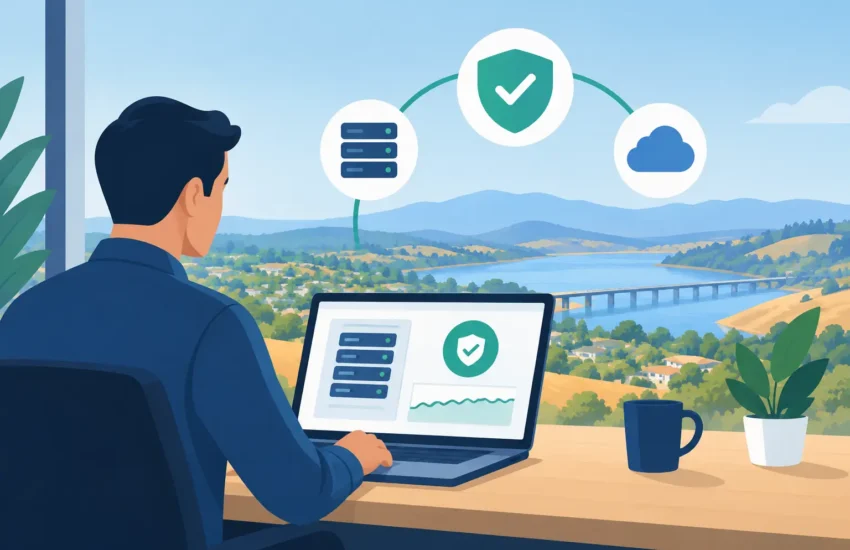
A stalled file server before a client deadline, a ransomware alert on a Monday morning, or an employee locked out of critical software can disrupt far more than one task. For businesses evaluating IT services in El Dorado Hills CA, the real question is not whether technology will need attention. It is whether a problem will be caught and resolved before it costs your team time, revenue, trust, or valuable data.
Small and medium-sized businesses rely on the same technology essentials as larger organizations: secure email, reliable networks, cloud access, protected devices, backups, and responsive support. The difference is that most do not have the budget or need for a full internal IT department. A managed IT partner fills that gap by taking ownership of daily technology management while giving leadership a clearer view of risk, spending, and performance.
What Businesses Should Expect From IT Services in El Dorado Hills CA
Good IT support should not begin after someone reports that the internet is down. Break/fix support may appear less expensive at first, but it often creates a frustrating cycle: an issue interrupts work, someone calls for help, repairs are made, and an unexpected invoice arrives. The underlying cause may remain unresolved until the next disruption.
Managed IT services are designed to change that pattern. Instead of reacting only when equipment fails, a provider monitors systems, applies maintenance, addresses security concerns, and helps plan technology decisions in advance. The goal is not simply to fix computers. It is to create an IT environment that supports dependable operations.
For an office in El Dorado Hills, that can mean employees have help when remote access fails, construction teams can securely retrieve plans from the field, or a professional-services firm can access client files without wondering whether a workstation is properly protected. The right services should be shaped around how the business actually operates, not around a generic package of technical features.
Responsive Support Keeps Small Problems Small
Employees lose momentum quickly when they cannot print, access an application, connect to a shared drive, or use email. Those problems may sound minor, but they add up across a team. Prompt helpdesk support gives employees a clear place to turn, so office managers and business owners are not forced to become the default troubleshooters.
Response time matters, but accountability matters too. A reliable IT provider documents recurring issues, looks for patterns, and recommends lasting corrections. If a particular application repeatedly fails or a network connection becomes unreliable, the answer should be more than another temporary workaround.
Proactive Monitoring Reduces Avoidable Interruptions
Servers, firewalls, workstations, and network equipment can often show warning signs before they fail. Low disk space, aging hardware, failed backup jobs, unusual login activity, and unstable network performance are examples of issues that should be identified early.
Continuous monitoring allows technical teams to address many concerns before employees feel the impact. It also gives business leaders a more realistic picture of their environment. If a server is nearing the end of its useful life or wireless coverage is limiting productivity, planning a replacement is far less disruptive than responding to a sudden failure.
Cybersecurity Is an Operational Requirement
Cybersecurity is no longer a concern reserved for large companies. Small businesses are frequently targeted because criminals expect security controls, staff training, and recovery plans to be less mature. One compromised email account can lead to fraudulent payment requests, exposed client information, lost access to files, or business-wide downtime.
Effective protection uses layers rather than relying on a single antivirus tool. The appropriate mix depends on the organization, its data, and any regulatory responsibilities, but a sound cybersecurity program typically includes:
- Managed endpoint protection for computers and mobile devices
- Email filtering and phishing protection
- Multi-factor authentication for important accounts
- Secure firewall management and network monitoring
- Ongoing patching, access controls, and employee security training
Technology alone cannot eliminate risk. Employees need clear guidance for recognizing suspicious messages, protecting passwords, and reporting concerns quickly. Businesses that handle financial information, medical records, legal documents, or sensitive client data may also need more formal policies and controls. In those cases, IT planning should account for both security and compliance requirements.
Backup Is Only Useful If Recovery Works
Many business owners assume that having a backup means they are protected. That assumption can become costly when a backup is incomplete, inaccessible, outdated, or never tested. A backup strategy should answer practical questions: How much data can the business afford to lose? How quickly must systems be restored? What happens if the office itself cannot be used?
For some organizations, restoring files from the previous night may be acceptable. For others, particularly firms managing active projects, patient schedules, time-sensitive transactions, or client deadlines, even a few hours of lost work may be too much. Recovery objectives should reflect the real cost of interruption, not a one-size-fits-all standard.
Business continuity planning also considers scenarios beyond ransomware. Power failures, hardware damage, accidental deletion, internet outages, and regional disruptions can all affect operations. A tested plan gives employees direction and gives leadership confidence that essential systems can be recovered in an orderly way.
Predictable IT Costs Support Better Decisions
Surprise repair bills make it difficult to manage a technology budget. They also encourage businesses to delay necessary upgrades until equipment has already become a problem. That approach can create more downtime and expose the organization to avoidable security gaps.
A managed service agreement provides a more predictable monthly investment for ongoing support, monitoring, maintenance, and strategic guidance. The exact scope should be clear from the start. Businesses should understand what is included, how projects are handled, which systems are covered, and what response expectations apply.
Predictable costs do not mean every technology expense disappears. Hardware replacements, major migrations, and new software may still require separate planning. The advantage is that these costs can be anticipated and discussed before they become emergencies. A provider should help prioritize investments based on risk, operational value, and budget rather than pushing upgrades that do not serve a clear business purpose.
How to Choose the Right IT Partner
Not every IT provider delivers the same level of ownership. Before choosing a partner, business leaders should look beyond an hourly rate or a list of products. The quality of the relationship becomes most visible when something important goes wrong.
Ask how the provider monitors systems after business hours, how urgent issues are escalated, and whether support is handled by people who understand your environment. Ask how backups are verified, how cybersecurity recommendations are explained, and how often the provider reviews technology priorities with leadership. Clear answers indicate a process. Vague promises often indicate a reactive service model.
Local availability can also be valuable. Many issues can be resolved remotely, which is faster and more efficient. Still, there are times when on-site assistance is needed for network equipment, office moves, hardware setup, or a serious outage. A provider serving El Dorado Hills and the greater Sacramento area should be able to combine remote responsiveness with practical local support when the situation calls for it.
Start With an Honest IT Assessment
The best first step is not necessarily replacing equipment or signing up for every available tool. It is gaining an accurate view of the current environment. An assessment should identify weak points in security, backup coverage, device health, network performance, user access, and vendor relationships.
It should also connect findings to business impact. A recommendation carries more value when leadership understands whether it prevents revenue loss, protects confidential information, improves employee productivity, or reduces a known operational risk. RJ PRO Tech Group approaches managed IT with that business-first mindset: technology decisions should support continuity and growth, not add confusion.
The right IT partner gives your business fewer technology emergencies to manage and more confidence in the systems your employees depend on. Start by identifying the interruption your organization can least afford, then build the support, security, and recovery plan that keeps it from becoming tomorrow’s crisis.
