
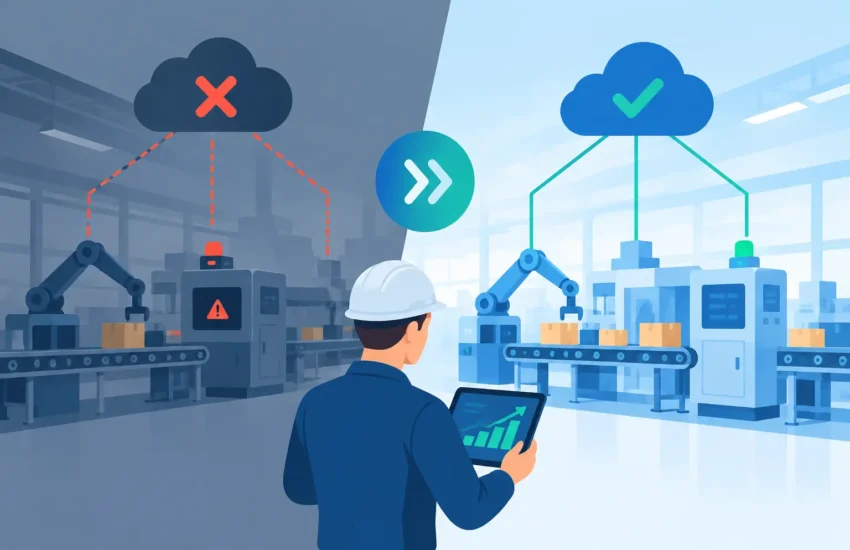
A manufacturing network outage case study is rarely about a single failed switch or a bad cable. The visible problem may be that operators cannot access work orders, labels will not print, or production data stops reaching the ERP system. The real problem is that the network was allowed to become a single point of failure for the entire operation.
For a manufacturer, downtime does not stay inside the IT department. It affects production schedules, labor efficiency, shipping commitments, material tracking, quality records, and customer confidence. This anonymized composite case study reflects the issues small and mid-sized manufacturers commonly face when an aging network fails during a production shift – and what changed after the immediate crisis.
The Outage That Stopped the Floor
The company operated a busy fabrication and assembly facility with approximately 60 employees across office, warehouse, and production functions. Its network supported workstations, Wi-Fi scanners, IP phones, security cameras, label printers, a file server, and an ERP application used to manage inventory and production jobs.
At 9:18 a.m. on a Tuesday, operators began reporting that barcode scanners could not update inventory. Within minutes, label printers stopped responding. Office staff could still open some local files, but they could not reach the ERP system or shared production folders. The plant manager faced a difficult choice: continue production with handwritten tickets and risk inventory and traceability errors, or pause critical work until systems were restored.
The organization had a firewall, network switches, and an internet connection, but it did not have centralized network monitoring, documented network diagrams, current equipment records, or a tested response procedure. Its previous approach had been largely break/fix: call for help when something stops working.
That approach works until the issue affects every department at once.
What Actually Caused the Manufacturing Network Outage
Initial reports pointed to the internet provider because cloud applications were inaccessible. That was only part of the picture. A review of the environment found that the core network switch had become unstable after a power fluctuation. It was handling more traffic than it had been designed for, including office devices, production equipment, cameras, and guest wireless access.
The switch did not fail cleanly. It continued passing intermittent traffic, which made diagnosis harder. Some users could connect briefly while others could not. Devices repeatedly dropped and reconnected, creating a cycle of confusion across the facility.
Three underlying conditions turned a hardware problem into an operational outage.
First, the network had no meaningful segmentation. Business systems, production devices, cameras, and guest access shared the same network path. Heavy camera traffic and unmanaged device connections competed with systems that production depended on.
Second, the core switch was a single point of failure. There was no spare preconfigured unit, no documented replacement process, and no alerting that could identify degrading performance before the floor went down.
Third, backup and recovery planning focused on files, not operations. The company had backups of important data, but no practical plan for restoring network services, prioritizing critical applications, or communicating during an outage.
This distinction matters. Backups help recover data after loss or corruption. They do not automatically keep scanners, printers, work orders, and production workstations operating when the network itself fails.
The Business Cost Was Larger Than Lost Internet
Production was partially paused for nearly four hours. During that period, supervisors moved to manual documentation for selected jobs, while other work waited for accurate system access. Shipping staff could not reliably verify completed orders, and the office could not confirm real-time inventory levels for customers.
The direct cost included idle labor, delayed throughput, emergency IT work, and rush shipping for orders that would otherwise have left on schedule. The indirect cost was harder to calculate but just as real: managers spent the day resolving exceptions, employees lost confidence in the systems they were expected to use, and customers received updated delivery estimates.
For smaller manufacturers, this is why an outage does not need to last days to be expensive. A few disrupted hours can affect an entire week of planning. If the incident occurs near a month-end shipment deadline or during a high-volume production run, the impact can be much greater.
The right question is not, “What does a new switch cost?” It is, “What does one interrupted shift cost our business?”
Restoring Service Without Creating a Second Problem
The recovery effort had two priorities: restore critical production connectivity quickly and avoid making uncontrolled changes that could cause additional failures.
Technicians isolated the unstable core switch, verified that the power environment was stable, and moved critical connections to replacement equipment. The ERP server, primary workstations, label printers, and warehouse scanning stations were prioritized before less essential systems such as guest Wi-Fi and some camera connections.
That order of operations was deliberate. During an outage, not every device has equal business value. Production and shipping systems need to come back first. A clear list of critical systems allows technical teams and business leaders to make fast, informed decisions instead of debating priorities in the middle of an incident.
Once core services were restored, staff validated transactions from the floor through the ERP system. They tested barcode scanning, label printing, shared file access, and inventory updates before declaring the environment stable. This final step prevented a common mistake: assuming the network is fixed because devices can browse the web.
For a manufacturing operation, recovery is not complete until the business workflow works from end to end.
The Improvements That Prevented a Repeat Event
The company did not need an oversized enterprise project. It needed a network designed around how the facility actually operated.
The first change was network segmentation. Production devices, office systems, cameras, guest wireless, and administrative systems were placed into separate network segments with controlled access between them. This reduced unnecessary traffic and limited the chance that a problem in one area would disrupt the entire facility. Segmentation also improved security by keeping less-trusted devices away from sensitive business systems.
Next, the core network equipment was replaced with business-grade hardware sized for the number of users, devices, and expected growth. A preconfigured spare was retained for rapid replacement. Redundancy can take several forms, and the right approach depends on budget and operational risk. A facility that can tolerate a few hours of interruption may choose a tested spare; a plant with continuous production may justify redundant core equipment and internet failover.
The organization also implemented 24/7 monitoring for network performance, device health, internet availability, storage capacity, and critical servers. Monitoring does not guarantee that hardware will never fail. It provides early warning when a device begins showing errors, losing connectivity, or operating outside normal limits. That creates time to repair or replace equipment before users notice an issue.
Finally, the team documented the environment and created an incident response process. The documentation included equipment locations, network diagrams, system owners, vendor contacts, recovery priorities, and procedures for communicating with employees. During a crisis, accurate documentation saves time that a business cannot afford to lose.
Lessons for Manufacturing Leaders
This manufacturing network outage case study shows why IT decisions must be tied to operational consequences. A network is not background infrastructure when it controls the movement of information through your floor, warehouse, office, and shipping department. It is part of your production capability.
Business leaders do not need to know how to configure switches to manage this risk. They do need clear answers to practical questions. Which systems must be restored first? Where are the single points of failure? Can our IT provider see trouble before employees call? How long could we operate if the internet, core switch, or server failed? Have we tested those assumptions?
A periodic IT assessment is a practical place to start. It should look beyond the age of your equipment and evaluate dependencies between systems. For example, a healthy server does little good if the network cannot reach it. A backup may be successful every night, but it does not solve a communication failure between production devices and the applications they rely on.
Security belongs in the same conversation. Manufacturing environments often include older devices, shared workstations, remote vendor access, and operational technology that cannot be updated as easily as standard office PCs. Separating systems, controlling access, monitoring activity, and maintaining reliable backups reduce both outage risk and cyber risk.
Plan Before the Next Shift Is at Risk
The strongest outcome from an outage is not getting back online. It is making sure the same failure cannot stop the business again. For manufacturers in the Sacramento area, RJ PRO Tech Group helps translate network reliability, cybersecurity, backup, and support into a plan built around production priorities and predictable costs.
If your team would struggle to identify the systems that keep your floor moving – or who would restore them after hours – that is a useful warning sign. Address it while production is running normally, not when the next shift is waiting for the network to come back.
