

For financial offices in Cameron Park, tax season is the busiest and most profitable stretch of the year. It’s also when technology problems cost the most. A slow computer, a tax software install that fails, or one phishing email opened at the wrong moment can put a full day of client work on hold when your calendar has no room for it.
Most of these problems don’t come out of nowhere. They build up quietly during the rest of the year: aging hardware, updates that were postponed, security settings that were never fully turned on, and backups nobody has checked. Then the pressure of January through April exposes all of them at once.
The good news is that almost all of it can be fixed ahead of time, and fall is the right moment to do it. This guide covers the IT setup every Cameron Park financial office should have in place before the 2027 tax season, whether you run a CPA firm, a tax preparation office, a bookkeeping practice, a wealth management firm, an insurance agency, or a mortgage office. It’s the same checklist our team at RJ PRO Tech Group uses when we prepare financial firms for their busiest months.
Why Fall Is the Right Time to Fix Your IT
Between late January and April 15, nobody in a financial office has time to replace a server or migrate email. You’re booked solid, your staff is working extra hours, and every hour of downtime translates directly into returns that don’t get filed and clients who get frustrated.
October through December is different. Workloads are lighter after the October 15 extension deadline, you can schedule changes after hours without anyone panicking, and there’s time to test things properly. If a new computer needs a week to arrive or a backup job needs to be rebuilt, fall gives you that breathing room. January doesn’t.
There’s also a compliance reason to act now. The IRS and its Security Summit partners spent the summer of 2026 reminding tax professionals that a Written Information Security Plan is a legal requirement, not a suggestion. Federal law requires tax and accounting professionals to create and maintain one, and the IRS recommends reviewing, testing, and updating it regularly (IRS, IR-2026-92). Fall is the natural time to make sure your plan matches how your office actually works today.
The Tax Season IT Checklist for Cameron Park Financial Offices
Here’s what a well-prepared office looks like going into January. You don’t need to do all of this yourself. You just need to know it’s done.
1. Computers That Will Make It to April
Start with the machines your team uses every day. Any computer that’s slow in October will be painful in March, when it’s running tax software, a PDF editor, a client portal, and twenty browser tabs at once.
Go through every workstation and ask a few honest questions. Is it still running Windows 10? Microsoft ended support for Windows 10 in October 2025, which means those machines no longer get regular security patches unless you’ve paid for extended updates. Is the hard drive an old spinning disk instead of a solid-state drive? Does it take five minutes to boot? Are staff members complaining about it already?
Replacing two or three machines in November is a minor project. Replacing them in the middle of March is an emergency. Plan the refresh now, set the new computers up with your software and security tools, and let people get used to them before the rush. Our Desktop Care service handles this kind of maintenance, patching, and replacement planning so hardware problems stop showing up at the worst possible moment.
2. Tax and Accounting Software Installed, Updated, and Tested
Every year, tax software vendors release new versions and updates ahead of filing season. Whether your office runs Drake, Lacerte, UltraTax CS, QuickBooks, or Sage, somebody has to install those updates on every machine, confirm licenses carry over, check that the program can reach its database or server, and make sure user permissions are right.
If your software runs from an in-office server, that server deserves extra attention. Check its age, its storage space, and whether it’s actually being monitored. A server that fails in February can take the entire office offline. With Server Care, we monitor servers around the clock and handle maintenance so issues are caught before they turn into outages.
One tip that saves a lot of stress: run a few test returns or test transactions on every workstation in December. It’s the easiest way to find the one computer with a broken install before a client is sitting across the desk.
3. Multi-Factor Authentication on Every Account That Touches Client Data
If there’s one security control to get right before tax season, it’s multi-factor authentication, or MFA. That’s the extra code or app approval that proves it’s really you signing in, not someone who stole your password.
For many financial firms, this isn’t optional. The FTC Safeguards Rule, which covers tax preparers, mortgage brokers, and other non-bank financial institutions, requires MFA for anyone accessing systems that contain customer information. It’s also one of the IRS “Security Six” basic protections, alongside antivirus, firewalls, backups, drive encryption, and VPNs (IRS Security Summit).
The weak spot we see most often is partial MFA. Email might be protected for some staff, but not all of them. The admin account might be left out because “it’s just for setup.” Remote access might skip it entirely. Attackers look for exactly those gaps. Before January, MFA should be turned on for Microsoft 365, tax software, remote access, client portals, and every administrator account, with no exceptions.
4. Email Protection Built for Tax Season Scams
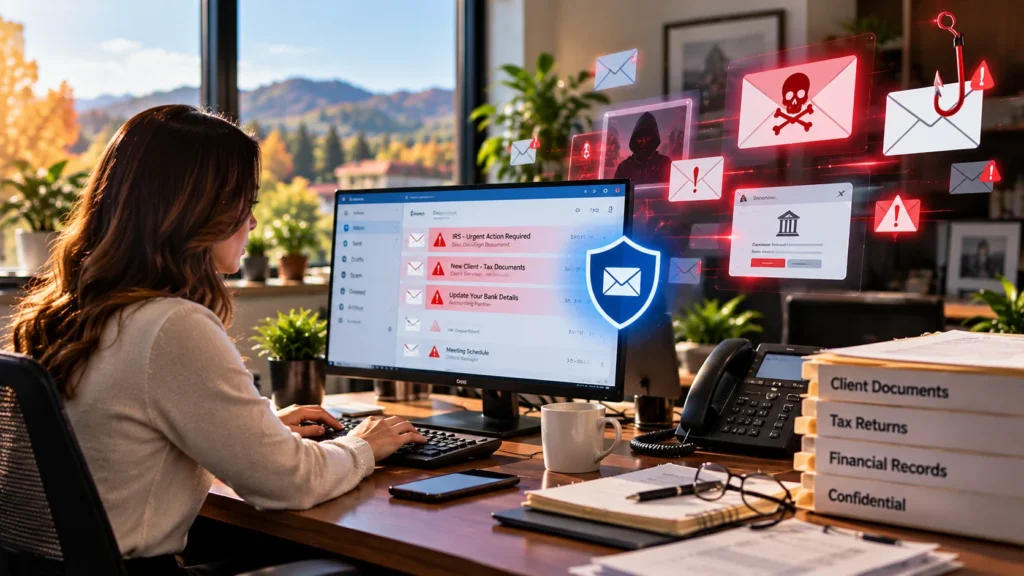
Tax season is peak season for scammers too. Fake IRS messages, “new client” emails with infected attachments, fake DocuSign requests, and emails pretending to come from a partner asking someone to change a client’s bank details all spike between January and April. The IRS has warned tax professionals repeatedly about phishing, spear phishing, and IRS impersonation through email, text, and phone calls.
Good email security filters most of these out before they ever reach an inbox. But technology alone isn’t enough. Your team also needs a simple rule: any request involving money, bank changes, or login details gets verified by phone, using a number you already have on file, not the one in the email.
5. A Secure Way to Exchange Documents With Clients
If clients are still emailing you photos of their W-2s and you’re sending completed returns back as regular attachments, that’s a risk worth fixing before the busy season. Regular email was never designed to protect Social Security numbers and bank statements.
A secure client portal or file-sharing tool like ShareFile, combined with e-signature tools like DocuSign, gives clients an easy way to upload documents and gives your office a record of who accessed what. Set it up in the fall, send clients instructions with your engagement letters, and you’ll spend far less time chasing documents in February.
6. Backups You’ve Actually Tested
Almost every office says it has backups. Far fewer have tried to restore anything from them recently. A backup that fails silently is worse than no backup, because it gives you false confidence.
Before tax season, confirm three things. Your backups run automatically every day. At least one copy lives off-site or in the cloud, separate from your office network, so ransomware can’t reach it. And someone has restored a real file or folder recently to prove it works. Our Backup & Disaster Recovery service includes automated, encrypted backups with routine verification and a recovery plan, so you know exactly how long it would take to get back up and running.
7. A Network and Remote Access Setup You Can Trust
During tax season, a lot of financial professionals work late from home or meet clients outside the office. That’s fine, as long as the connection back to your office is secure.
Check that your firewall is a business-grade device and its firmware is current. Make sure remote access goes through a VPN or another secure method with MFA, not an open remote desktop port. Separate the guest Wi-Fi your clients use in the lobby from the network your staff uses for client files. These are small changes, but they close some of the most common doors attackers use. Network Care covers this monitoring and upkeep for our clients.
8. Endpoint Protection and Monitoring That Doesn’t Sleep
Traditional antivirus still matters, but it’s no longer enough on its own. Modern attacks often use stolen credentials and legitimate tools that basic antivirus doesn’t flag. Financial offices benefit from advanced endpoint protection, managed detection and response, vulnerability scanning, and dark web monitoring that alerts you if staff passwords show up in a data leak.
Our cybersecurity services combine these layers with continuous monitoring, so suspicious activity gets investigated even at 2 a.m. on a Sunday in March.
9. Your WISP and Compliance Paperwork, Updated
Here’s where many smaller Cameron Park firms fall behind. The FTC Safeguards Rule requires covered financial institutions to have a written information security program, a designated person responsible for it, access controls, encryption, staff training, and an incident response plan. Since May 2024, it also requires firms to notify the FTC within 30 days if unencrypted information belonging to 500 or more consumers is acquired without authorization (FTC guidance).
For tax professionals specifically, the IRS offers Publication 5708 as a template for building a WISP. The template is a good starting point, but the plan only helps if it reflects your real setup: the actual software you use, who has access to what, where backups live, and what happens if something goes wrong.
We help financial firms with the technical side of this: security risk assessments, access reviews, security policies, and the compliance documentation that shows your controls are actually in place. Your WISP should read like a description of your office, not a copy of a template.
10. Staff Training and a Plan for Seasonal Hires
Your people are part of your security setup. A short security awareness session in the fall, focused on tax season scams, does more than most people expect. Show your team what fake IRS emails look like, practice the “verify by phone” rule, and make sure everyone knows who to call if they click something they shouldn’t have.
If you bring on seasonal preparers or admin help, plan their accounts now. Each person should get their own login, only the access they need, and MFA from day one. And when the season ends, their accounts should be shut off the same week. Old accounts that nobody remembers are a favorite target.
A quick 15-minute call with our local team. No pressure, just a clear picture of where your office stands.
A Simple Timeline to Get Ready Before January
If the checklist feels like a lot, spread it out. Here’s a realistic plan for most small financial offices:
| Month | Focus |
| October | IT assessment, hardware review, order replacement computers, check the age and health of your server and firewall. |
| November | Roll out MFA everywhere, tighten email security, set up secure client file sharing, test a full backup restore. |
| December | Install tax software updates, run test returns on every workstation, update your WISP, run staff security training, create seasonal accounts. |
| January to April | Focus on clients. Keep monitoring running, and have one number to call when something breaks. |
What Happens When These Gaps Stay Open
We recently worked with a 15-person wealth management firm in nearby Folsom that was dealing with repeated cyberattacks. The firm ran on Microsoft 365, which is common and perfectly capable, but multi-factor authentication was only enabled for roughly half the staff. That single gap was enough to keep attackers coming back.
Over six weeks, our team reworked their security from the ground up: MFA for every user, cleaned-up access permissions, stronger protection on their systems and files, and ongoing monitoring. None of it required the firm to stop serving clients. But imagine if the same problem had surfaced in March instead of the off-season. That’s the whole point of preparing now. You can read more examples on our case studies page.
Why Cameron Park Financial Firms Work With RJ PRO Tech Group
Most small financial offices in Cameron Park don’t have an in-house IT department, and they shouldn’t need one. What they need is a team that knows their software, understands their compliance obligations, and actually answers the phone.
RJ PRO Tech Group has supported small and mid-sized businesses across El Dorado, Sacramento, Amador, and Calaveras Counties since 2010, with an office in nearby El Dorado Hills. For financial firms, that includes:
- 24/7/365 helpdesk support and monitoring, so problems get caught early, including during late nights in tax season.
- Support for the software you rely on, including Drake, Lacerte, UltraTax CS, QuickBooks, Sage, Microsoft 365, ShareFile, DocuSign, and Adobe Acrobat.
- Layered cybersecurity, including managed detection and response, endpoint protection, email security, firewall management, vulnerability scanning, and dark web monitoring.
- Compliance support, including security risk assessments, MFA and access controls, security policies, compliance documentation, and employee training.
- Backup and disaster recovery with cloud and local backups, verification, and ransomware recovery planning.
- Flat monthly pricing, so you know your IT costs before the year starts.
You can learn more about how we support financial offices on our IT services for financial firms page, or see everything we do for local businesses on our managed IT services in Cameron Park page. For a broader look at our approach, visit Managed IT or the RJ PRO Tech Group homepage.
Frequently Asked Questions
When should a Cameron Park financial office start preparing its IT for tax season?
Ideally in October, right after the October 15 extension deadline. That leaves time to order hardware, roll out security changes, and test tax software before the IRS opens filing season in late January. Starting in January usually means making changes while you’re already busy.
Do small tax and accounting offices really need a Written Information Security Plan?
Yes. Federal law requires tax and accounting professionals to create and maintain a WISP, regardless of office size. The IRS provides Publication 5708 as a template, but the plan should describe your actual systems, access controls, backups, and incident response steps.
Does the FTC Safeguards Rule apply to my firm?
It applies to many non-bank financial institutions, including tax preparers, mortgage brokers, and certain lenders and advisers. The core requirements include MFA, encryption, access controls, staff training, and a written security program. If you’re unsure whether your firm is covered, it’s worth checking with your compliance advisor or attorney.
What’s the biggest IT risk for financial offices during tax season?
Phishing and stolen passwords. Scammers know financial offices are rushed between January and April, so fake IRS emails, fake client documents, and requests to change bank details spike. Multi-factor authentication, strong email filtering, and a “verify by phone” rule block most of these attacks.
Can you support the tax software we already use?
Yes. RJ PRO supports the technology behind common financial and tax applications, including Drake, Lacerte, UltraTax CS, QuickBooks, and Sage, along with Microsoft 365, ShareFile, and DocuSign. We keep the computers, servers, and networks those programs depend on running reliably.
Do you provide on-site IT support in Cameron Park?
We provide IT support for businesses in Cameron Park and throughout El Dorado County, including areas along Cameron Park Drive and Highway 50, with an office in nearby El Dorado Hills. Most issues are handled quickly through our 24/7 helpdesk and remote support, and we can schedule on-site help when a problem needs hands-on attention.
How much does managed IT cost for a small financial office?
It depends on the number of users, devices, and servers, plus the level of security and compliance support you need. We use flat monthly pricing so there are no surprise invoices. The fastest way to get a real number is a short consultation where we look at your current setup.
Get Your Office Ready Before the Rush
Tax season will arrive on schedule whether your IT is ready or not. The difference between a smooth season and a stressful one usually comes down to work done quietly in October, November, and December. If you’d like a clear, honest look at where your Cameron Park office stands, and what should be fixed first, our local team is happy to help.
Request a Free Consultation Or call our El Dorado Hills office at (916) 345-3451


