
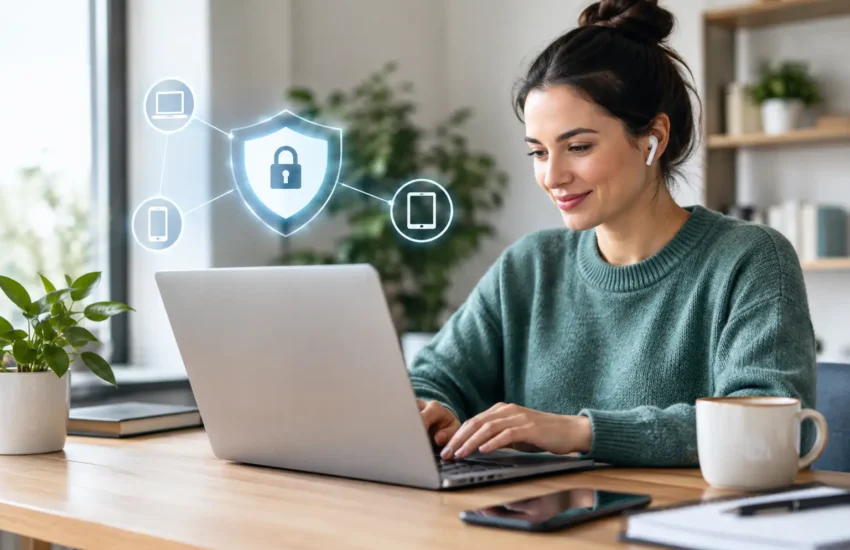
A lost laptop in a coffee shop, a reused password, or an overdue software update can become a costly business interruption. When employees work from home, job sites, client offices, or while traveling, their devices carry access to the same client records, financial data, email, and applications they use at headquarters. Knowing how to secure remote employee devices is not just an IT task. It is a direct way to protect productivity, client trust, and business continuity.
Remote work does not have to mean accepting more risk. The right controls let employees work efficiently while giving leadership visibility into the devices and data connected to the business.
How to Secure Remote Employee Devices With Clear Standards
Security starts before a device leaves the office. Every company should define which devices can access business systems, who owns them, and what security requirements apply. A company-issued laptop is easier to manage than a personal computer, but a bring-your-own-device policy can still work when it is supported by the right controls.
At a minimum, create a written remote-device policy that covers approved devices, acceptable use, password requirements, reporting lost equipment, software installation, and how business data must be stored. The policy should also explain what happens when an employee changes roles or leaves the company. Access should be removed promptly, and company data should not remain on a former employee’s personal device.
The goal is not to make policies burdensome. It is to prevent uncertainty. If employees are unclear about where they can save client files or whether they can use a personal email account, convenience will often win. That is where avoidable exposure begins.
Use Managed, Encrypted Devices Whenever Possible
A properly configured company device gives your business far more control when something goes wrong. It allows your IT team to apply updates, confirm security settings, locate assets, and remove business data remotely if the device is lost or stolen.
Full-disk encryption should be standard on every laptop, tablet, and mobile device that stores or accesses sensitive information. Encryption makes data unreadable without the correct credentials. Without it, a stolen laptop may expose files even if the thief never successfully signs in.
Remote management tools are equally valuable. They allow authorized IT support to verify that antivirus protection is active, operating systems are current, and the device is following company policy. For small and medium-sized businesses, this replaces the guesswork of asking employees whether they installed an update or still have an old computer in use.
Personal devices require a more careful balance. Some organizations allow them because it reduces hardware costs or supports field staff. If you take this route, separate company data from personal data, require a device passcode and encryption, and limit access to only the applications each employee needs. For law firms, medical offices, financial organizations, and other regulated businesses, company-managed devices are usually the safer and simpler choice.
Make Stolen Passwords Less Useful
Passwords remain one of the easiest ways for criminals to enter a business network. A strong password policy helps, but it is no longer enough on its own. Employees can be tricked by a convincing phishing email, and passwords can be exposed through unrelated third-party breaches.
Require multifactor authentication for email, cloud applications, remote access tools, and any system containing sensitive business information. Multifactor authentication asks for another form of verification, such as an authentication app prompt or security key. A criminal who has a password but cannot complete that second step is far less likely to gain access.
Encourage employees to use a password manager rather than storing passwords in browsers, spreadsheets, or notebooks. Password managers make it practical to use long, unique passwords for every account without asking employees to memorize them all.
Access should also follow the principle of least privilege. An estimator does not need access to payroll. A temporary contractor should not have the same permissions as a department manager. Limiting access reduces the damage one compromised account can cause.
Keep Remote Devices Patched and Protected
Unpatched software creates openings that cybercriminals actively look for. Operating systems, browsers, office applications, VPN software, and security tools all need regular updates. Delaying updates may feel harmless until a known vulnerability is used to install ransomware or steal credentials.
Automated patch management is the practical answer. It deploys critical updates on a defined schedule and provides reporting so your business can see which devices are compliant and which need attention. Some updates may need to be scheduled outside working hours, especially for teams that rely on specialized engineering, accounting, or production software. That trade-off is worth planning for, rather than simply leaving systems outdated.
Every remote endpoint also needs business-grade endpoint protection. This goes beyond traditional antivirus by monitoring for suspicious behavior, blocking known threats, and alerting IT support when a device may be compromised. When a threat is detected, rapid response matters. A few minutes can determine whether an incident is isolated to one computer or spreads across the organization.
Secure the Networks Employees Use
A secure laptop can still be exposed through an unsafe connection. Home networks, hotel Wi-Fi, and public internet access introduce risks that do not exist on a well-managed office network.
Employees should avoid using public Wi-Fi for sensitive work unless they connect through an approved virtual private network, or VPN. A VPN encrypts traffic between the device and the business environment, making it much harder for others on the same network to intercept information.
Home workers should change default router passwords, use current Wi-Fi encryption, and keep router firmware updated. They should also avoid sharing a work computer with family members. A child downloading a game or a household member using an unprotected USB drive can introduce risks that were never part of the employee’s work routine.
For employees who regularly work from job sites or client locations, cellular hotspots may be safer than unknown public networks. The best choice depends on the work being performed and the sensitivity of the information being accessed.
Train People to Recognize the Real Threats
Technology can block many attacks, but people still make critical security decisions every day. A rushed employee may approve a fake sign-in request, open a fraudulent invoice, or send files to an impersonator posing as an executive or vendor.
Security awareness training should be short, relevant, and repeated throughout the year. Focus on the situations your employees actually face: fake Microsoft 365 notices, vendor payment-change requests, suspicious attachments, unexpected MFA prompts, and urgent messages that pressure someone to act quickly.
Employees also need a simple, blame-free way to report a concern. If someone clicks a suspicious link, reporting it immediately is far better than staying silent out of embarrassment. Fast reporting gives IT support time to reset credentials, review activity, and contain a threat before it becomes downtime.
Prepare for Loss, Failure, and Employee Changes
Even the best controls cannot prevent every lost device, hardware failure, or account compromise. Your response plan determines whether a problem becomes a brief inconvenience or a serious operational disruption.
Your business should be able to do the following without delay:
- Lock or wipe a lost or stolen device remotely.
- Disable accounts and active sessions when suspicious activity is detected.
- Restore essential files from protected backups.
- Provide a replacement device configured for secure work.
- Remove access quickly when an employee leaves or changes positions.
Backups deserve special attention. Files stored only on a laptop are vulnerable to theft, ransomware, accidental deletion, and hardware failure. Automated backups, protected separately from the primary environment, give your business a recovery path when a device cannot be trusted or repaired.
For California businesses with mobile teams, multiple offices, or employees spread across job sites, consistent management is what turns remote-device security into a dependable business process. RJ PRO Tech Group can help assess device risk, establish practical standards, and monitor the systems your team relies on. The most useful next step is to identify which devices can access your data today, then make sure every one of them is protected, managed, and recoverable.
