

A business does not need hundreds of employees or a large customer database to become a target for cybercriminals. A compromised email account, an outdated computer, or an employee responding to a fraudulent payment request can create problems across an entire organization.
For small businesses in Lodi, cybersecurity is about more than protecting computers. It means keeping customer information private, protecting financial transactions, maintaining access to business files, and preventing technical problems from interrupting daily operations.
The challenge is knowing where to start. Many business owners understand that cyberattacks are a threat but are unsure which security weaknesses deserve immediate attention. From fraudulent vendor emails to ransomware and unauthorized account access, understanding how these incidents happen can help businesses make better security decisions.
This guide explores common cybersecurity risks, practical prevention measures, and steps Lodi business owners can take to strengthen their company’s security.
Why Do Small Businesses Need Cybersecurity?
Small businesses across the United States handle information that cybercriminals may find valuable, including customer records, employee details, financial documents, payment information, and business communications. However, many smaller organizations have limited budgets, fewer IT resources, and no dedicated cybersecurity team to monitor potential threats.
Cybercriminals can take advantage of these gaps without targeting an entire company. A compromised employee email account, an exposed remote-access connection, or an outdated business computer may provide an opportunity to access sensitive information or disrupt daily operations.
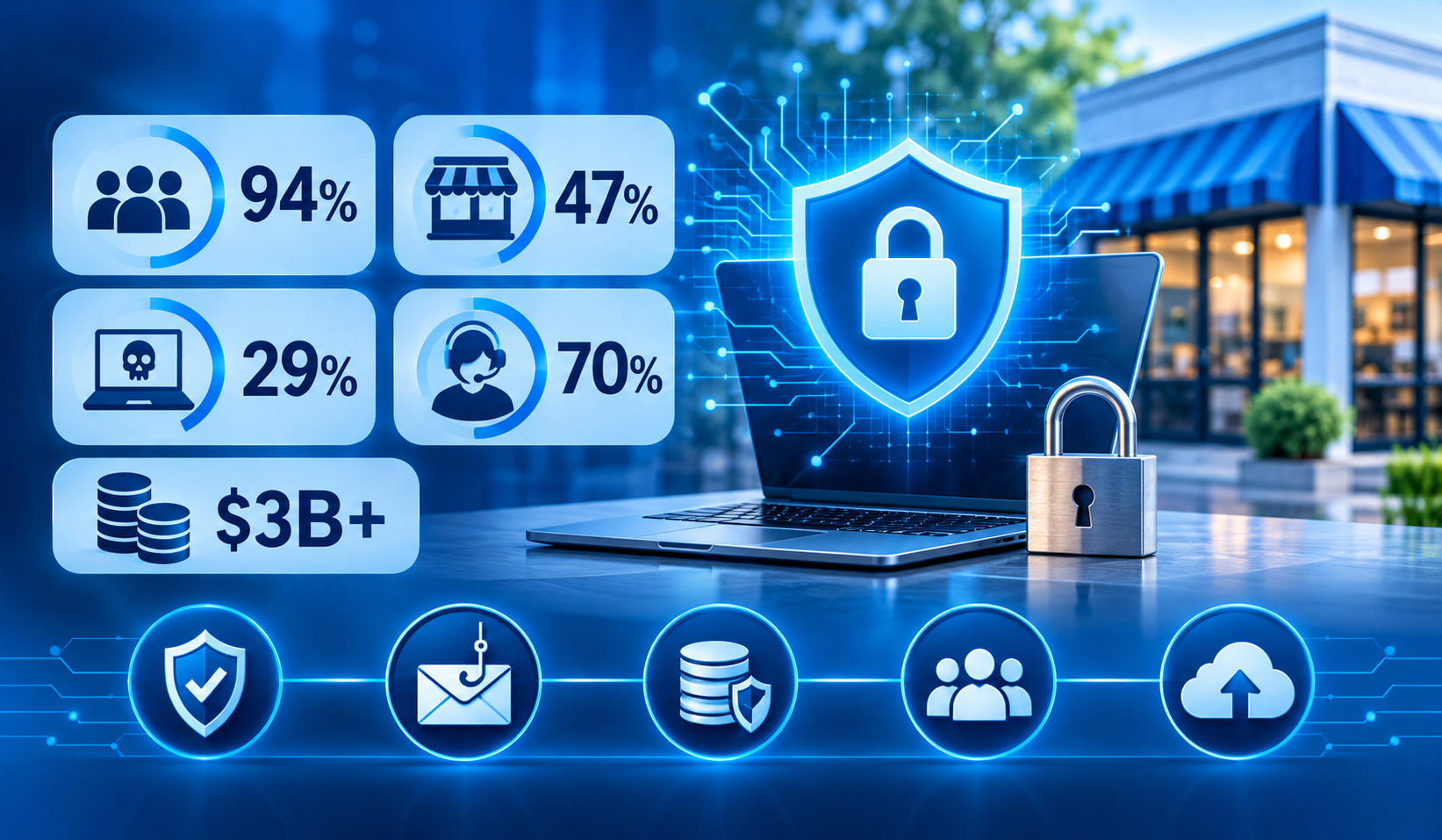
Recent U.S. research highlights why small business cybersecurity deserves attention:
- 94% of surveyed U.S. small businesses said they were aware of cyber threats, but many still lacked consistent security training, tools, and implementation, according to CrowdStrike’s 2025 State of SMB Cybersecurity Survey.
- Only 47% of micro-businesses surveyed had a cybersecurity plan, compared with nearly 90% of larger small and medium-sized businesses.
- 29% of small businesses with fewer than 25 employees that experienced a cyber incident reported a ransomware attack, the highest proportion among the business-size groups in the survey.
- 70% of surveyed small and medium-sized businesses said they relied on outside experts for cybersecurity guidance, highlighting the importance of professional security support.
- The FBI’s 2025 Internet Crime Report recorded more than $3 billion in reported losses from business email compromise (BEC). These scams often involve criminals impersonating business owners, vendors, or employees to redirect payments or obtain sensitive information.
These findings show that cybersecurity is not just a concern for large corporations. Small businesses also need to protect employee accounts, customer information, financial transactions, and the technology their teams depend on every day.
For businesses in Lodi, taking preventive steps such as enabling multifactor authentication, securing business email, testing backups, and training employees can help reduce exposure to common cyber threats.
Sources: CrowdStrike State of SMB Cybersecurity Survey 2025 | FBI 2025 Internet Crime Report
How One Small Security Mistake Can Disrupt an Entire Business
Consider a small business in Lodi that regularly receives invoices from suppliers. An employee receives an email that appears to come from a familiar vendor. The message explains that the supplier has changed its banking details and asks the employee to update the information before making the next payment.
The sender’s name looks familiar. The invoice is expected, and the request does not seem unusual.
The employee updates the payment details.
A few days later, the actual supplier contacts the business about an unpaid invoice. The company discovers that the original payment was redirected to a fraudulent account.
This type of incident is known as business email compromise or payment redirection fraud.
The problem did not begin with a damaged computer. It began with a routine financial process that lacked an independent verification step.
What could have prevented the incident?
- Requiring employees to verify banking changes using a previously known phone number.
- Requiring a second approval for unusual or significant payments.
- Enabling multifactor authentication on business email accounts.
- Training employees to recognize suspicious payment instructions.
- Establishing a clear process for reporting unusual messages.
This example demonstrates why cybersecurity should be part of everyday business management, not just an IT department responsibility.
When Should a Lodi Business Consider Professional Cybersecurity Support?
Basic security tools can help protect business devices, but they may not cover every risk. A small business might have antivirus software installed and still leave employee accounts exposed to phishing, use weak remote-access settings, or go months without checking whether backups can be restored. These gaps are easy to overlook when no one is specifically responsible for managing IT security.
Businesses that handle customer records, financial information, employee data, or confidential documents should periodically review how their systems are protected. Cybersecurity services in Lodi can help small and midsize businesses assess security gaps, strengthen access controls, monitor potential threats, and prepare for incidents before they interrupt daily operations.
If your team does not have an in-house security specialist, working with an experienced IT provider can help establish a more consistent approach to protecting business systems and sensitive information.
6 Security Weaknesses That Can Put Lodi Businesses at Risk
Rather than treating cyber threats as isolated technical problems, business owners should understand the weaknesses that allow attackers to access company information and systems.
1. Business Email Accounts Have Access to Too Much Information
Email connects employees to invoices, customer conversations, financial documents, password resets, and cloud applications. If an attacker gains access to a business mailbox, they may be able to impersonate an employee or search existing conversations for valuable information.
Steps to reduce the risk:
- Enable multifactor authentication on business email accounts.
- Review unfamiliar login alerts and account activity.
- Restrict access to sensitive mailboxes.
- Check automatic forwarding rules for unauthorized changes.
- Train employees to report suspicious messages.
2. Employee Permissions Are Not Reviewed Regularly
An employee may need access to a specific customer folder but not the company’s entire financial database. When employees have broader permissions than their responsibilities require, a compromised account can expose more information than necessary.
Steps to reduce the risk:
- Assign access according to job responsibilities.
- Use individual employee accounts instead of shared logins.
- Review permissions when employees change roles.
- Disable accounts when employees leave.
- Check shared cloud folders for unnecessary access.
3. Backups Exist, but Recovery Has Never Been Tested
A business may receive daily backup notifications and assume its information is protected. However, a successful backup does not automatically mean that employees can restore their files or resume operations quickly.
For example, a company might recover its documents but remain unable to work because its accounting application or shared server is unavailable.
Steps to reduce the risk:
- Test individual file restoration.
- Confirm that critical applications and systems can be recovered.
- Keep protected backup copies separate from everyday business access.
- Document who is responsible for recovery.
- Identify which systems need to return first after an incident.
4. Outdated Computers Remain Connected to the Business Network
A computer that still works may not necessarily be safe to use. Unsupported operating systems and outdated network equipment can contain security weaknesses that no longer receive updates.
Steps to reduce the risk:
- Maintain an inventory of business devices.
- Identify computers approaching the end of their support lifecycle.
- Schedule operating system and software updates.
- Replace unsupported equipment.
- Review devices used for remote access.
5. Remote Access Is Configured for Convenience Instead of Security
Employees may need to access business applications while working from home or visiting customers. However, unnecessary remote-access permissions, weak authentication, and outdated configurations can expose internal systems.
Steps to reduce the risk:
- Use approved remote-access solutions.
- Require multifactor authentication.
- Remove unused remote-access accounts.
- Review firewall and access settings.
- Separate guest Wi-Fi from internal business systems.
6. Employees Do Not Know How to Report Suspicious Activity
Employees may notice unusual login notifications, suspicious emails, missing files, or unexpected computer behavior. Without a clear reporting process, they may ignore the warning or attempt to resolve the problem themselves.
Steps to reduce the risk:
- Identify who employees should contact.
- Explain how suspicious messages should be reported.
- Establish procedures for isolating affected devices when appropriate.
- Keep IT and incident contacts accessible.
- Review the response process with employees.
Which Cybersecurity Problems Should Your Business Address First?
Not every security improvement needs to happen immediately. However, some weaknesses deserve priority because they can affect several parts of the business.
Use the following table to identify where your organization may need attention.
Business situation | Potential consequence | Recommended action |
Employees share passwords | Unauthorized account access | Create individual accounts and enable MFA |
Backups have never been tested | Important files may be unrecoverable | Perform a controlled restoration test |
Staff regularly receive suspicious emails | Phishing or account compromise | Improve email filtering and employee training |
Former employees have active accounts | Unnecessary access to company information | Review and remove outdated permissions |
Computers have missed several updates | Known vulnerabilities may remain exposed | Review patching and device support status |
Supplier banking details change by email | Fraudulent payment redirection | Require independent verification |
This is a starting point for identifying security gaps, not a formal cybersecurity audit. A more detailed review may be necessary to understand how these weaknesses affect individual business systems.
A 30-Day Cybersecurity Improvement Plan for Small Businesses
Business owners often postpone security improvements because they seem complicated or time-consuming. Breaking the work into manageable steps can make it easier to organize.
Timeline | Recommended activity | Intended outcome |
Days 1–7 | Review email accounts, passwords, MFA, and employee access | Reduce unnecessary account exposure |
Days 8–14 | Check computers, software updates, and network equipment | Identify outdated or unprotected devices |
Days 15–21 | Review backup schedules and test file restoration | Confirm that important information can be recovered |
Days 22–30 | Review employee awareness and incident procedures | Establish clearer security responsibilities |
At the end of the month, management should have a record of completed improvements, outstanding issues, and the next actions that need attention.
The process should also be repeated when the business introduces new software, hires employees, changes office locations, or expands remote access.
What Should Your Business Do During the First Hour of a Cybersecurity Incident?
The initial response to a suspected cyberattack can influence how much damage an incident causes. Employees should not immediately delete suspicious messages, reset every system, or attempt to restore files without understanding what happened.
Initial response | Why it matters |
Notify the designated IT contact | Starts an organized investigation |
Record the time and symptoms | Helps establish what happened and when |
Isolate an affected device when appropriate | Can limit further exposure |
Secure potentially compromised accounts | Helps prevent continued unauthorized access |
Contact the bank if payment details may be exposed | Gives the financial institution an opportunity to respond |
Preserve relevant messages and alerts | Supports investigation and reporting |
Businesses should follow an incident response procedure appropriate to the situation. A suspected ransomware infection, fraudulent payment, and compromised email account may require different technical and reporting steps.
For reporting suspected online crime in the United States, businesses can consult the FBI Internet Crime Complaint Center.
Cybersecurity and IT Management Support for Lodi Businesses
Managing cybersecurity requires more than installing antivirus software or changing passwords after an incident. Businesses also need to review account access, maintain computers, monitor network security, and establish procedures for protecting important information.
For small and midsize organizations without a dedicated internal IT department, keeping these responsibilities organized can be challenging.
RJ PRO Tech Group provides business IT management and cybersecurity support for organizations across Northern California. Its services help businesses address technology issues, manage their IT environments, and review security requirements.
Depending on the business’s environment and service agreement, support may include:
- Business cybersecurity management: Addressing security concerns involving employee devices, email accounts, and user access.
- Network security support: Reviewing network configurations, connectivity, and security controls.
- Workstation and server management: Supporting the computers and systems employees depend on.
- Backup and recovery planning: Helping businesses prepare for data loss and system interruptions.
- Employee IT assistance: Addressing technical issues that prevent employees from accessing their work tools.
With experience supporting business technology since 2011, RJ PRO Tech Group works with Northern California organizations that need help managing everyday IT requirements and addressing security concerns as their operations evolve.
Request Your Business Cybersecurity Consultation and start understanding where your business stands and what you can do to strengthen its cybersecurity.
Frequently Asked Questions About Business Cybersecurity in Lodi
1. What cybersecurity measures should a small business implement first?
Start with multifactor authentication, secure business email, unique passwords, regular software updates, protected backups, and employee security awareness. These measures address several common sources of business risk.
2. Why are small businesses vulnerable to phishing attacks?
Employees regularly use email for invoices, customer communication, document sharing, and account access. Attackers exploit this familiarity by sending messages that imitate legitimate people or organizations.
3. How can a business recognize a fraudulent vendor email?
Look for unexpected banking changes, unusual payment instructions, unfamiliar sender addresses, unexpected attachments, and urgent requests. Verify financial changes through a separate, previously trusted contact method.
4. How often should a business test its backups?
Businesses should establish a regular restoration-testing schedule based on the importance of their data and systems. Testing should confirm that individual files and essential business systems can be recovered.
5. Is antivirus software enough to protect a small business?
No. Antivirus and endpoint protection are useful, but they do not replace MFA, secure email, employee training, software updates, access controls, and tested backups.
6. What happens if a business email account is compromised?
An attacker may read confidential messages, impersonate employees, access shared information, or attempt fraudulent payment requests. The business should secure the account, investigate suspicious activity, and review connected accounts.
7. Does a small business need a written cybersecurity policy?
A written policy helps employees understand password requirements, access permissions, device use, suspicious email reporting, and incident responsibilities. It also gives management a consistent process to follow.
8. Where can small businesses in Lodi get cybersecurity support?
Businesses can work with an IT provider that understands business technology, account security, network protection, and data recovery. RJ PRO Tech Group provides cybersecurity services in Lodi for organizations seeking assistance with their IT and security requirements.

