

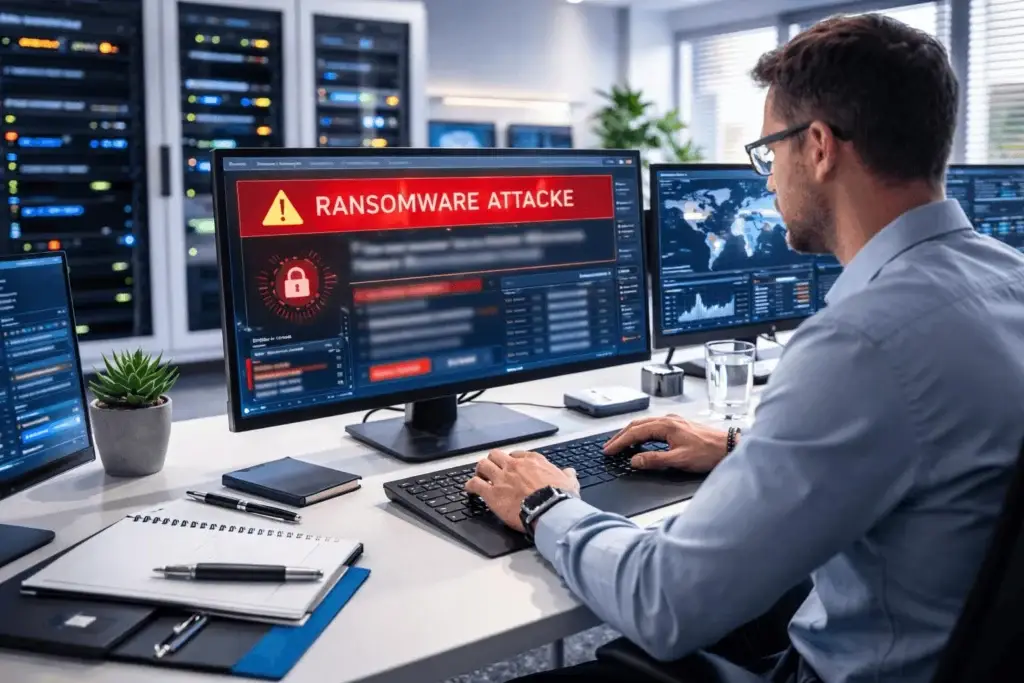
Picture a Monday morning at a fifteen-person practice.
Someone arrives early, makes coffee, opens their laptop. The project folder won’t load. They try another. Same thing. By the time the second person arrives, it’s clear this isn’t a workstation problem — every model, every drawing set, every consultant file across the entire server is inaccessible, and there’s a text file sitting in each folder explaining why.
Four active projects. Two with deliverables due that week. Eleven years of archived work.
What happens over the next fortnight is determined almost entirely by decisions the practice made — or didn’t make — months earlier. That’s the uncomfortable part, and it’s the reason this is worth thinking about on an ordinary Tuesday rather than during an actual Monday.
Why design practices are a particular target
Architects tend to assume attackers are interested in banks and hospitals. Design firms are attractive for reasons that have nothing to do with holding money.
The files are the business. A retailer without systems can still sell, awkwardly. A consultancy can still advise. A practice without its models cannot design, cannot document, cannot coordinate, and cannot respond to a contractor’s query — because the work exists nowhere else.
Everything stops simultaneously. This is what makes it worse for design firms than most businesses. It isn’t one project delayed. It’s every project, on the same morning, with every consultant and every client affected at once.
Deadline pressure creates leverage. Attackers understand that a practice facing a submission date behaves differently from one with time to consider options.
Project files contain more than drawings. On schools, healthcare buildings, and public projects, model data frequently includes security system layouts, access control details, server room locations, and structural information. That has value to someone whose interest is the building rather than the practice — a category of exposure most architects have never considered.
Defences tend to be lighter. Practices this size rarely have anyone whose job includes security, which attackers know from experience across thousands of similar targets.
What actually happens, in sequence
The version in people’s heads — dramatic breach, immediate encryption — bears little resemblance to reality. Understanding the real sequence explains why certain protections matter and others don’t.
It begins quietly. Someone enters credentials on a page that convincingly replicates a Microsoft 365 login. Or opens an attachment from a consultant whose own account was compromised. Nothing visible happens, which is deliberate.
Then nothing, for weeks. This period is called dwell time, and it’s where the outcome is really decided. The attacker maps the network, identifies where models are stored, locates the backup system, and expands access quietly. Nobody notices, because in an unmonitored environment there’s nothing to notice with.
The trigger comes at the worst moment. Friday evening, or the start of a holiday weekend. Encryption spreads across mapped drives, shared folders, and — critically — any connected backup storage it can reach.
Monday arrives. And now the practice is making decisions it has never made before, quickly, while the phone rings.
The dwell time detail matters more than it sounds. If an attacker was inside for three weeks before triggering, last night’s backup may already contain their tools. Practices restore, resume work, and get encrypted again ten days later from the infection they carefully preserved.
The single detail that decides everything
Of all the decisions a practice makes about its technology, one determines what Monday looks like more than any other.
Where the backup lives.
Modern ransomware specifically hunts for connected backup storage. Attackers learned early that a business able to restore doesn’t negotiate, so finding and encrypting the backup is now a standard part of the process rather than an afterthought.
A backup drive sitting in your server room, reachable from any workstation on the network, will be encrypted alongside everything else. It will report success right up until the moment it doesn’t exist anymore.
What separates practices that recover from practices that pay is a copy sitting somewhere the office network cannot reach — cloud replication, or a genuinely offline copy — with enough recovery points to go back past the date an infection began.
That’s it. That’s the difference. It isn’t a complicated principle, and it’s the one most frequently missed.
The five questions that establish where you stand
Take these to whoever manages your technology. The answers you want are specific.
1. When did we last perform an actual restore? A date. Not “backups run nightly.” We’ve tested backups completing cleanly for four years that failed entirely on restore, because corrupted data backs up perfectly well.
2. Could ransomware on our network reach the backup? If the answer involves the server room, that’s your finding.
3. How far back can we go? Given typical dwell times, last night alone is not sufficient.
4. Is MFA enforced on every account, including principals? Partial coverage is what attackers look for, and exempted senior accounts hold the broadest access.
5. Who gets called, in what order, if this happens tonight? If nobody can answer, the first three hours will be improvisation.
Vague answers to any of these aren’t a crisis. They’re just the starting point, and each is more straightforward to fix than most practices assume.
Recovery, realistically
Practices imagine recovery as a technical task: restore the files, resume work. In reality it’s a sequence, and each stage takes longer than expected.
Containment comes before recovery. Before anything gets restored, somebody has to establish whether the attacker still has access — because restoring into a compromised environment simply hands them a fresh copy. This usually means taking the network down deliberately, which feels counterproductive to everyone watching but is the only sensible order.
Then assessment. What’s affected, what’s recoverable, from what date, and whether the backups themselves are clean. This is where a practice finds out whether earlier decisions were adequate.
Then restoration, in order. Servers before workstations, core systems before peripheral ones, with verification at each step. A practice that has tested this knows roughly how long it takes. One that hasn’t is estimating while clients ask for updates.
And throughout, communication. Clients notice immediately when a project stalls. Consultants need to know whether the coordination model will arrive Thursday. Staff need instruction about what they can and cannot do. Decisions about what to say, and to whom, are considerably better made in advance than at seven on the worst morning of the year.
The costs beyond the ransom
The demand itself, when there is one, is rarely the largest figure.
A fifteen-person practice losing a fortnight isn’t losing two weeks of fee income. It’s paying two weeks of salaries for work that couldn’t happen, then overtime to clear the backlog, then absorbing whatever the delay does to programmes that moved on without you.
Emergency response is expensive precisely because it’s urgent. Incident specialists and forensic work don’t come at ordinary rates.
Then there’s the professional dimension. If a breach raises questions about whether project data was altered rather than merely accessed, that opens a genuinely difficult conversation — and being able to demonstrate recovery from a verified clean backup is a materially different position from being unable to say what happened.
Client relationships absorb damage that outlasts the technical recovery entirely. Explaining that a project has stalled indefinitely changes how that client thinks about the practice, however well the recovery goes.
And insurance has tightened considerably. Coverage now typically requires evidence of specific controls, and claims have been reduced where a firm attested to protections it didn’t actually have in place.
Prevention: what actually stops it
Recovery matters, but the far better outcome is never needing it.
Multi-Factor Authentication is the highest-value control available. Stolen credentials remain the most common entry point, and a second factor stops the substantial majority of attempts. Every account, no exemptions — the exceptions are what attackers hunt for.
Endpoint detection and response watches for suspicious behaviour rather than recognising known threats. This is what catches an intrusion during dwell time, in the only window where it can be stopped cleanly.
Continuous monitoring is what makes that window visible at all. Without it, the weeks an attacker spends inside your network pass entirely unnoticed — which is why reactive support, however capable, structurally cannot catch this.
Email threat filtering removes most attempts before anyone has to make a judgment call about a plausible-looking message at five on a Friday.
Controlled consultant file transfer closes a route most practices haven’t considered. Personal Dropbox accounts and USB drives move project data outside any control you have, and a compromise at a consultant’s end arrives looking entirely legitimate.
Our cybersecurity services run these as one coordinated layer, and managed IT keeps them maintained — because MFA coverage drifts as staff change, and a control nobody reviews stops working within months.
For smaller practices
An eight-person studio in Lodi is not too small to be attacked. Most attacks aren’t chosen at all — they’re automated, scanning broadly and following whatever responds.
What smaller practices do have is an advantage in fixing this. Enforcing MFA across eight accounts is an afternoon. Getting a backup replicated off-site and tested is a short project. There’s no committee, no change board, no eighteen-month approval cycle.
The obstacle was never budget. It’s that nobody’s job description includes thinking about it — and that’s a solvable problem in a way that a large firm’s bureaucracy often isn’t.
What to take from this
If your practice does nothing else after reading this, do two things.
Find out whether your backup could be reached from an infected computer on your network. Then find out when someone last performed an actual restore, and what the result was.
Those two answers tell you most of what you need to know about what your Monday would look like. If both are reassuring, you’re in better shape than most practices. If either produces hesitation, you’ve identified the highest-value thing you could fix this month — and it’s almost certainly cheaper than you’re expecting.
Learn more about our services for architectural practices across Lodi and San Joaquin County, or talk it through with someone who has walked firms through this properly. We’ll test what you have and tell you plainly whether it would hold — call 209-920-4077 or start here.


