



Most businesses don’t discover a breach themselves. Somebody else tells them. A bank flags a wire that shouldn’t have gone out. A client asks why they received an invoice with different account numbers. A vendor calls to say the email you sent them was carrying something unpleasant. By the time anyone inside the building knows, the attacker has usually been there for weeks.
That single fact undoes the most common assumption business owners make about security, which is that they’d know if something were wrong. You wouldn’t. Not without something watching.
The second assumption worth retiring is that small companies are too small to be worth attacking. That belief made sense when attacks were manual and a human had to choose a target. Most attacks now are automated. Software scans entire address ranges looking for an unpatched server, an exposed remote desktop port, or a password that showed up in a previous breach somewhere else. It doesn’t know how many employees you have. It doesn’t care.
If anything, being smaller makes you more attractive, because attackers assume the defenses are thinner. They are usually right. This guide covers what actually threatens businesses in El Dorado Hills, what California law expects of you, why your insurer has started asking harder questions, and what cybersecurity services realistically cost for a company your size.
Why El Dorado Hills Businesses Get Targeted
There’s a local pattern to this worth understanding, because it explains why businesses along the Highway 50 corridor keep showing up in incident reports.
You Are the Way In to Somebody Bigger
A construction firm in El Dorado Hills works with developers, architects, lenders and county offices. A financial advisor holds client information that connects to institutions many times their size. Attackers understand supply chains. Compromising a fifteen-person firm to reach the organizations it emails every day is easier than attacking those organizations directly, and it works because everyone trusts email that comes from a known contact.
Professional Services Hold Concentrated Data
El Dorado County has a heavy concentration of professional and medical practices relative to its size. Law offices, CPA firms, insurance agencies, dental practices, wealth managers. These businesses hold social security numbers, financial records, health information and signature authority over money movement, usually with a fraction of the security budget a bank would apply to the same data.
Automated Attacks Don’t Filter by Size
Scanning tools sweep the internet continuously. They find the firewall that was never updated, the accounting workstation still running an operating system that stopped receiving patches, the remote access someone opened during the pandemic and forgot to close. Selection happens after entry, not before it.
The Threats That Actually Cause Damage
Skip the general anxiety. These are the specific things that put businesses out of operation.
Ransomware
An attacker encrypts your files and demands payment for the key. What makes this devastating is not the encryption but the timing. Attackers now sit inside a network for days or weeks first, locating your backups and deleting or encrypting those too, before triggering anything. The businesses that recover well are the ones whose backups were isolated from the network the attacker was standing in. The ones that pay usually pay because they discovered their backup was in the blast radius.
Business Email Compromise and Wire Fraud
This is quieter and often more expensive. Someone gets into an email account, usually through a stolen password, and then reads. They learn how your company writes, who approves payments, which vendors are mid-project. Then they send an invoice from your real account, or from a domain one character off, with new banking details. Nothing is encrypted. Nothing looks broken. The money is simply gone, and because the transfer was authorized by a real employee, recovery is difficult.
Phishing and Credential Theft
Most breaches start with a login rather than a technical exploit. An employee enters their password into a page that looks exactly like the Microsoft 365 sign-in screen. That password often works elsewhere too, because people reuse them. Credentials from unrelated breaches are compiled and tested against business accounts at scale, which is why a personal password from years ago can become a business problem today.
Unsupported Software and Unpatched Systems
Every business has at least one machine nobody wants to touch, usually because an important application only runs on it. Once the operating system stops receiving security updates, known vulnerabilities stay open permanently and are published where anyone can find them. That machine is typically sitting on the same network as everything else.
Remote and Hybrid Access That Was Never Secured
Remote desktop connections opened quickly in 2020 are still open in 2026 at a lot of companies, often without multi-factor authentication. Home networks, personal laptops and shared family computers now touch business systems daily. Each one is a route in, and each one sits outside whatever protection exists in your office. Proper network monitoring and management covers these paths rather than assuming they don’t exist.
Why Antivirus Alone Stopped Being Enough
Traditional antivirus works by recognition. It compares files against a list of known malicious ones. That model was effective when malware was written once and distributed widely, because the list caught up quickly.
Two things broke it. First, attackers now generate unique variants for each target, so there is no signature to match. Second, and more importantly, the most damaging attacks don’t involve a malicious file at all. When someone logs into your email with a valid password they stole, no antivirus product will object. The login is legitimate. The person behind it is not.
What replaced signature matching is behavioral detection. Modern endpoint and workstation protection watches what is happening rather than what a file is called: a process encrypting files rapidly, an account signing in from two countries an hour apart, an administrator account created at 3am. Those patterns are visible even when nothing on disk looks unusual.
California Raises the Stakes
Businesses here operate under stricter privacy obligations than businesses in most other states, and this catches people out when they benchmark against national advice.
The California Consumer Privacy Act, as amended, gives California residents rights over the personal information companies hold about them, including the right to know what is collected and to have it deleted. It also creates a private right of action when certain personal information is exposed through a failure to maintain reasonable security. That last part matters, because it means individuals can pursue claims directly rather than waiting for a regulator.
California’s breach notification requirements are also more demanding than the federal baseline, both in what must be disclosed and how quickly. Notification carries real cost: legal review, credit monitoring, communications, and the reputational effect in a business community where word travels.
Industry rules stack on top of this. Medical and dental offices sit under HIPAA, and healthcare practices have additional obligations around audit logging, access control and risk assessment. Law firms and financial advisors carry professional confidentiality duties that a breach violates independently of any statute. If you fall into one of those categories, a general security setup is unlikely to be sufficient on its own.
Cyber Insurance Has Quietly Become a Compliance Driver
For many El Dorado Hills businesses, the pressure to improve security is arriving from their insurance broker rather than from any regulator. This is a real shift and it deserves attention.
Insurers spent several years paying out heavily on cyber claims and responded by tightening underwriting. Applications that used to be a page are now detailed questionnaires, and the answers are treated as representations about your environment. Commonly required controls include:
- Multi-factor authentication on email, remote access and administrative accounts
- Endpoint detection and response rather than consumer-grade antivirus
- Tested, offline or immutable backups with documented recovery testing
- Security awareness training for staff, with records of completion
- Patch management and removal of end-of-life systems
- Email filtering and protections against domain spoofing
Three consequences follow, and business owners are running into all of them.
Renewals get refused. A policy you’ve held for years does not automatically continue if you can no longer answer the questionnaire acceptably. Premiums rise sharply where controls are partial. And most seriously, claims can be denied if the insurer determines the controls you attested to were not actually in place at the time of the incident. Answering yes to a question about MFA when it covers only some accounts creates a gap you will discover at the worst possible moment.
The useful way to read this: your insurer has already written a security baseline for you. Meeting it protects the business and preserves the coverage at the same time. Most of what they ask for falls within standard cybersecurity services and can be implemented without rebuilding your environment.
| Can Your Business Answer the Insurance Questionnaire Honestly? We’ll review your current controls against what insurers now require and show you exactly where the gaps are. No obligation, no jargon. ▶ REQUEST A FREE CONSULTATION Or call our El Dorado Hills office directly: (916) 345-3451 Valley Springs office: (209) 920-4077 | help@rj-pro.net |
What Real Protection Actually Includes
Security works in layers because no single control stops everything. Here is what each layer is for, in plain terms.
- Multi-factor authentication. Stops stolen passwords from being usable. If you implement one thing this year, this is the one, because it neutralizes the most common entry method.
- Endpoint detection and response. Watches behavior on every device and can isolate a machine automatically when it starts acting like it’s compromised.
- Email security and filtering. Blocks phishing and impersonation before it reaches an inbox, and flags messages from lookalike domains.
- Patch management. Closes known vulnerabilities on a schedule instead of whenever someone remembers, and identifies systems that can no longer be patched at all.
- Firewall management and network segmentation. Keeps guest Wi-Fi, staff devices and critical systems separated, so a compromise in one place doesn’t reach everything.
- Encrypted, tested backups. Determines whether ransomware is a bad week or an extinction event. Untested backups are assumptions.
- Security awareness training. Attacks target people, so the people need to recognize them. Short, regular, and specific to what your staff actually receive.
- Monitoring and incident response. Someone watching around the clock, with a defined plan for what happens when an alert is real.
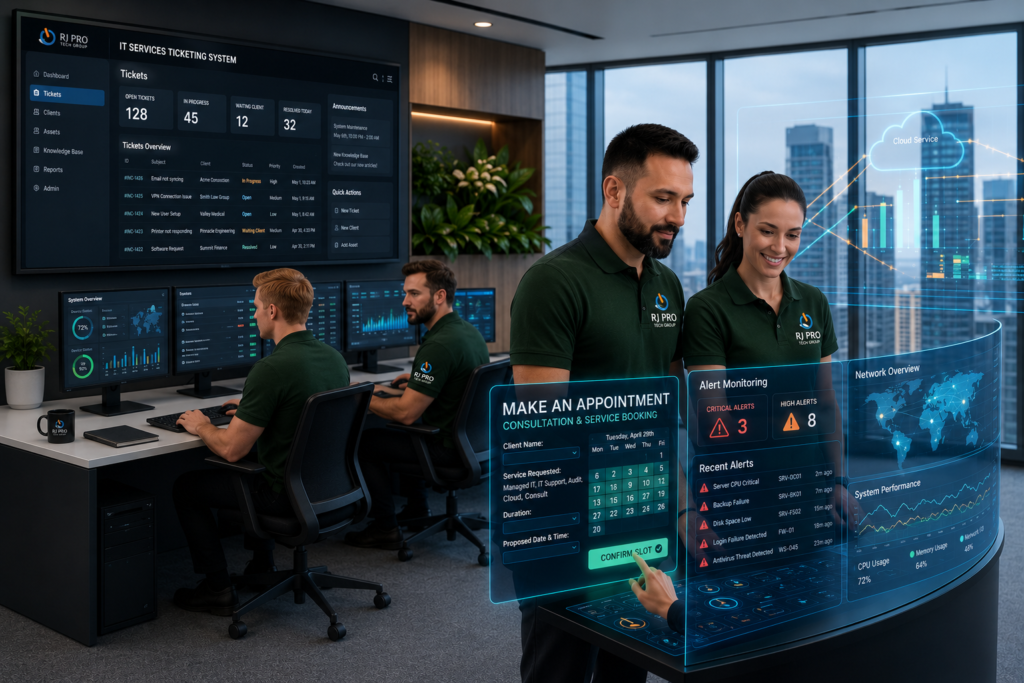
These pieces work together. Backups without monitoring means you restore into a network the attacker still occupies. Monitoring without a response plan means you watch an incident unfold in real time. RJ PRO Tech Group builds these as one layered package alongside managed IT services, including server management, backup and disaster recovery, and 24/7 helpdesk support.
Signs Your Current Setup Isn’t Enough
Most businesses don’t have an obvious security failure. They have a slow accumulation of small gaps. Check how many of these describe you:
- Multi-factor authentication is off for some accounts, or you’re not sure which ones
- Nobody can tell you the date of the last successful, verified backup restore
- At least one machine runs software that requires an unsupported operating system
- Former employees may still have active accounts or access
- Staff use personal devices for work with no management or policy
- Your security is antivirus plus whatever came with the router
- You’ve never had a vulnerability assessment or written security review
- Guest Wi-Fi and business systems share the same network
- Nobody would know if an account were accessed from outside the country tonight
- Your IT support is reactive, and you call them after something breaks
Two or three of these is common. Five or more means you are relying on not being noticed, which is not a strategy that scales.
What Cybersecurity Costs
Managed security is normally priced per user or per device, per month. Per-user pricing suits businesses where staff use several devices each. Per-device suits operations with shared workstations, like a front office or a job site trailer.
What moves the number up or down:
- Headcount and device count, and how many devices are shared
- Whether you run onsite servers or work primarily in cloud services
- Age and condition of existing hardware, since older equipment costs more to secure and maintain
- Compliance requirements, which add documentation, assessment and reporting work
- How much needs fixing at the start, since a first-year remediation project is separate from ongoing monthly cost
- Onsite response expectations and after-hours coverage
Any provider quoting a firm price before assessing your environment is guessing, and the number will change once they see it. Ask for a scoped proposal instead.
Weigh it against a single incident. A wire fraud loss is often five figures and rarely recoverable. A ransomware event costs you days of operations, recovery labour, legal review, notification obligations and, frequently, a refused insurance claim. Security spending is not competing against zero. It is competing against the cost of the event it prevents, spread across the years it doesn’t happen.
In-House, Outsourced, or Nothing?
Three realistic options exist for a business your size, though one of them is only realistic in the sense that many companies are currently choosing it by default.
| Doing Nothing | In-House IT Staff | Outsourced Managed Security | |
| Upfront cost | Nothing, until an incident | Salary, benefits, tooling | Predictable monthly fee |
| Coverage hours | None | Business hours, one person deep | 24/7 monitoring and helpdesk |
| Threat detection | You find out from someone else | Depends on their tooling and time | Continuous, with alerting and response |
| Insurance readiness | Renewal likely refused | Possible, if documented properly | Controls in place and evidenced |
| Incident response | Improvised under pressure | One person handling everything | Defined process and escalation |
| Best fit for | Nobody, honestly | Firms with 100+ staff or heavy compliance | Most El Dorado Hills businesses under 100 staff |
The hidden cost of doing nothing is that it feels free right up until it isn’t, and the bill arrives all at once. The hidden cost of a single in-house person is concentration risk: they take holidays, they get sick, they leave, and security coverage leaves with them.
How to Choose a Cybersecurity Provider in El Dorado Hills
Bring these questions to every conversation. The answers separate genuine security providers from IT companies that added the word to their website.
- What is your guaranteed response time, and is it written into the contract?
- Who is monitoring outside business hours, and are they people or automated alerts nobody reads until morning?
- What exactly is your incident response process in the first hour of a confirmed breach?
- How do you test our backups, and how often will I see evidence?
- What reporting will I receive, how often, and will I understand it without a technical background?
- Can you help us complete our cyber insurance questionnaire accurately?
- How do you handle security awareness training, and do you track completion?
- What is your onsite response time to my specific address?
- Who owns our documentation, passwords and licenses if we end the relationship?
- Can I speak to a client of yours of a similar size?
That last question is the most revealing. A provider comfortable answering it will offer references and client case studies without hesitation, and you can read what our clients say before you pick up the phone.
Why Local Support Matters Here
Most security work happens remotely and should. But some situations need someone physically present: a compromised machine that has to be pulled off the network, a failed firewall, a server that needs rebuilding after an incident, or a forensic look at hardware you can’t trust.
A provider based in the region is in your timezone, understands the drive along Highway 50, and can be at your office the same day rather than dispatching from elsewhere. RJ PRO Tech Group has offices in El Dorado Hills and Valley Springs and has served Northern California businesses since 2010, providing IT support in El Dorado Hills as well as Folsom, Cameron Park, Shingle Springs, Placerville, Rescue and the wider Sacramento region. You can check coverage for your location on our areas we service page.
There’s also a practical benefit to working with a provider who knows the local business community: they understand the vendors, the connectivity limits in specific buildings around Town Center, and the compliance pressures common to firms in El Dorado County. That context removes a lot of explaining.
Frequently Asked Questions
Is my small El Dorado Hills business really a target for cyberattacks?
Yes, and size works against you rather than for you. Most attacks are automated and select targets by finding a weakness, not by researching your company. Smaller firms are also used as stepping stones into the larger clients and partners they email regularly. Attackers assume smaller businesses have thinner defenses, and in most cases that assumption is accurate.
Isn’t antivirus and a firewall enough?
They’re necessary and no longer sufficient. Antivirus catches known malicious files, but the most costly attacks involve a stolen password and a legitimate login, where there’s no file to detect. A firewall doesn’t help when the intrusion arrives through email or a valid remote session. You need identity protection, behavioral detection and monitoring alongside them.
How much do cybersecurity services cost for a small business?
Pricing is typically per user or per device per month, shaped by headcount, whether you run onsite servers, hardware age, and compliance requirements. Initial remediation is usually quoted separately from ongoing monthly cost. Get a scoped proposal after an assessment, and compare proposals on what’s included rather than on the monthly total.
What should we do first if we think we’ve been breached?
Don’t turn machines off, because that can destroy evidence. Disconnect affected devices from the network, stop any pending payments or transfers, change passwords from a device you trust, and contact your IT provider and your insurer immediately. Most cyber policies require prompt notification and use of approved response resources, so calling the insurer early protects the claim.
Will our cyber insurance actually pay out if we get hit?
It depends on whether the controls you attested to on the application were genuinely in place. Insurers review this after a claim. Partial multi-factor authentication, untested backups or missing endpoint detection are common reasons for reduced or denied payouts. Review your questionnaire answers against reality now, while there’s still time to close the gaps.
How long does it take to secure a business that has done nothing so far?
The highest-impact controls move fast. Multi-factor authentication, email filtering and endpoint protection can typically be deployed within days. Backup redesign, network segmentation and replacing end-of-life systems take longer and are usually phased over weeks or months. Sequencing matters more than speed, so the biggest risks close first.
Do we need to replace our current computers and software?
Usually not all of it. An assessment separates equipment that’s fine, equipment that needs upgrading, and equipment that’s a genuine risk, which typically means anything running software no longer receiving security updates. Replacement should be planned and budgeted over time rather than demanded all at once, unless a system is actively exposed.
What’s the difference between managed IT and managed cybersecurity?
Managed IT keeps things working: helpdesk, updates, hardware, user accounts, day-to-day support. Managed cybersecurity assumes someone is actively trying to get in and focuses on preventing, detecting and responding to that. They overlap heavily and work best together, which is why most businesses buy them as a single service rather than splitting them across vendors.
Where to Start
You don’t need to fix everything at once, and no competent provider will tell you otherwise. Start by finding out where you actually stand: whether multi-factor authentication genuinely covers every account, whether your backups restore, whether anything on your network can no longer be patched, and whether your insurance answers would survive scrutiny after an incident.
RJ PRO Tech Group provides managed cybersecurity services for businesses across El Dorado Hills and Northern California, with 24/7 monitoring, proactive maintenance instead of break-fix, local onsite technicians and flat-rate monthly pricing you can budget around.
| Find Out Where Your Business Actually Stands Book a 15-minute call with a local El Dorado Hills team that has supported Northern California businesses since 2010. We’ll tell you honestly what needs fixing first. ▶ REQUEST A FREE CONSULTATION Or call our El Dorado Hills office directly: (916) 345-3451 Valley Springs office: (209) 920-4077 | help@rj-pro.net |


