

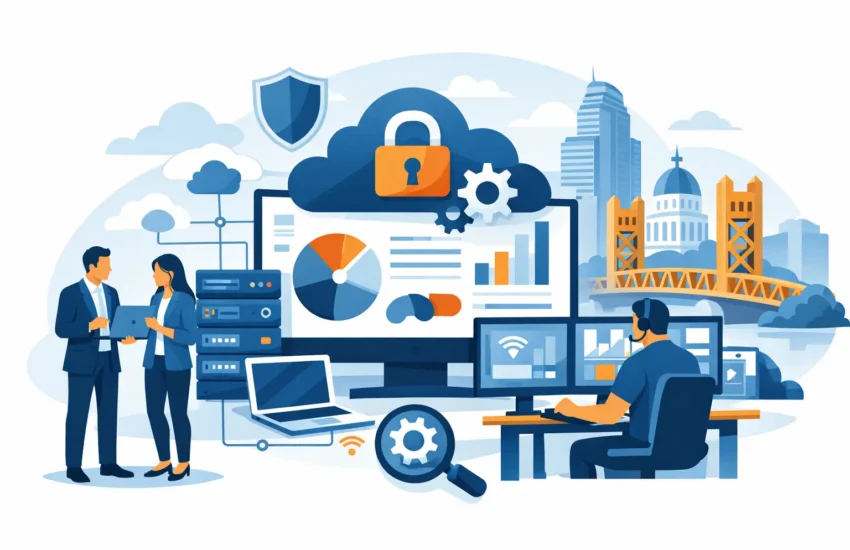
A failed server at 8:15 a.m. can delay payroll, halt a construction bid, interrupt patient scheduling, or leave a law office unable to access case files. For a growing company, technology problems are rarely just technical problems. They affect revenue, client trust, employee productivity, and the ability to keep commitments. That is why business IT services in Sacramento organizations choose should focus on preventing disruption, not merely responding after it happens.
For small and medium-sized businesses, the right IT partner provides more than someone to call when a computer stops working. It provides ongoing ownership of the systems that keep the company operating: networks, devices, servers, cloud applications, security controls, backups, and user support. The result is a more stable operation with clearer costs and fewer surprises.
What Business IT Services in Sacramento Should Deliver
Many businesses begin with break/fix support. A technician is called when email goes down, Wi-Fi becomes unreliable, or an employee cannot access a critical application. This approach may appear less expensive at first, but it creates a difficult incentive: IT attention arrives only after lost time has already accumulated.
Managed IT services take a different approach. Systems are monitored, maintained, patched, and reviewed on an ongoing basis. Potential problems such as a failing hard drive, an outdated firewall, low server storage, or repeated login failures can be identified before they become a business-wide outage.
A dependable service plan should connect technical work to clear operational results. That means faster help when employees are blocked, fewer recurring issues, better protection for client and company data, and a predictable monthly technology budget. It also means having a partner that can explain priorities in business terms rather than bury decision-makers in jargon.
The specifics vary by organization. A five-person professional office may need secure remote access, email protection, and responsive end-user support. A manufacturing business may depend on specialized workstations and equipment-connected systems. A medical, dental, financial, or legal practice may require stronger controls around sensitive information and documented processes. The plan should reflect the actual risks, workflows, and growth goals of the business.
The Cost of Waiting for an IT Problem
Downtime is often measured too narrowly. Leaders may look at a repair invoice and overlook the larger cost: employees unable to work, delayed projects, missed calls, frustrated clients, and managers pulled away from their responsibilities. Even a short interruption can create a backlog that lasts much longer than the outage itself.
Cybersecurity incidents create an even broader problem. Phishing emails, stolen credentials, ransomware, and compromised devices can lead to financial loss and operational disruption. Smaller businesses are not exempt simply because they are smaller. In many cases, they are targeted because attackers expect fewer security controls and less formal response planning.
A proactive provider helps reduce exposure through layered protections. No single tool is enough. Effective security includes managed endpoint protection, email filtering, multi-factor authentication, timely updates, secure access controls, employee awareness, and ongoing monitoring. Just as important, it includes a plan for what happens if an incident occurs. Fast containment and clear communication can make a major difference.
Backup is another area where assumptions can be costly. A backup that has never been tested is not a recovery plan. Businesses need to know what information is being backed up, how frequently it is protected, where it is stored, how quickly it can be restored, and whether critical applications can continue after a local failure. Recovery objectives should reflect the real cost of being offline, not a generic checklist.
Core Services That Keep Businesses Productive
The strongest managed IT relationships cover the daily technology needs that employees notice and the behind-the-scenes work they may never see. Both matter. Employees need prompt answers when they cannot print, connect, access files, or use required applications. Leadership needs confidence that the underlying environment is being managed responsibly.
Responsive Helpdesk and Device Support
When an employee is unable to work, speed matters. A responsive helpdesk resolves common issues without forcing office managers or owners to act as the internal IT department. Desktop maintenance, user account support, software troubleshooting, and new employee setup should be handled through a clear support process.
The trade-off is worth considering: remote support resolves many problems quickly, while some situations require onsite attention. A local provider should have a practical process for both, especially for offices with network equipment, specialized devices, or operational systems that cannot be addressed remotely.
Network, Server, and Cloud Management
A reliable network is the foundation for nearly every business application. Ongoing monitoring can identify performance concerns, equipment failures, capacity limitations, and security issues before users feel the impact. Server and cloud management should also include patching, access reviews, storage oversight, and planning for future needs.
Not every company needs the same infrastructure. Some businesses benefit from cloud-based applications and file storage, while others need local systems because of legacy software, performance requirements, or industry workflows. The right answer depends on security, cost, connectivity, compliance needs, and how employees work. Good IT guidance explains those trade-offs before a business makes a costly change.
Cybersecurity and Compliance Support
Cybersecurity services in Sacramento should be built into everyday operations, not added only after an alarming event. That includes protecting devices, controlling access, monitoring suspicious activity, and helping employees recognize common threats. For firms that handle financial records, patient information, legal documents, engineering plans, or client data, documentation and policy guidance may be just as important as the technology itself.
Compliance requirements differ across industries, so generic advice has limits. A provider should understand where stronger safeguards, audit trails, retention practices, and access controls are needed. The goal is not to make compliance feel complicated. It is to establish practical safeguards that support the way the business operates.
Backup and Disaster Recovery
Power failures, hardware loss, accidental deletions, cyberattacks, and physical damage can all interrupt operations. Automated backup and disaster recovery help a business recover critical data and systems without relying on luck or an employee’s personal copy of a file.
A useful recovery plan answers direct questions. Which systems must return first? How much data can the business afford to lose between backups? Can employees work from another location if the office is unavailable? Who has authority to make recovery decisions? Addressing these questions ahead of time turns a stressful event into a managed response.
How to Evaluate Business IT Services Sacramento Providers
The best provider is not necessarily the one that promises every possible technology service. It is the one that takes responsibility, communicates clearly, and builds a plan around business priorities. During an initial conversation, leaders should expect questions about their users, applications, current frustrations, security risks, growth plans, and tolerance for downtime.
Ask how monitoring works, what support response expectations look like, and what is included in the monthly agreement. Clarify whether cybersecurity tools, backups, strategic planning, onsite visits, and project work are included or billed separately. Predictable costs are valuable, but only if the agreement defines what the business is actually receiving.
It also helps to ask how the provider handles recurring problems. Repeated printer failures, slow systems, unstable connectivity, or user-access issues should not become permanent background noise. A proactive team looks for root causes, documents the environment, and recommends improvements based on business impact.
Local familiarity can add value when a company needs onsite assistance or wants a partner that understands the operating realities of Sacramento-area businesses. RJ PRO Tech Group, for example, approaches managed IT as an ongoing business relationship, combining responsive support with monitoring, security, backup, and planning designed to reduce avoidable disruptions.
Make IT a Managed Business Function
Technology should not demand constant attention from the owner, office manager, or operations leader. When IT is managed well, employees have dependable tools, leadership has visibility into risks and costs, and the company is better prepared for growth or disruption.
Start by identifying the systems your business cannot afford to lose access to for a day. Then examine whether your current support model protects those systems before trouble begins. That conversation often reveals the clearest path toward fewer interruptions, stronger security, and a technology environment that supports the work your team is here to do.


