

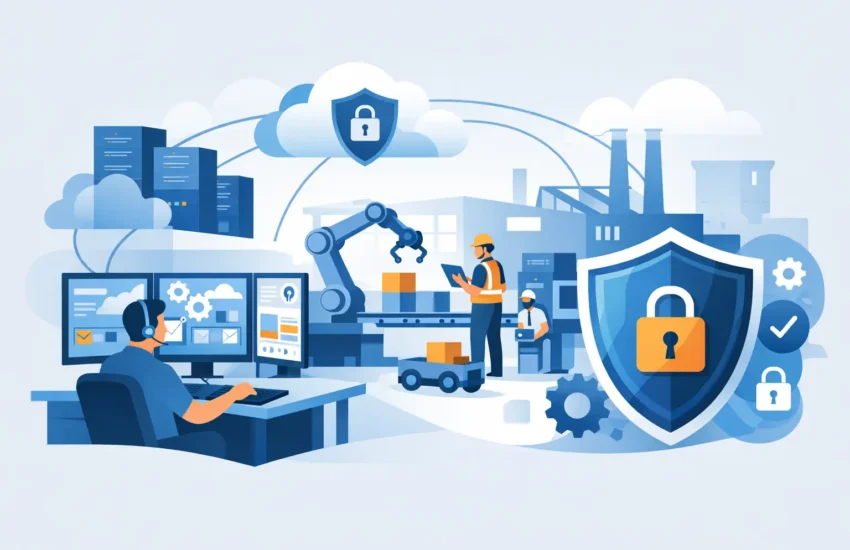
A stopped production line is rarely just a production problem. A failed workstation, an unavailable file server, a ransomware alert, or a network outage can delay shipments, leave operators waiting, and force your team into costly workarounds. Effective manufacturing IT support is built around preventing those disruptions before they affect the floor, the office, or your customers.
For small and mid-sized manufacturers, technology has to support the pace of operations without creating another layer of management. That means dependable systems, responsive help when an issue occurs, and a clear plan for protecting the data and equipment your business depends on.
Why Manufacturing IT Support Requires a Different Approach
A manufacturing environment is not a typical office. Your technology may connect production equipment, inventory systems, engineering files, shipping platforms, accounting software, mobile devices, and vendor portals. Some systems may be modern cloud applications, while others depend on older machines or specialized software that cannot be casually updated or replaced.
That mix creates risk. An update that is harmless on an office laptop can interrupt a critical application. A network issue in the warehouse can delay scanning and fulfillment. A compromised email account can lead to fraudulent payment requests or expose customer records. When every department relies on connected systems, IT decisions affect throughput, quality, safety, and revenue.
Generic break/fix support reacts after something fails. Manufacturing-focused support starts with the question: what would happen to production if this system, connection, or file became unavailable? The answer determines what needs closer monitoring, stronger protection, backup coverage, and a documented recovery process.
The Real Cost of “We’ll Fix It When It Breaks”
Many manufacturers carry hidden IT costs because technology problems are handled one incident at a time. A workstation goes down, so someone calls for help. The internet drops, so the office manager spends an afternoon on the phone with a provider. A server runs out of storage, so a rushed replacement project appears on the budget.
The invoice for each repair is only part of the expense. The larger cost is idle labor, missed production windows, late orders, overtime, frustrated customers, and leaders pulled away from their actual responsibilities. Repeated interruptions also make it harder to plan capital investments because IT spending becomes reactive and unpredictable.
A proactive managed IT model changes that equation. Instead of waiting for failures, your IT partner monitors key systems, addresses warning signs, applies controlled maintenance, and helps create a predictable monthly technology budget. It does not mean every problem disappears. It means fewer surprises, faster resolution, and a better understanding of where risk remains.
What a Manufacturing IT Support Plan Should Cover
The right plan depends on the size of your operation, the systems tied to production, and any customer or regulatory requirements you must meet. Still, most manufacturers need coverage in several core areas.
Network reliability on the floor and in the office
Your network supports far more than email. It may connect production devices, label printers, time clocks, security cameras, inventory scanners, wireless access points, and cloud business systems. Slow or unreliable connectivity creates small delays that can quickly become operational bottlenecks.
A well-managed network is documented, monitored, and organized to separate critical systems where appropriate. For example, guest Wi-Fi should not have the same access as a workstation used for scheduling or accounting. Network equipment should also be maintained before a failed switch or firewall becomes an emergency.
Endpoint, server, and workstation management
Manufacturing teams often use a mix of office desktops, shared shop-floor computers, rugged tablets, engineering workstations, and servers running specialized applications. Every device is a potential point of failure and, if unprotected, a possible doorway for cybercriminals.
Ongoing management includes patching, performance monitoring, antivirus and endpoint protection, user access controls, and hardware lifecycle planning. The goal is not to update every device at the same moment. In manufacturing, updates should be tested and scheduled to reduce disruption to essential operations.
Cybersecurity that accounts for operational risk
Cybersecurity is a production continuity issue. Ransomware can encrypt shared files, disable scheduling systems, and interrupt communications with vendors or customers. Phishing attacks can compromise payroll, invoices, and banking information. Even a single unauthorized account can provide access to sensitive systems.
Manufacturers need layered protection rather than reliance on one tool. This typically includes advanced endpoint security, secure email controls, multi-factor authentication, firewall management, access reviews, employee awareness training, and continuous monitoring. The specific safeguards should match your risk profile, especially if you handle controlled data, financial information, or customer intellectual property.
Backup and disaster recovery that can actually restore operations
A backup is only valuable if it can be recovered when needed. That sounds obvious, but many businesses discover gaps only after a server fails or data is encrypted. Backups may be incomplete, stored too close to the primary system, or never tested for recovery time.
A practical recovery plan identifies the systems that must return first. Your order management platform may be more urgent than archived files. Engineering drawings may require different protection than routine office documents. The plan should establish realistic recovery objectives, use protected offsite or cloud copies, and include periodic restore testing.
Start With Your Production Dependencies
The most useful IT assessment does not begin with a list of devices. It begins with the flow of work. Ask what technology is required to receive an order, schedule production, access drawings, operate or program equipment, manage inventory, ship a finished product, and issue an invoice.
This process often reveals dependencies that have never been documented. Perhaps one aging computer runs a critical application. Maybe only one employee knows how to access a vendor portal, or a shared drive contains the only current versions of quality documents. These are not reasons to panic. They are priorities to address before an outage forces the issue.
A capable IT partner translates these findings into a practical roadmap. Some improvements may be immediate, such as securing administrator accounts or confirming backups. Others may be phased over time, such as replacing network hardware or moving an outdated server. The point is to improve reliability without asking the business to absorb unnecessary change all at once.
Balance Security With Uptime
Manufacturers sometimes hesitate to strengthen cybersecurity because they worry it will slow employees down or interfere with older production systems. That concern is valid. Security controls should protect operations, not make it harder for authorized people to do their jobs.
The answer is planning, not avoiding security. Multi-factor authentication may be appropriate for remote access, email, finance, and administrative systems, while shop-floor processes may need a different workflow. Legacy equipment may require network segmentation and tighter access rules rather than an unsupported software update. Each decision should consider both cyber risk and production impact.
This is also why scheduled maintenance matters. Changes should be communicated, documented, and performed during windows that minimize operational disruption. A support provider that understands manufacturing will ask before making changes that could affect a production application or connected equipment.
Questions to Ask Before Choosing an IT Partner
The best support relationship is accountable, proactive, and clear about responsibilities. Before choosing a provider, ask how they monitor critical systems, what response process they follow after hours, and how they handle an outage that affects production.
You should also understand what is included in the monthly agreement, how cybersecurity recommendations are prioritized, and whether backup restoration is tested regularly. Ask for plain-language explanations. A good provider should be able to explain risk, cost, and next steps without hiding behind technical jargon.
For manufacturers in Sacramento and surrounding California communities, local responsiveness can be especially valuable when an on-site issue cannot be resolved remotely. Remote tools solve many problems quickly, but a failed firewall, network cabinet issue, or hardware replacement sometimes requires a technician who can take ownership in person.
Turn IT Into a More Predictable Part of Operations
Technology should not be the reason your team misses a production target. With the right manufacturing IT support, you gain a clearer view of your systems, a faster path through incidents, and a plan for reducing the risks that cause expensive downtime.
RJ PRO Tech Group helps businesses move from reactive repairs to managed technology that supports reliable operations, stronger security, and predictable planning. The most valuable next step is simple: identify the systems your production cannot afford to lose, then make sure their support and recovery plans match their importance.
