

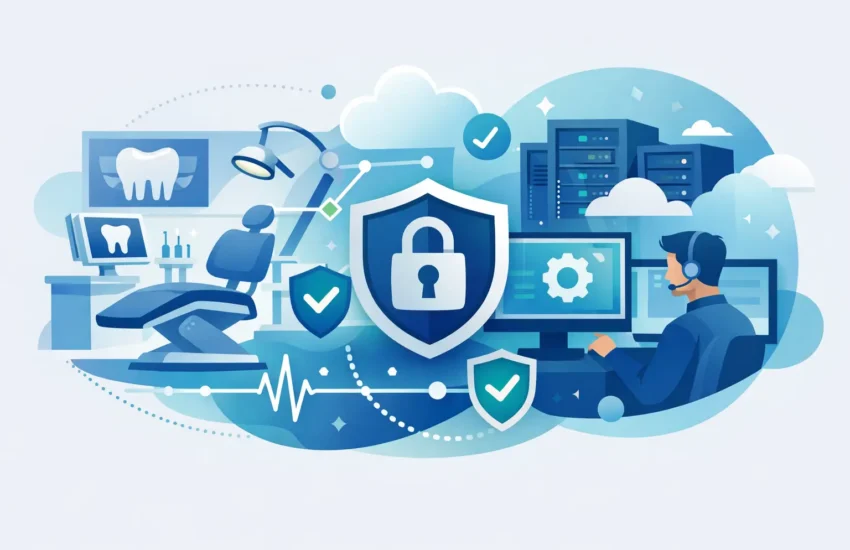
A stopped practice-management system can bring a busy schedule to a standstill in minutes. Front desk staff cannot verify insurance, clinical teams may lose access to imaging, and patients are left waiting for answers. Dental office IT support is not simply someone to call when a computer fails. It is a plan to keep patient care, billing, scheduling, and communication moving when technology is under pressure.
For a dental practice, even a short disruption has consequences. Lost appointments, delayed claims, frustrated patients, and overtime to catch up all affect the bottom line. The right IT partner helps prevent those disruptions while protecting the sensitive patient information your practice is trusted to hold.
Why Dental Practices Need Specialized IT Support
Dental offices rely on a tightly connected technology environment. Practice-management software, digital X-rays, intraoral cameras, scanners, workstations, phones, Wi-Fi, payment processing, cloud applications, and backup systems must work together. A problem in one area can affect the entire patient experience.
General computer repair may fix a visible issue, but it often does not address the underlying cause. An outdated server, unreliable network switch, unsupported workstation, or missed software update can create repeat failures. Proactive dental office IT support focuses on finding and correcting those risks before they interrupt the workday.
It also recognizes that dental technology has different priorities than a typical office. Imaging files can be large. Treatment rooms need dependable connectivity. Software compatibility matters when devices, sensors, and practice-management platforms exchange data. Your IT plan should account for how your team actually works, not force your practice into a generic support model.
The Business Cost of Reactive IT
Break/fix support can look less expensive until a serious issue occurs. You pay when something breaks, wait for a technician to become available, and hope the repair does not uncover a larger problem. Meanwhile, your team is working around the outage or unable to work at all.
That approach also makes budgeting difficult. A failed server, ransomware incident, or network replacement can turn into an unplanned expense at the worst possible time. For practice owners and office managers, unpredictability is often as frustrating as the technical issue itself.
Managed IT support changes the model. Instead of waiting for failures, your provider monitors systems, maintains equipment, applies security updates, and responds to requests through an agreed service plan. Monthly costs are more predictable, and decisions can be made based on a technology roadmap rather than an emergency.
This does not mean every problem can be prevented. Hardware eventually fails, software vendors release unexpected changes, and internet providers can have outages. The difference is preparation. A well-managed practice has backups, documented systems, replacement plans, and a support team that already understands its environment.
What a Reliable Dental IT Plan Should Cover
A practical IT plan should start with the systems that keep your practice operating, then protect them with layers of support and security. The exact setup depends on practice size, number of locations, cloud usage, and the age of existing equipment, but several elements should be standard.
Proactive Monitoring and Fast Helpdesk Response
Your servers, computers, network devices, and critical services should be monitored for warning signs such as low storage, failed backups, hardware errors, and connectivity issues. Many problems can be corrected remotely before staff notice them.
When an employee does need help, response time matters. A front desk employee locked out of an account at 8:00 a.m. needs more than a ticket confirmation. Responsive helpdesk support reduces downtime and keeps small frustrations from becoming patient-facing delays.
Network Performance in Every Treatment Area
A dental office network must support both administrative and clinical work without creating bottlenecks. Slow connections to imaging systems, intermittent Wi-Fi, and poorly configured equipment can waste time throughout the day.
Reliable network management includes appropriate business-grade equipment, secure Wi-Fi separation for guests, proper cabling where needed, and regular performance reviews. If your practice is adding operatories, a new scanner, or a second location, network capacity should be evaluated before the change creates daily slowdowns.
Cybersecurity Designed Around Patient Data
Dental practices are attractive targets because they store valuable personal, financial, and health information. Cybercriminals do not need a large hospital system to make money. A small practice with weak passwords, unprotected email, or outdated devices can be an easier target.
Strong cybersecurity combines technology and employee awareness. It should include managed antivirus and endpoint protection, email filtering, multi-factor authentication, security patching, controlled user access, and ongoing training against phishing attempts. No single tool is enough on its own.
Compliance requirements should also be part of the conversation. HIPAA does not offer a one-size-fits-all checklist that guarantees safety, but it does require reasonable safeguards for protected health information. Your IT provider should help identify risks, document appropriate controls, and support a process for responding to security incidents.
Backup and Disaster Recovery That Has Been Tested
A backup is only useful if it can be restored quickly and completely. Practices should know what data is backed up, how often backups run, where copies are stored, and how long recovery would take after a major failure.
The best approach usually follows the principle of multiple backup copies, stored in more than one location, with at least one copy protected from ransomware. Just as important, restores should be tested. Finding out that a backup is incomplete after a server failure is not a recovery strategy.
Your recovery plan should answer practical questions: Can the practice access schedules during an outage? How will staff communicate with patients? Which systems must come back first? Who has authority to make urgent technology decisions? Clear answers reduce confusion when time is limited.
Questions to Ask Before Choosing Dental Office IT Support
The right provider should be able to explain services in business terms, not hide behind technical jargon. Before signing an agreement, ask how the provider measures response times, what is included in the monthly fee, and how it handles after-hours emergencies.
You should also ask whether the team has experience supporting dental software and imaging environments, how it approaches HIPAA-related security needs, and whether backup recovery is tested regularly. A provider that only reacts to tickets may not be equipped to manage the operational risks behind them.
It is equally important to understand what happens when your practice grows. New operatories, staff members, offices, and technology investments should not require starting over. A good IT partner builds a roadmap that identifies equipment lifecycle needs, security priorities, and realistic costs over time.
For practices in Sacramento and surrounding communities, local support can add meaningful value when onsite work is required. Remote help resolves many issues quickly, but some situations require a technician who can inspect hardware, troubleshoot cabling, coordinate with vendors, or help a team get operational after an outage.
Turn Technology Into a More Dependable Practice
The goal is not to make your office more technical. It is to make technology less disruptive. When systems are monitored, secured, backed up, and supported by people who take ownership, your staff can stay focused on patients instead of workarounds.
RJ PRO Tech Group helps dental practices replace recurring IT frustrations with a proactive plan for uptime, cybersecurity, and predictable technology costs. The best time to assess your practice is before the next outage tests how prepared you really are.
