

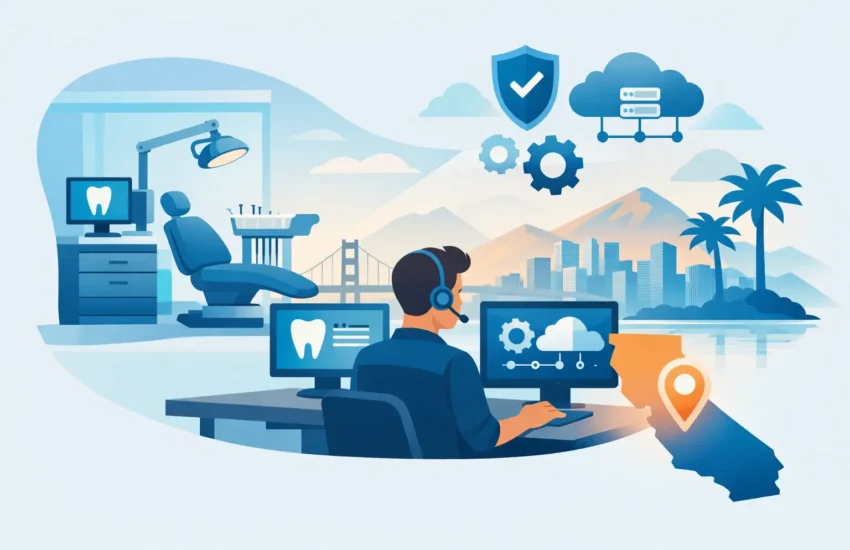
A dental practice can lose a full day of production because a server fails, imaging software will not open, or a ransomware message appears on the front-desk computer. The immediate cost is not just an IT repair bill. It is canceled appointments, delayed treatment plans, frustrated patients, stressed team members, and revenue that may not be recoverable. Reliable dental office IT support California practices depend on should prevent those disruptions before they reach the schedule.
For practice owners and office managers, technology is no longer a back-office concern. It supports patient records, digital X-rays, insurance submissions, communications, payment processing, and the systems used in every operatory. When it works, the team can focus on patient care. When it does not, the entire practice feels the impact.
Why Dental IT Requires a Different Standard
A dental office has a unique mix of technology and risk. Workstations at the front desk, in operatories, and in private offices all need secure access to the right information. Practice-management applications, imaging platforms, scanners, cameras, printers, phones, and internet connections must work together without creating gaps in security.
Generic break/fix support often falls short because it starts after a problem has already disrupted the practice. A technician may resolve the immediate issue, but the underlying cause can remain. An aging firewall, failed backup job, neglected software update, or unreliable Wi-Fi connection can create the next emergency.
Managed dental IT support takes a different approach. It monitors systems, applies maintenance, manages security controls, and responds quickly when a staff member needs help. The goal is not simply to fix computers. It is to keep appointments moving, protect patient information, and give leadership a clear plan for technology spending.
What Dental Office IT Support in California Should Cover
The right service plan depends on the size of the practice, the software in use, and whether the office has one location or several. Still, every California dental practice should expect several core protections from its IT partner.
Fast, accountable support for the whole team
A hygienist should not have to wait until tomorrow because an operatory workstation cannot access charts. The front desk should not spend an hour trying to restore an insurance connection. Responsive helpdesk support gives staff a clear place to call when technology gets in the way.
Support quality matters as much as availability. Your provider should communicate in plain language, take ownership of the issue, and document recurring problems so they can be addressed permanently. For practices with demanding schedules, after-hours coverage can also be valuable when updates, maintenance, or urgent recovery work cannot wait for business hours.
Proactive network and device management
Most major disruptions show warning signs. Storage fills up, hardware starts generating errors, internet performance declines, or a critical application falls behind on updates. Proactive monitoring identifies these conditions early, before they stop the practice.
This includes maintaining desktops, servers, firewalls, wireless networks, and network-connected equipment. It also means planning for replacement before an outdated device becomes an emergency expense. A predictable technology roadmap is far easier to manage than a surprise server failure during a busy week.
Security built around patient data
Dental practices hold valuable information, including patient contact details, treatment records, payment information, and insurance data. Cybercriminals know smaller healthcare offices may have limited internal IT resources, which makes them frequent targets for phishing, account takeovers, and ransomware.
Effective protection is layered. It should include managed endpoint security, email filtering, secure password and access practices, multi-factor authentication where appropriate, firewall management, patching, and ongoing review of suspicious activity. Employee training also matters. A single convincing email can bypass expensive security tools if a staff member is unsure how to spot the warning signs.
HIPAA considerations add another reason to be deliberate. Compliance is not a product that can be purchased once and forgotten. It involves policies, access controls, risk management, documentation, and sensible processes for protecting electronic patient information. A knowledgeable IT partner helps make these responsibilities manageable rather than overwhelming.
Tested backup and disaster recovery
A backup that has never been tested is a hope, not a recovery plan. If ransomware encrypts files or a server fails, the practice needs to know what can be restored, how quickly it can be restored, and whether operations can continue during the process.
Strong backup and disaster recovery planning includes automated backups, protected offsite copies, routine verification, and a written recovery process. Recovery objectives should reflect real business needs. A practice may be able to tolerate a short interruption to a nonessential system, but losing a day of patient records or imaging data could create serious operational and compliance consequences.
The Business Case for Proactive Support
Some offices continue using on-call IT because it appears less expensive. That can be true in a very small, low-dependency environment. But it becomes a costly model once the practice relies on interconnected systems throughout the day.
Consider the cost of a few hours without practice-management software. The office may lose appointment access, struggle to verify insurance, delay billing, and rely on manual workarounds. Add the internal time spent coordinating repairs and the potential cost of recovery, and a supposedly minor outage can quickly exceed the monthly cost of managed support.
A proactive agreement creates clearer budgeting. Instead of unpredictable invoices every time equipment breaks or software conflicts arise, the practice receives ongoing management for a predictable monthly cost. It also gives business leaders better visibility into upcoming improvements, such as replacing unsupported computers, improving network coverage, or strengthening backup capacity.
That does not mean every technology investment should be made at once. A good provider prioritizes. A practice with aging workstations but no tested backups should usually address recoverability first. An office experiencing frequent Wi-Fi drops may need network work before adding new cloud tools. The right sequence depends on risk, patient impact, and budget.
Questions to Ask Before Choosing an IT Partner
Not every managed service provider understands the pressures of a dental office. Before signing an agreement, ask how the provider handles critical support requests, whether they monitor systems around the clock, and how they communicate with nontechnical staff.
Ask specifically about dental software and imaging workflows. A provider does not need to sell every application your office uses, but they should understand how to coordinate with application vendors, isolate network or workstation issues, and avoid unnecessary finger-pointing when something fails.
You should also ask how backups are monitored and tested, what cybersecurity protections are included, and how the provider helps with HIPAA-related safeguards. Request clarity about what is covered in the monthly agreement and what may be billed separately. Predictable costs only work when the scope is transparent.
Local support can make a meaningful difference when a problem requires hands-on attention. Practices in Sacramento and surrounding communities benefit from a technology partner that can provide remote help quickly while also being available for onsite projects, hardware issues, and strategic planning when needed.
A Practical Starting Point for Your Practice
The best first step is an honest assessment of the current environment. Identify the systems that would stop patient care or billing if they went down. Confirm who has access to patient data, whether former employees have been removed, where backups are stored, and when recovery was last tested.
Then look for patterns. Frequent slowdowns, recurring printer issues, disconnected imaging workstations, unreliable internet, and repeated password problems are not isolated annoyances. They are signals that the practice needs a more deliberate IT plan.
RJ PRO Tech Group helps California organizations replace reactive IT frustration with proactive management, responsive support, and practical security planning. For a dental office, that means technology receives the attention it needs before it becomes the reason a patient schedule falls apart.
Your team should be thinking about patients, treatment, and the next appointment – not whether the network, backups, or front-desk computer will work when the day begins.
