
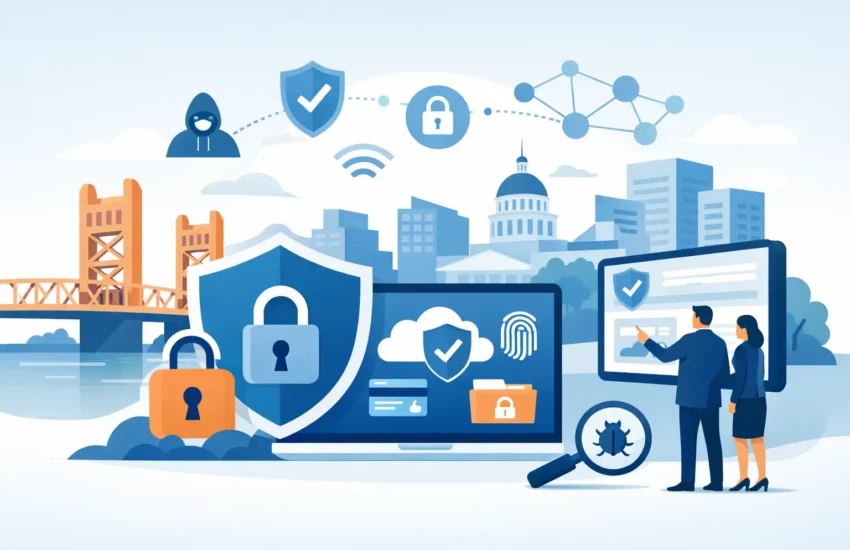
Businesses can reduce phishing and ransomware risk by combining MFA, secure email configuration, employee training, access controls, endpoint protection, backups, monitoring, and incident-response procedures.
Cyberattacks can disrupt business operations, expose sensitive information, and create costly recovery challenges. Phishing, ransomware, and email-based attacks are particularly concerning because they often exploit a combination of technology weaknesses and human behavior.
The most effective approach is not a single security product. Businesses need a layered cybersecurity strategy that combines secure systems, employee awareness, access controls, monitoring, and a tested response plan.
This guide explains the practical steps businesses can take to reduce their exposure to phishing, ransomware, and email attacks.
Why Phishing and Ransomware Remain Business Risks
Modern businesses rely on email, cloud applications, remote access, file-sharing platforms, and connected devices every day. These systems are essential for productivity, but they also provide opportunities for attackers.
Phishing commonly attempts to trick users into revealing credentials, opening malicious files, clicking fraudulent links, or approving unauthorized transactions.
Ransomware takes a different approach. Attackers may attempt to encrypt systems, disrupt operations, or steal sensitive information before demanding payment.
In many cases, these threats are connected. A phishing email can provide an attacker with credentials that are later used to access business systems.
That is why businesses should treat email security, identity protection, endpoint security, and recovery planning as connected parts of their overall cybersecurity strategy.
What Is a Phishing Attack?
Phishing is a form of social engineering in which attackers impersonate a trusted individual or organization to persuade someone to perform an action.
A message may appear to come from:
- A company executive
- A coworker
- A customer or supplier
- A financial institution
- A cloud software provider
- A shipping company
- A government agency
The attacker may ask the recipient to reset a password, open an attachment, verify an account, review an invoice, or make a payment.
Common Signs of Phishing
Employees should be cautious when an unexpected message contains:
- An urgent request
- A suspicious link
- An unexpected attachment
- A request for credentials
- A payment or bank-account change
- Unusual wording or formatting
- A sender address that does not match the claimed organization
However, sophisticated phishing emails may look legitimate. Businesses should therefore combine employee awareness with technical safeguards rather than relying on employees alone.
How Can Businesses Prevent Phishing Attacks?
- Enable MFA
- Configure SPF, DKIM and DMARC
- Use business email filtering
- Train employees regularly
- Verify financial requests
- Restrict user permissions
- Monitor authentication activity
- Maintain endpoint protection
- Keep software patched
- Establish an incident-response process
7 Practical Ways to Reduce Phishing Risk
The seven areas are logically organized:
- Account authentication
- Business email security
- Employee training
- Verification procedures
- Software updates
- Access controls
- Monitoring
1. Enable Multi-Factor Authentication (MFA)
Passwords alone are not enough to protect important business accounts.
Multi-factor authentication adds another verification requirement, reducing the risk associated with stolen passwords.
Prioritize MFA for email, cloud applications, remote access, administrative accounts, and other systems containing sensitive information.
For higher-risk environments, businesses should also evaluate authentication methods designed to provide stronger resistance to phishing.
2. Secure Business Email
Email security should include appropriate filtering and threat detection to identify suspicious messages before they reach employees.
Businesses should also configure email authentication technologies such as:
- SPF
- DKIM
- DMARC
These mechanisms help receiving systems evaluate whether messages claiming to originate from a business domain are authorized.
3. Improve Business Email Security
Technology cannot eliminate every social engineering attempt.
Employees should understand how attackers use urgency, authority, fear, and financial pressure to influence decisions.
Training should cover phishing emails, fraudulent login pages, suspicious attachments, impersonation attempts, and unusual payment requests.
Short, recurring training sessions can be more useful than relying exclusively on annual awareness programs.
4. Establish Verification Procedures
Some attacks do not require malware or stolen passwords. An attacker may simply convince an employee to transfer money or disclose sensitive information.
Businesses should establish clear verification procedures for high-risk requests.
For example, a request to change supplier banking information should be independently verified through a trusted communication channel before the change is approved.
5. Keep Systems and Applications Updated
Unpatched software can expose businesses to known security vulnerabilities.
Organizations should maintain a structured patch-management process covering operating systems, applications, browsers, servers, network equipment, and other relevant technology.
6. Limit Access to Sensitive Systems
Employees should have access to the systems and information required for their responsibilities rather than unrestricted access across the business environment.
Regular permission reviews can help identify unnecessary privileges and reduce the potential impact of a compromised account.
7. Monitor for Suspicious Activity
Prevention should be supported by ongoing monitoring.
Unusual login locations, unexpected account activity, abnormal file access, or suspicious administrative actions may provide early indications of compromise.
Monitoring allows potential incidents to be investigated before they become larger business disruptions.
How Businesses Can Reduce Ransomware Risk
Ransomware requires a slightly different focus because the objective is often to disrupt access to systems or data.
Rather than relying on one defensive measure, businesses should prepare for both prevention and recovery.
Ransomware Prevention Checklist Include:
- MFA
- patch management
- endpoint detection and response
- application control
- privileged-access management
- network segmentation
- offline/immutable backups
- backup restoration testing
- incident response
- employee awareness
Protect Endpoints
Business laptops, desktops, servers, and other endpoints should have appropriate security controls.
Endpoint protection can help identify malicious files, suspicious processes, unauthorized activity, and other indicators of compromise.
The specific technology should be selected according to the organization’s environment and risk profile.
Maintain Reliable Backups
A ransomware incident can become significantly more disruptive when a business cannot recover its data.
Critical information should therefore be backed up according to the organization’s recovery requirements.
Businesses should consider:
- Automated backups
- Multiple backup copies
- Secure backup storage
- Appropriate retention periods
- Protection against unauthorized deletion
- Regular restoration testing
The ability to successfully restore data is just as important as creating the backup itself.
Segment Important Systems
Network segmentation can help limit how far an attacker can move after compromising one device or account.
Separating critical systems and restricting unnecessary communication between network segments can reduce the potential scope of an incident
Prepare an Incident Response Plan
Businesses should decide in advance how they will respond to a serious cyber incident.
An incident response plan should define:
- Who is responsible for the initial response
- How employees report incidents
- Which systems may need to be isolated
- How backups will be accessed
- Who communicates with customers and employees
- When external cybersecurity assistance is required
- How affected systems will be restored
Having these decisions documented before an incident occurs can make the response more organized.
How to Protect Against Business Email Compromise
Business email compromise, or BEC, involves attempts to manipulate employees into making unauthorized payments, sharing confidential information, or performing another action that benefits an attacker.
Unlike traditional malware attacks, BEC may depend primarily on deception.
A common example is an attacker impersonating an executive and requesting an urgent payment.
Businesses can reduce this risk by introducing additional verification for:
- Payment requests
- Bank-account changes
- Sensitive information requests
- Password-reset requests
- New vendor instructions
- Unusual executive requests
The key principle is simple: high-risk requests should not be trusted solely because they arrive through email.
What Employees Should Do When They Receive a Suspicious Email
Employees should avoid interacting with a suspicious message until it has been verified.
A simple process is:
- Do not click links.
- Do not open unexpected attachments.
- Do not enter credentials into an unfamiliar page
- Check the sender carefully.
- Independently verify unusual requests.
- Report the message using the company’s security procedure.
If an employee has already clicked a suspicious link or entered credentials, the incident should be reported immediately.
Early reporting gives the security team an opportunity to investigate and contain the potential compromise.
What Happens After a Phishing Incident?
The appropriate response depends on what occurred.
If credentials may have been exposed, security teams may need to:
- Reset the affected credentials
- Revoke active sessions
- Review account activity
- Investigate related messages
- Scan the affected device
- Monitor other accounts for suspicious activity
If malware may have been installed, the affected device may need to be isolated while the incident is investigated.
The most important step for employees is to report the incident quickly rather than attempting to resolve it themselves.
Business Cybersecurity Checklist
Use this checklist as a starting point for reviewing your organization’s security posture:
- MFA enabled on important accounts
- Business email protected with appropriate filtering
- SPF, DKIM, and DMARC configured
- Security awareness training provided
- Financial requests independently verified
- Software and systems regularly patched
- User permissions reviewed
- Endpoint security deployed
- Suspicious activity monitored
- Critical data backed up
- Backup restoration tested
- Incident response procedures documented
- Employees know how to report security incidents
The appropriate controls will vary depending on the organization’s size, technology environment, industry, regulatory requirements, and risk profile.
Frequently Asked Questions
The most effective approach is layered protection combining MFA, email security, employee training, access controls, monitoring, and incident-response procedures. Businesses should combine employee awareness with technical safeguards such as MFA, email protection, domain authentication, access controls, and security monitoring. A layered approach is more effective than relying on a single security measure.
MFA provides an additional layer of account protection when passwords are compromised. However, not every MFA method offers the same level of phishing resistance, so businesses should evaluate authentication options based on their security requirements.
A small business should focus on prevention and recovery. Important measures include endpoint protection, timely patching, controlled access, secure backups, employee awareness, and an incident response plan.
Businesses can strengthen email security through filtering, domain authentication, MFA, account monitoring, access controls, and employee awareness training.
Report the incident immediately to the organization’s IT or security team. Depending on the circumstances, credentials may need to be changed, sessions revoked, and the affected device investigated.
Backup frequency should reflect the amount of data the business can afford to lose and how quickly operations need to be restored. Critical systems generally require more frequent backups and regular recovery testing.
Build a More Resilient Cybersecurity Strategy
Phishing, ransomware, and email attacks continue to evolve, so businesses need security strategies that address both technology and human behavior.
A resilient approach combines identity protection, secure email, employee awareness, endpoint security, controlled access, monitoring, reliable backups, and incident response planning.
Regular security reviews can help businesses identify weaknesses, prioritize improvements, and prepare for potential incidents before they cause significant disruption.
If your organization needs help reviewing its IT environment, improving email security, strengthening cybersecurity controls, or developing a more resilient backup and recovery strategy, professional IT and cybersecurity support can help identify gaps and determine appropriate next steps.


