
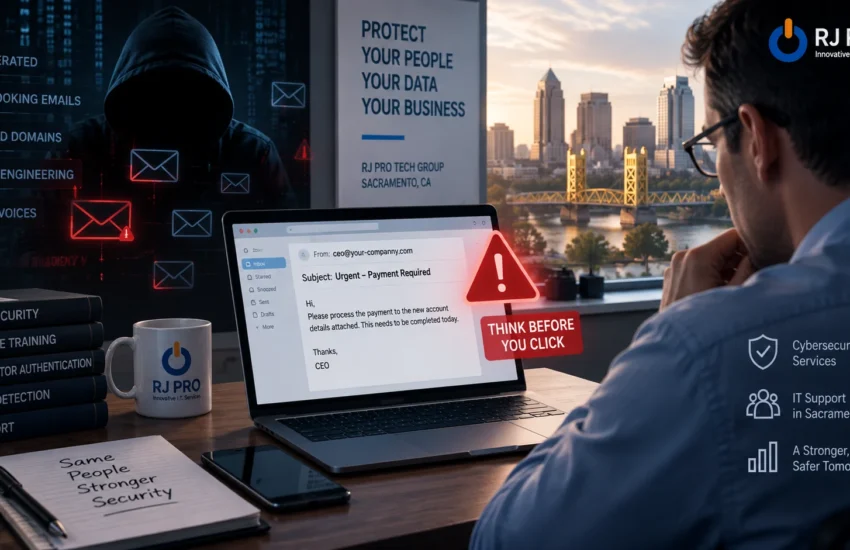
Most people were trained to spot phishing by looking for mistakes. Bad spelling, odd grammar, a greeting that didn’t use your name, a logo that looked slightly wrong.
That advice has aged badly.
Writing tools have made it straightforward to produce clean, natural business English at volume. The practical result for Sacramento businesses is that the signals staff were taught to rely on have mostly disappeared, while the attacks themselves work the same way they always did.
This article covers what has actually changed, what hasn’t, and what a business can reasonably do about it. RJ PRO Tech Group provides cybersecurity services and IT support in Sacramento, and has worked with Northern California businesses since 2010.
What Has Changed, and What Hasn’t
Worth being precise here, because there is a lot of noise on this subject.
The underlying attacks are not new. Fake invoices, requests to change banking details, messages pretending to come from a manager, links to convincing login pages. All of that predates any of the current tools by years.
What changed is quality and volume. Writing a persuasive, personalized message used to take effort, and that effort limited how many an attacker could send. The constraint is largely gone. A message can now be well written, in the right register for your industry, and tailored to the recipient, at scale.
So the threat is the same. The filter your staff were using to catch it is what stopped working.
| What staff were taught to look for | Why it helps less than it used to |
| Spelling and grammar mistakes | The text is now clean and correctly written |
| Awkward or unnatural English | Tone matches a native speaker in your industry |
| Generic greetings like “Dear Customer” | Messages use your name, role and current work |
| Obviously wrong branding or formatting | Signatures and layout look correct |
| Nothing to do with your actual job | References real projects, clients and colleagues |
| A strange sender address | Still useful, but lookalike domains are subtle |
What These Messages Look Like Now
They Sound Like Someone You Know
If an attacker has access to a mailbox, whether yours or a supplier’s, they can read months of correspondence before sending anything. They learn how people in your business write, who approves what, and which projects are active.
The message that arrives afterwards fits the conversation. It references a real matter, uses names correctly, and lands at a plausible moment.
They Arrive at the Right Time
Near a scheduled payment. During a property transaction. At the end of a quarter. Just after a genuine email about the same subject.
Timing does a lot of the work. A request that would look odd in isolation looks routine in sequence.
They Use Lookalike Domains
A single changed character. A swapped letter pair. An extra word that reads like a department name. None of it stands out in a signature block on a phone screen, which is where a good deal of business email actually gets read.
Some Now Include a Phone Call
Voice synthesis has improved, and there have been reported cases of criminals using cloned audio to support fraudulent payment requests. How common this is against small businesses specifically is not well established, so treat it as an emerging risk worth knowing about rather than something to panic over. The sensible response is the same either way: a verification process that does not depend on recognizing a voice.
Where the Money Actually Goes
The expensive version of this rarely involves malware at all.
Someone gets into a mailbox using a stolen password. They read. Then they send updated banking instructions, from the real account or from a domain one character off, at a moment when a payment was expected anyway.
Nothing gets encrypted. No alarm sounds. The transfer is approved by a real employee following what looks like a normal instruction, which is what makes recovery difficult once the money has moved.
This is why businesses handling client funds or frequent payments carry more exposure than their size suggests. Financial firms and law firms in the Sacramento region both sit in that category, along with construction and property businesses where large scheduled payments are routine.
| Not Sure What Would Reach Your Staff Today? We’ll review your email protection, account security and monitoring, then tell you plainly where the gaps are. Fifteen minutes, no obligation. ▶ REQUEST A FREE CONSULTATION Or call us directly: (916) 345-3451 Valley Springs: (209) 920-4077 | help@rj-pro.net |
What Still Works as a Warning Sign
The old checklist is weaker, but not everything on it has gone. These signals are about behavior rather than presentation, and behavior is harder to fake convincingly.
- A change to payment details. Any request to update bank information should be verified separately, every time, with no exceptions for urgency or seniority.
- Pressure to act quickly. Urgency exists to stop you checking. A genuine request survives a five-minute delay.
- A request to move to another channel. “Text me instead” or “don’t discuss this by email” is worth pausing on.
- Secrecy. Anything discouraging you from mentioning it to a colleague deserves attention.
- A login page reached through a link. Navigate to the site yourself instead of clicking through, particularly for Microsoft 365.
- Something slightly out of pattern. A supplier who never emails about invoices suddenly doing so. A request that skips your usual process.
The reliable version of this is a process rather than a judgment call. If every payment change gets verified by phone using a number you already hold, it stops mattering how convincing the message was.
What Reduces the Risk Technically
No control removes this problem, and anyone saying otherwise is overselling. What these do is cut how much reaches your staff and limit the damage when something gets through.
Email Filtering and Impersonation Protection
Filtering catches a substantial share before delivery, including lookalike domains and messages spoofing internal senders. It will not catch everything, particularly a message sent from a genuine compromised account belonging to a real supplier. It still removes a lot of what your staff would otherwise have to judge for themselves, and it is part of RJ PRO’s cybersecurity services.
Multi-Factor Authentication
Most of the damaging cases start with a working password. MFA makes a stolen password considerably less useful on its own. It is not absolute, and there are techniques that target it, but the gap between partial coverage and full coverage is where a lot of businesses get caught.
Check that it covers everything. Email, remote access, administrator accounts, anything reaching company data. Partial coverage tends to leave exactly the accounts an attacker wants.
Endpoint Security and Monitoring
For the attacks that do involve a file or a malicious link, behavioral detection on devices catches activity that signature-based antivirus misses. Monitoring matters just as much for the account-based version, because unusual sign-in activity is often the only visible sign that something is wrong. RJ PRO provides threat monitoring alongside Network Care and Desktop Care.
Backups You Have Tested
Relevant when phishing leads to ransomware rather than fraud. A backup that runs but has never been restored is an assumption. Backup and disaster recovery should include verified restores on a schedule, so you find out it works before you need it.
Staff Guidance That Reflects Current Attacks
Training built around spelling mistakes actively misleads people now, because it teaches them that well-written email is safe. Guidance should focus on process: what gets verified, how, and who to ask when something feels off.
Make it easy to check. If asking a colleague whether they sent something feels like an imposition, people will guess instead.
A Verification Process Worth Putting in Place
Most losses we hear about would have been prevented by one phone call. The reason the call did not happen is usually that nobody had agreed it was expected.
- Any change to payment or banking details is verified by voice, on a number you already have on file, never one supplied in the message.
- Payments above a threshold your business sets require a second approver.
- Staff are told explicitly that verifying is expected and will never be treated as questioning anyone’s authority.
- Urgency does not remove a step. If anything, it adds one.
- Anything that looks wrong gets reported, with no consequence for false alarms.
Write it down. An unwritten process is one people improvise under pressure, which is exactly when these messages arrive.
Signs Your Business Is More Exposed Than You Think
Count how many apply.
- MFA is enabled for some accounts and you are not certain which
- There is no agreed process for verifying payment detail changes
- Staff security guidance is older than a year, or never happened
- Nobody would notice an account signing in from outside the country overnight
- Your email protection is whatever came with your subscription by default
- A former employee might still have an active account
- People are not sure who to report a suspicious message to
- Nobody can tell you when your backup was last successfully restored
Three or four is common. Six or more means a convincing message arriving on a busy afternoon has a good chance of working.
What It Costs to Address
Several items here cost time rather than money. Reviewing MFA coverage, agreeing a verification process and writing it down are internal decisions.
The ongoing pieces, filtering, endpoint security, monitoring and support, are generally priced per user or per device monthly. What moves that number: headcount, whether you run an on-premise server, hardware age, and how much onsite support you expect. Remediation, if anything needs fixing first, is quoted separately after an assessment.
Be wary of a firm price quoted before anyone has looked at your environment. RJ PRO works on flat-rate monthly pricing as part of managed IT services for small and mid-sized businesses, so it stays predictable rather than arriving as surprise invoices.
| Want to Know Where You Actually Stand? We’ll assess your email security, account protection and monitoring, then tell you what’s worth fixing first. No obligation, no jargon. ▶ REQUEST A FREE CONSULTATION Or call us directly: (916) 345-3451 Valley Springs: (209) 920-4077 | help@rj-pro.net |
Why Local Support Helps Here
When something suspicious lands, the useful thing is a quick answer from someone who knows your setup. Not a ticket that gets looked at tomorrow.
RJ PRO Tech Group has offices in El Dorado Hills and Valley Springs, with technicians covering Downtown Sacramento, Midtown, Rancho Cordova, West Sacramento, Elk Grove, Roseville and Folsom. Same timezone, and onsite when something needs hands on it. We offer 24/7 helpdesk support, so a suspicious message at 6pm does not wait until morning. Check the areas we service for your location, read client case studies, or see what our clients say.
Frequently Asked Questions
How is AI phishing different from ordinary phishing?
The method is the same. What changed is quality and scale: messages are well written, matched to your industry’s tone, and personalized to the recipient, which removes the spelling and grammar cues people were trained to spot. Treat it as the same threat with a better disguise rather than as an entirely new category of attack.
Can email filtering stop all of this?
No, and any provider promising that is overselling. Filtering removes a significant share before delivery, including lookalike domains and spoofed internal senders. It struggles most with messages sent from a genuine compromised account belonging to a real contact, because technically the sender is legitimate. Filtering plus MFA plus a verification process is what works, not any one of them alone.
We’re a small business in Sacramento. Are we really a target?
Much of this activity is automated and selects targets by finding weaknesses rather than researching company size. Smaller businesses also get used to reach the larger clients and partners they email regularly. Being small changes how much human attention you attract, not how exposed you are to volume-based attacks.
What should we do if someone already clicked?
Change the password for that account from a device you trust, review the mailbox for forwarding rules an attacker may have added, check recent sign-in activity, and stop any pending payments. Then contact your IT provider. If money has moved, contact your bank immediately, since the first hours matter most for any chance of recovery.
Is staff training still worth doing?
Yes, but the content has to be current. Training built around spotting spelling mistakes is now actively unhelpful, because it implies well-written email is safe. Useful training focuses on process: what always gets verified, how to verify it, and who to ask. Short and regular beats one long session at onboarding.
How quickly can we improve our position?
The quick items move fast. Reviewing MFA coverage, tightening email filtering and agreeing a verification process can often happen within days. Broader work, including monitoring, endpoint protection and replacing anything no longer receiving security updates, takes longer. Sequencing matters more than speed, so the largest gaps close first.
Where to Start
Two things carry most of the value here, and neither is expensive. Confirm that multi-factor authentication genuinely covers every account rather than most of them. And agree a verification process for payment changes, write it down, and tell staff that using it is expected.
After that, the question is what is reaching your inboxes, and whether anyone would notice unusual account activity.
RJ PRO Tech Group provides cybersecurity services and IT support in Sacramento and across Northern California: email and endpoint protection, threat monitoring, multi-factor authentication, tested backups and a helpdesk that answers, on predictable monthly pricing.
| Find Out What Would Get Through Today Book a 15-minute discovery call with a local team that has supported Northern California businesses since 2010. We’ll tell you honestly what needs fixing first. ▶ REQUEST A FREE CONSULTATION Or call us directly: (916) 345-3451 Valley Springs: (209) 920-4077 | help@rj-pro.net |


