
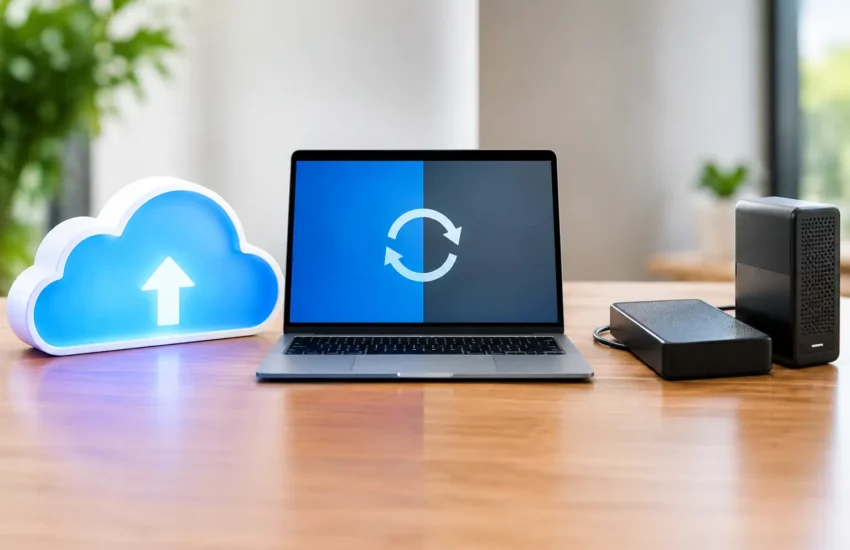
A failed server at 10:00 a.m. is not the time to find out whether your backups work. For a law office facing a filing deadline, a contractor needing current job files, or a medical practice protecting patient records, cloud backup versus local backup is not simply a technical choice. It directly affects downtime, client trust, compliance exposure, and the cost of getting back to work.
The right answer for most small and medium-sized businesses is not choosing one approach over the other. It is building a recovery plan that uses each where it performs best. Local backup can restore data quickly after a routine problem. Cloud backup can protect the business when the office, server room, or local network is no longer available.
Cloud Backup Versus Local Backup: The Core Difference
A local backup stores a copy of business data on hardware you control at or near your location. That may be a network-attached storage device, backup appliance, encrypted external drive, or a secondary server. Because the data is close by, it can usually be restored quickly over the local network.
Cloud backup sends encrypted copies of data to a secure off-site data center through an internet connection. If your building suffers a fire, flood, theft, or major equipment failure, the backup remains separate from the event that damaged your primary systems. Authorized users can recover data from another location, subject to available internet access and the size of the restore.
Neither option is automatically safe just because it exists. A backup that is not monitored, protected from unauthorized changes, and tested for recovery is only a hopeful copy of your data.
Why Local Backup Still Matters
Local backup is built for speed. When an employee accidentally deletes a folder, a server drive fails, or a software update causes a problem, restoring several files or a large volume of data from an on-site device can be much faster than downloading it from the cloud.
That speed matters for organizations working with large files. Architectural drawings, engineering models, manufacturing data, high-resolution media, and large databases can take significant time to restore over an internet connection. A properly configured local backup can shorten the disruption from days to hours, or from hours to minutes, depending on the incident.
Local storage also gives a business more direct control over its equipment and capacity. However, that control comes with responsibility. The device must be maintained, monitored for failed drives, secured from physical theft, and protected from the same cyber threats that affect your production environment.
The Local Backup Risk Many Businesses Miss
If the backup device is connected to the same network as the server, ransomware may be able to reach it. If it sits in the same office, a flood, fire, electrical event, or break-in may affect both the original data and its backup.
A local backup is an excellent recovery tool, but it should not be the only recovery tool. Keeping every copy of critical business data in one location creates a single point of failure.
Where Cloud Backup Provides the Stronger Safety Net
Cloud backup is designed to separate your data from your workplace and primary systems. That physical separation is its greatest advantage. If a server is destroyed, hardware is stolen, or your office becomes inaccessible, an off-site backup gives the business a path forward.
Cloud systems can also retain multiple versions of files. This is especially valuable when data corruption or ransomware is discovered days or weeks after it begins. Instead of restoring the most recent encrypted copy, your IT team may be able to recover a clean version from before the attack.
For businesses with remote employees, multiple offices, or cloud-based applications, cloud backup can simplify protection across locations. It can also support recovery to replacement hardware or a temporary environment when the original office infrastructure is unavailable.
The trade-off is recovery time. Uploading backups happens continuously or on a schedule, but restoring terabytes of data can take time. Internet speed, available bandwidth, the provider’s recovery process, and the priority of the affected systems all influence how long it takes to resume normal operations.
Compare Recovery Objectives, Not Just Storage Costs
The most useful backup discussion starts with two business questions: How much data can we afford to lose? How long can we afford to be down?
The first answer is your recovery point objective, often called RPO. If your accounting system is backed up every night, a failure late the next day could mean losing nearly a full day of transactions. A business that cannot tolerate that loss may need more frequent backups or continuous data protection.
The second answer is your recovery time objective, or RTO. If your files are unavailable for four hours, can your team still serve clients, process orders, or meet contractual obligations? If the answer is no, your plan may require a faster local restore option, virtual server recovery, or both.
A low-cost backup product is not low-cost if it leaves the company unable to operate for several days. The true cost includes lost productivity, missed revenue, overtime, reputational damage, and the management time required to repair the disruption.
The Best Approach Is Usually a Hybrid Backup Strategy
For many California businesses, the strongest approach combines local speed with cloud-based separation. This is often built around the 3-2-1 principle: maintain at least three copies of important data, use two different types of storage, and keep one copy off-site.
A practical setup might keep production data on the primary server, create frequent local backups to a protected appliance, and replicate encrypted backup copies to the cloud. When a minor event occurs, the business can restore quickly from the local device. When a larger disaster affects the office or network, the off-site copy remains available.
For critical systems, a stronger version of this strategy includes immutable backups. Immutability prevents backup data from being changed or deleted for a defined retention period. This matters because ransomware operators increasingly try to destroy backups before demanding payment.
A hybrid strategy should also account for more than file shares. Many businesses overlook cloud email, collaboration platforms, line-of-business applications, databases, and employee devices. If the data is necessary to operate, it needs a defined backup and recovery process.
What to Look for in a Business Backup Plan
A dependable plan should be easy for leadership to understand even if the technology behind it is complex. It should identify which systems are protected, how often backups run, how long data is retained, and who is responsible for responding when a backup fails.
Security should be part of the design. That includes encryption during transfer and storage, multi-factor authentication, limited administrative access, and alerts when backup jobs fail or storage capacity becomes a concern. Compliance-sensitive organizations, including financial firms and healthcare practices, should also confirm that retention, access controls, and reporting support their specific obligations.
Most importantly, backups must be tested. A successful backup notification does not prove that a server, database, or application can be restored correctly. Periodic recovery testing verifies that the data is usable and reveals gaps before an outage forces the issue.
Avoid the “Set It and Forget It” Backup Mistake
Businesses change constantly. New applications are adopted, data volume grows, employees begin working remotely, and older servers are replaced. A backup plan that worked two years ago may no longer protect the systems that matter most.
Review your recovery plan after significant changes and at least annually. Confirm that retention periods still meet operational and compliance needs, recovery goals remain realistic, and key staff know what to do during an outage. Managed monitoring can help ensure that failed jobs, missed backups, and storage issues are addressed before they become a business interruption.
RJ PRO Tech Group helps businesses turn backup from an overlooked technical task into a practical continuity plan. The goal is not to buy more storage. It is to ensure your team can recover the data and systems they need when pressure is highest.
The best time to test a restore is on a normal workday, when there is time to correct what it reveals. A recovery plan proven before an emergency gives your business far more than a copy of its data – it gives you a credible way to keep moving.
