

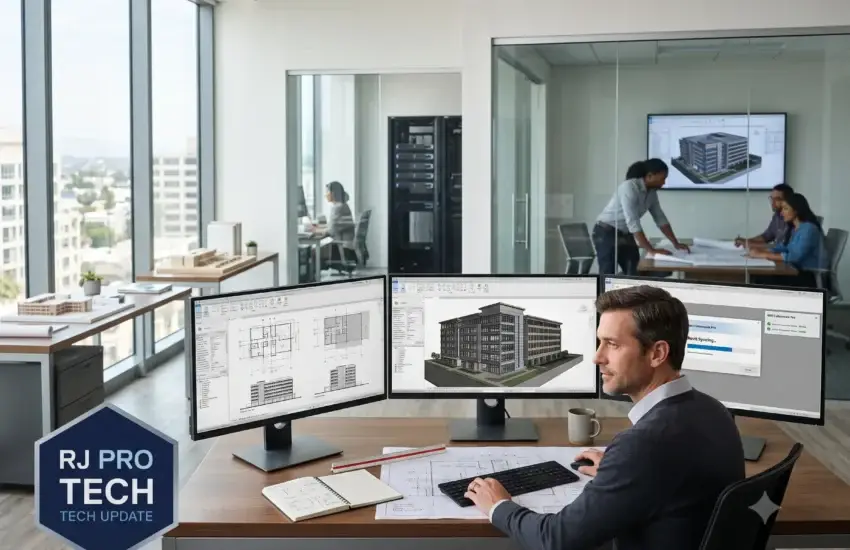
There’s a particular frustration familiar to anyone who works in Revit: you make a change, and then you wait. Not long enough to do something else, but long enough to lose your train of thought. Then you make another change, and wait again.
Multiply that across a day, a team, and a project, and it stops being a nuisance. It becomes design hours you paid for and didn’t receive.
The reason this persists at so many firms is that the frustration gets attributed to the software. Revit is demanding, everyone accepts that, and the assumption becomes that slowness is simply the cost of working in BIM. Sometimes that’s true. Far more often, the constraint sits somewhere nobody has looked.
Why architecture firms hit this wall
Architectural work makes demands that ordinary office IT was never designed to meet, and firms typically discover this while growing rather than all at once.
Models get heavier every year. BIM models carry far more data than drawings ever did, and expectations for detail keep rising. The workstation that handled last year’s projects comfortably begins to struggle with this year’s, without anything having changed except the work.
Central models put sustained load on the network. With a shared central model, every synchronization moves substantial data between workstation and server. When several people sync at once — which happens naturally before lunch, before meetings, and at the end of the day — everyone waits. The bottleneck here is frequently storage or network, not the workstations everyone blames.
Storage design matters more than storage size. Firms routinely add capacity when the actual constraint is speed. A drive that’s half empty but slow under concurrent access will throttle the entire team, and additional capacity does nothing to help.
Renderings compete for resources. A render running on a machine that’s also being used for modelling slows both. Without a deliberate approach, this happens constantly and nobody quite notices why the afternoon felt slower.
Consultant coordination adds constant file movement. Structural, MEP, and civil models arriving and departing throughout the week creates network and storage activity that nobody accounted for when the infrastructure was specified.
Nothing announces itself. This is the crucial point. Nothing breaks. No error appears. Everything simply gets slower until people accept it as normal — which means the problem can persist for years without ever being formally identified.
Where the time actually goes
When we assess architecture firms, the pattern is consistent: staff report frustration with their computers, but the largest delays usually originate somewhere else entirely — in storage performance, network configuration, or how the file environment is organized.
That distinction matters enormously, because replacing workstations is the expensive fix and frequently the wrong one. Firms sometimes spend heavily on new machines and see modest improvement, because the constraint was never the workstation. The new hardware waits on the same slow storage the old hardware waited on.
Measuring before spending is what separates money spent from time recovered. It’s also, usually, the cheapest part of the whole exercise.
A test you can run yourself
Before involving anyone technical, this simple exercise will tell you a great deal.
Ask one person to sync the central model while nobody else is working — early morning, ideally. Time it. Then time the same operation at 11:45am, when several people are likely syncing simultaneously.
If the two times are broadly similar, your infrastructure is coping and the constraint may genuinely be workstation or model complexity. If the second is dramatically slower, the bottleneck is shared — storage or network — and no amount of new hardware on individual desks will resolve it.
That single comparison redirects a considerable number of misdirected budgets.
What a properly configured firm looks like
Performance monitored continuously. Proactive monitoring with trending reveals storage degrading or a link saturating well before anyone complains — and provides data rather than guesswork when deciding what to upgrade. Most firms have no baseline at all, which means they can’t answer whether things are slower than last year, or by how much.
Storage and network tuned for concurrent access. Central model workflows need infrastructure built for many people hitting the same files simultaneously, which is a different requirement from general file storage. This is usually the highest-value fix available and rarely the most expensive.
Workstations specified by role. Someone doing detailed modelling and rendering has genuinely different requirements from someone working primarily in documentation or contract administration. Specifying by role rather than buying uniformly puts budget where it produces returns, instead of overspending at one end and creating bottlenecks at the other.
Rendering handled deliberately. Whether that means dedicated machines, scheduled overnight processing, or cloud rendering, the principle is that renders shouldn’t compete with active design work for the same resources.
Microsoft 365 configured for large-file collaboration. Cloud collaboration works well for design firms when set up thoughtfully — sync scoped correctly so laptops aren’t pulling entire project archives, versioning enabled, file locking understood by staff. Left at defaults, it produces duplicate files and conflict copies that create more work than they save.
Fast support during the working day. When someone can’t open a model an hour before a client presentation, response time is everything. A Help Desk resolving issues remotely within minutes prevents small problems from consuming afternoons.
Protecting the work itself
Your drawings, models, and client documentation represent years of accumulated effort and genuine competitive value. They deserve protection that matches.
Layered cybersecurity — endpoint detection and response, Multi-Factor Authentication across every account, email threat filtering, DNS security, and automated patching — addresses the attacks that actually reach design firms. Architecture practices are targeted for a specific reason worth understanding: they hold detailed information about buildings, including security systems, structural details, and site access, alongside client financial and personal data.
And because project files are the business, verified backups with tested recovery matter more here than in most industries. Ransomware reaching a firm’s model storage halts every active project at once — every deadline, every consultant coordination, every deliverable.
A backup that has never been restored isn’t protection. It’s an assumption, and testing it for the first time during an incident is an expensive way to find out.
What we typically find
Assessments across architecture firms surface a consistent set of findings:
- Storage above 80% capacity, affecting performance well before anything visibly fails
- No performance baseline, so nobody can quantify whether things have degraded
- Sync times nobody has measured, despite being the most common daily complaint
- Backups that have never been restored, running successfully for years without verification
- Uniform workstation specifications, wasting budget on some staff and constraining others
- MFA enabled selectively, frequently not on the accounts with broadest access
- Consultant file transfer via personal accounts — Dropbox, WeTransfer, USB drives — moving project data outside any control the firm has
None of these reflect poorly on the firms involved. They’re what happens when a practice grows faster than the infrastructure beneath it, which is the normal condition of a successful business.
Sometimes it really is the model
It’s worth being honest about this, because a good IT provider should tell you when the problem isn’t theirs to fix.
Model hygiene affects performance considerably, and no amount of infrastructure compensates for a model that has grown unwieldy. The usual culprits are familiar to anyone who has worked in BIM for a while: excessive linked files that nobody has purged, imported CAD geometry left in place, unused families accumulating over a project’s life, overly complex in-place components, and worksets that were set up early and never revisited as the project changed shape.
The reason this matters here is diagnostic. If your infrastructure tests clean — storage responding quickly, sync times consistent whether one person or six is working — and a particular model is still slow, the answer lies in model management rather than hardware. Buying faster machines at that point simply spends money to move the problem slightly.
A firm that understands both sides of this makes better decisions. The infrastructure question and the model question look identical from a user’s chair, and they have entirely different answers.
The decisions that arrive with growth
Most firms reach a few predictable inflection points, and knowing they’re coming helps considerably.
Around eight to twelve people, informal file organization stops working. What one or two people managed by convention becomes genuinely confusing, and the first real storage and structure decisions become necessary.
Around fifteen to twenty, the server that was adequate begins to strain under concurrent sync activity. This is where firms most often misdiagnose the problem as workstations and spend accordingly.
When the first genuinely remote arrangement appears — a staff member relocating, or consistent work from site — the assumptions built into the original setup get tested, usually unsuccessfully.
When consultant coordination intensifies on larger projects, file transfer methods that worked informally start creating both practical and security problems.
None of these are failures. They’re the normal consequences of doing well. The firms that navigate them smoothly are the ones that recognized the transition and planned rather than reacted — which is easier when someone is monitoring the environment and can see the trend before it becomes a complaint.
The return on fixing this
The arithmetic is straightforward enough to run yourself. If eight people each lose forty minutes daily to waiting — on syncs, on file opens, on renders competing for resources — that’s more than five hours every working day. Across a year, it’s a meaningful fraction of a full-time position.
Against that, properly tuned infrastructure is usually modest in cost and recovers it quickly.
Firms that resolve this notice something beyond the recovered hours, too. Design work benefits from uninterrupted attention, and constant small waits fragment exactly the concentration that good work requires. Several firms have described the change less in terms of speed than in terms of focus.
Where to start
If your team has quietly accepted that Revit is slow, that acceptance is worth questioning rather than tolerating. The cause is usually specific, measurable, and less expensive to address than most firms expect.
Start with the sync test above. Then find out what your storage is actually doing under load. Those two pieces of information will tell you whether you have a workstation problem, an infrastructure problem, or a model management problem — and they’re three very different conversations.
RJ PRO Tech Group works with Cameron Park architecture firms to identify the actual bottleneck and resolve it, then keep performance monitored so it doesn’t quietly return.
Schedule a complimentary IT assessment for your Cameron Park architecture firm


