
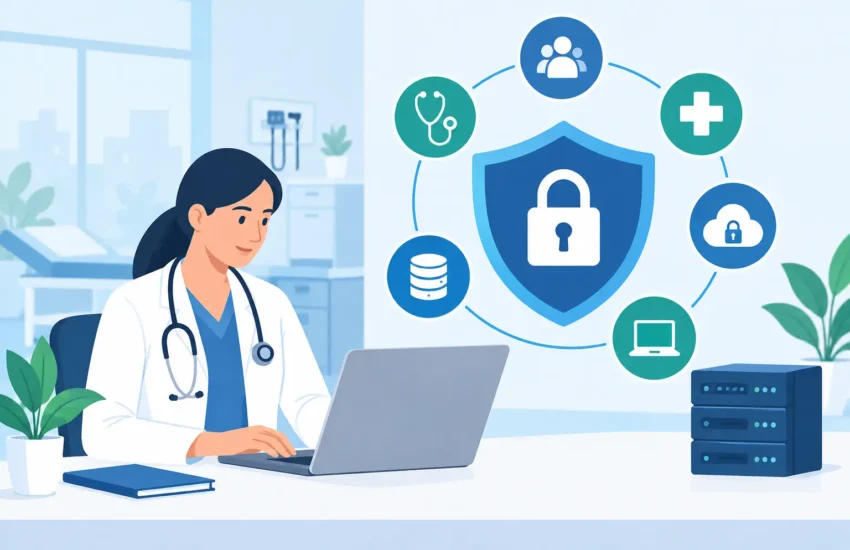
A HIPAA compliant IT management guide should begin with a business reality: a missed patch, shared password, or failed backup can interrupt patient care and create a serious compliance problem at the same time. For medical and dental practices, technology is not a back-office concern. It is part of how you protect patient information, keep appointments moving, submit claims, and maintain trust.
HIPAA compliance is not a product you buy or a one-time project you finish. It is an ongoing operational discipline. The right IT management approach reduces preventable risk while giving your staff dependable systems, faster support, and a clearer picture of where your practice stands.
What HIPAA-Compliant IT Management Really Means
HIPAA requires covered entities and their business associates to protect protected health information, or PHI. That includes the electronic version of that data – ePHI – stored in practice-management platforms, email, file shares, cloud applications, workstations, servers, and backups.
IT management supports the safeguards required under the HIPAA Security Rule: administrative safeguards, physical safeguards, and technical safeguards. A managed IT provider can implement and maintain many of the technical controls, but compliance still belongs to the practice. Leadership must establish policies, train employees, make risk decisions, and confirm that vendors handling PHI meet their obligations.
This distinction matters. A cloud application may advertise HIPAA-ready features, but your practice can still create exposure by granting excessive access, failing to configure security settings, or using the platform without a signed business associate agreement. Technology helps enforce good process. It does not replace it.
Start With a Real Risk Analysis
A HIPAA risk analysis is the foundation of effective IT management. It is more than a quick vulnerability scan or a checklist completed for an insurance application. The goal is to identify where ePHI exists, who can access it, what could go wrong, and how likely each risk is to affect your practice.
Start by mapping the systems that create, receive, maintain, or transmit patient data. Include obvious systems such as electronic health records, imaging platforms, billing software, and email. Also include overlooked locations: employee laptops, mobile phones, multifunction printers, remote-access tools, shared folders, appointment reminder platforms, and backup repositories.
Then assess realistic threats. Ransomware, stolen credentials, lost devices, outdated software, improper employee access, and vendor failures are common examples. For each risk, document the existing safeguards and decide whether additional controls are reasonable and appropriate for your practice.
A small dental office will not have the same environment as a multi-location medical group. The safeguards should fit the size, complexity, and risk profile of the organization. However, “small” is not a defense for weak controls. Cybercriminals frequently target smaller practices because they expect security gaps and limited internal IT resources.
Build the Core Controls Into Daily IT Operations
Once risks are identified, the next step is turning safeguards into consistent operational habits. The following controls should be managed continuously, not revisited only after an incident.
Control access to patient information
Every employee should have an individual user account. Shared logins make it difficult to determine who accessed information and create unnecessary risk when staff roles change. Access should follow the principle of least privilege: users receive only the access needed to perform their jobs.
Multi-factor authentication should protect email, remote access, cloud applications, administrator accounts, and any system containing ePHI when available. A password alone is no longer a sufficient barrier against phishing and credential theft.
Access reviews are equally important. When a staff member leaves, changes roles, or no longer needs a particular application, access should be removed promptly. Delayed offboarding is a common and avoidable gap.
Keep systems patched and protected
Unpatched software is one of the easiest ways for attackers to gain a foothold. Your practice needs a documented patch-management process for workstations, servers, network devices, operating systems, browsers, and third-party applications.
Critical security updates should be prioritized quickly, while routine updates can follow a planned schedule that minimizes disruption to patient care. In some healthcare environments, older devices or specialized software may not support the newest updates. When that happens, do not simply accept the risk. Segment the device, limit access, add compensating controls, and create a replacement plan.
Managed endpoint protection, email filtering, and continuous monitoring add another layer of defense. These tools are most effective when someone is actively reviewing alerts, responding to suspicious activity, and tuning the controls to reduce false positives without missing real threats.
Encrypt data in transit and at rest
Encryption helps protect ePHI if a device is lost, stolen, or accessed improperly. Full-disk encryption should be standard on laptops and portable devices. Encryption should also be considered for servers, databases, and backups based on the systems in use and the information they contain.
Data sent through email, patient portals, file-sharing services, and remote connections needs protection in transit. Standard email may be appropriate in limited situations when configured correctly and supported by policy, but many communications require secure messaging or encryption based on the content and the recipient’s preferences. Your staff needs clear guidance, not assumptions, about what may be sent and how.
Protect and test your backups
A backup that has never been tested is only a hope. Healthcare practices need reliable, protected copies of critical systems and data so they can recover from ransomware, hardware failure, accidental deletion, or a local disaster.
A practical strategy includes multiple backup copies, with at least one protected from routine network access or stored separately from the primary environment. Backups should be encrypted, monitored for completion, and tested through actual restoration exercises. Testing should answer business questions: Can we restore patient schedules? How long will it take to bring billing back online? Can we recover a single deleted file without restoring an entire server?
Your recovery objectives should reflect the cost of downtime. A practice that cannot access its scheduling system for a full day may lose revenue, burden staff, and frustrate patients. Define acceptable recovery times before an emergency forces the decision.
Manage Vendors as Part of Your Security Program
Many practices rely on third parties for hosting, billing, transcription, messaging, cloud storage, IT support, and specialized clinical applications. If a vendor creates, receives, maintains, or transmits PHI on your behalf, it may be a business associate.
Before sharing PHI, determine whether a business associate agreement, or BAA, is required. Keep signed agreements organized and review vendors periodically. A BAA is necessary, but it is not the entire vendor-security process. Ask how the vendor protects data, controls access, handles incidents, supports backups, and notifies customers after a breach.
Your IT provider should also understand its role. A qualified managed services partner can help document systems, manage security controls, monitor networks, support users, and provide incident-response expertise. The provider should be clear about what it manages and what remains the practice’s responsibility.
Train People for the Decisions They Make Every Day
Most security incidents begin with a human decision: opening a convincing email, reusing a password, sending information to the wrong recipient, or approving an unexpected login prompt. Staff training is not a compliance box to check during onboarding. It should be ongoing, practical, and tied to the situations employees actually encounter.
Training should cover phishing, password practices, mobile-device security, secure handling of patient information, reporting suspicious activity, and the consequences of bypassing procedures for convenience. Short, repeated training is often more effective than one annual presentation filled with technical jargon.
Leaders also need training. Office managers and owners should know who to call during a suspected incident, what systems are most critical, and when to involve legal counsel, cyber insurance, or compliance advisors. A fast, organized response can materially limit the impact of an event.
Document the Process and Practice Your Response
Policies turn expectations into repeatable behavior. At a minimum, your practice should maintain current policies and procedures for access management, acceptable use, incident response, backup and recovery, device security, and workforce training. Documentation should reflect what you actually do. A generic policy binder that employees never follow will not help during an audit or an incident.
An incident-response plan should identify decision-makers, technical contacts, communication steps, and procedures for preserving evidence. Run a tabletop exercise at least annually. For example, ask your leadership team what happens if a staff member reports that their email account sent unusual messages overnight. Who disables access? Who investigates? How do you continue scheduling patients if systems must be isolated?
Practicing these decisions before a crisis reduces confusion when every minute matters.
Use HIPAA-Compliant IT Management to Support Continuity
The best HIPAA compliant IT management guide is not one that leaves your practice buried in paperwork. It is one that connects security controls to dependable operations. Well-managed access reduces mistakes. Patching lowers disruption from preventable attacks. Tested backups protect revenue and patient service. Clear vendor oversight gives leadership fewer unknowns.
For practices in Sacramento and surrounding communities, responsive local support can also make a meaningful difference when an outage affects a full schedule of patients. The goal is not to eliminate every risk. It is to understand the risks, apply reasonable safeguards, and make sure your practice can continue serving patients when technology fails or threats appear.
A disciplined IT program gives your team a calmer, more prepared way to operate – so patient care does not have to compete with preventable technology problems.
