
A stalled server, locked email account, or ransomware alert can stop far more than one employee’s work. It can delay a construction bid, interrupt patient scheduling, prevent a law office from accessing case files, or leave a financial team unable to serve clients. So, what does managed IT include? At its best, it includes the people, processes, and technology needed to prevent those interruptions – and respond quickly when they still occur.
For small and medium-sized businesses, managed IT is not simply outsourcing the occasional computer repair. It is an ongoing agreement in which an IT partner takes day-to-day responsibility for keeping your technology secure, supported, and aligned with how your business operates. The exact scope varies by provider and plan, but the goal should remain clear: less downtime, fewer surprises, and more control over your technology budget.
What Does Managed IT Include?
A well-designed managed IT plan combines proactive maintenance with responsive support. Instead of waiting for employees to report a problem, your provider monitors key systems, applies needed updates, identifies risks, and keeps an eye on the health of your environment.
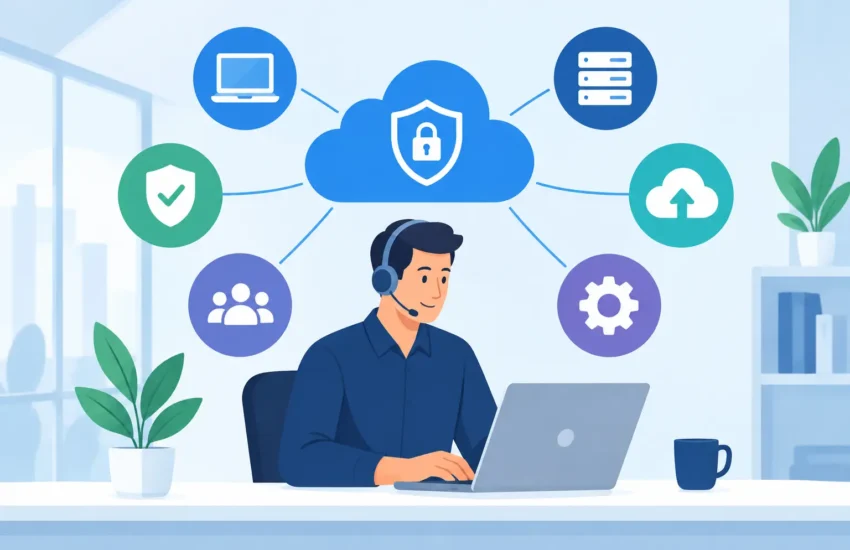
Most managed IT agreements include these core services:
- Helpdesk and user support for password issues, software problems, device setup, email access, and day-to-day technical questions.
- 24/7 monitoring of networks, servers, workstations, and other critical systems to identify warning signs before they turn into outages.
- Network and infrastructure management to keep Wi-Fi, firewalls, switches, internet connections, and remote access working reliably.
- Server and workstation maintenance including operating system updates, patch management, performance checks, and device lifecycle guidance.
- Cybersecurity protection such as managed antivirus, endpoint detection, email security, firewall management, multi-factor authentication support, and security awareness guidance.
- Data backup and disaster recovery to protect critical files and provide a recovery path after hardware failure, accidental deletion, ransomware, or a major disruption.
- IT planning and vendor management so technology decisions support your budget, compliance obligations, growth plans, and operational needs.
Those services work together. A backup alone does not prevent a phishing attack. Antivirus software does not replace employee support. Network monitoring is less valuable if no one is responsible for acting on an alert. Managed IT brings those responsibilities under one accountable team.
Proactive Monitoring and Maintenance
Break/fix IT follows a familiar and expensive pattern: something stops working, your staff loses time, and someone calls for help. The technician fixes the immediate issue, sends an invoice, and the underlying weaknesses may remain. That model can seem less expensive until a serious outage, failed server, or security incident exposes the actual cost.
Managed IT changes the approach. Monitoring tools watch for conditions such as low disk space, failed backups, unusual network activity, hardware alerts, and systems that have missed critical updates. Many issues can be addressed remotely before employees notice a problem.
Maintenance also matters because technology ages. A managed provider should track which devices are nearing the end of their useful life, which software versions are no longer supported, and where a single point of failure could affect the business. Replacing an aging firewall or server on a planned schedule is far easier to budget for than replacing it during an emergency.
Responsive Helpdesk Support for Your Team
Employees should not have to become accidental IT specialists. When email will not sync, a laptop cannot connect to the network, or a new employee needs secure access to applications, they need a fast answer from someone who understands the environment.
Managed helpdesk support provides a clear place to call or submit a request. Depending on the agreement, support may be available during business hours, after hours, or 24/7 for urgent issues. It can cover remote troubleshooting and, when needed, onsite service.
Response expectations are worth discussing before signing an agreement. A provider’s service level agreement should explain how quickly it responds to different types of requests. A printer issue and a company-wide internet outage should not receive the same priority. For businesses that depend on constant access to client records, production systems, or field communications, that distinction is critical.
Cybersecurity That Goes Beyond Antivirus
Cybersecurity is now a core part of managed IT, not an optional add-on for companies that handle sensitive data. Law firms, medical practices, financial organizations, and professional services firms are frequent targets, but any business with email, payment information, customer records, or connected devices can be affected.
A managed cybersecurity approach typically layers protections instead of relying on one tool. That may include endpoint security on computers, firewall management, secure email filtering, multi-factor authentication, patching, access controls, and monitoring for suspicious activity. The right mix depends on your systems, industry, risk level, and compliance requirements.
Your provider should also help reduce the human risk. Many attacks begin with a convincing email, a fraudulent login page, or a request that appears to come from a trusted vendor. Clear security policies and practical employee education can prevent an avoidable mistake from becoming a costly incident.
There is a trade-off to manage. Stronger security controls can add a step to the login process or restrict how files are shared. For most organizations, those small inconveniences are preferable to exposing client data or funding a ransomware recovery. The right provider explains the reasons behind each control and helps your team adopt it without unnecessary friction.
Backup and Disaster Recovery for Business Continuity
Every business needs to answer a difficult question: if our systems became unavailable this afternoon, how long could we operate? The answer may be hours for a dental office, a manufacturing operation, or a firm with time-sensitive client work. It may be longer for another organization. Either way, that recovery target should shape the backup and disaster recovery plan.
Managed IT commonly includes automated backup monitoring, verification that backups are completing successfully, and retention policies for important files and systems. Disaster recovery goes further by defining how systems will be restored after a server failure, cyberattack, fire, or other major event.
Not every backup is equal. Backing up files once per day may be adequate for one business but unacceptable for another that updates critical records throughout the day. A strong plan identifies what must be restored first, where recovery copies are stored, who has authority to initiate recovery, and how often the process is tested. A backup that has never been tested is an assumption, not a business-continuity plan.
Strategic IT Planning and Predictable Costs
Technology decisions affect operations, hiring, customer service, and profitability. Managed IT should therefore include more than tickets and troubleshooting. Your provider should review your environment, identify priorities, and help create a technology roadmap that fits the business.
That might mean planning a network upgrade before opening a second location, improving remote access for field teams, preparing for a compliance audit, or budgeting for workstation replacements over several quarters. It can also include coordinating with internet, software, phone, and hardware vendors so your team is not left trying to determine which company owns a problem.
A predictable monthly agreement is one of the practical advantages of managed services. It does not mean there will never be project costs, hardware purchases, or licensing changes. It does mean routine support, monitoring, and maintenance are no longer unpredictable repair bills. Business leaders can plan for technology instead of reacting to it.
What Managed IT May Not Include Automatically
The phrase “managed IT” does not guarantee that every service is covered. Some providers include cybersecurity tools, Microsoft 365 administration, onsite visits, after-hours support, or compliance assistance in their standard plans. Others price them separately. Large projects, hardware purchases, cloud migrations, and cabling work are also commonly outside the monthly fee.
Before choosing a provider, ask for a clear description of what is included, what is optional, and what creates an additional charge. You should understand the support hours, response targets, number of onsite visits, security stack, backup scope, and project process. Vague pricing often leads to the surprise costs that managed IT is meant to reduce.
For California businesses that need a local, accountable partner, RJ PRO Tech Group builds managed IT plans around the systems, risks, and business goals that matter most. The objective is not to add technology for its own sake. It is to give your people dependable tools, protect the data your business relies on, and keep disruptions from taking over the workday.
The most useful managed IT relationship feels less like calling a repair shop and more like having an experienced technology team looking ahead on your behalf. When your systems are maintained, secured, backed up, and supported with a plan, your business has more room to focus on clients, employees, and the opportunities in front of it.
