

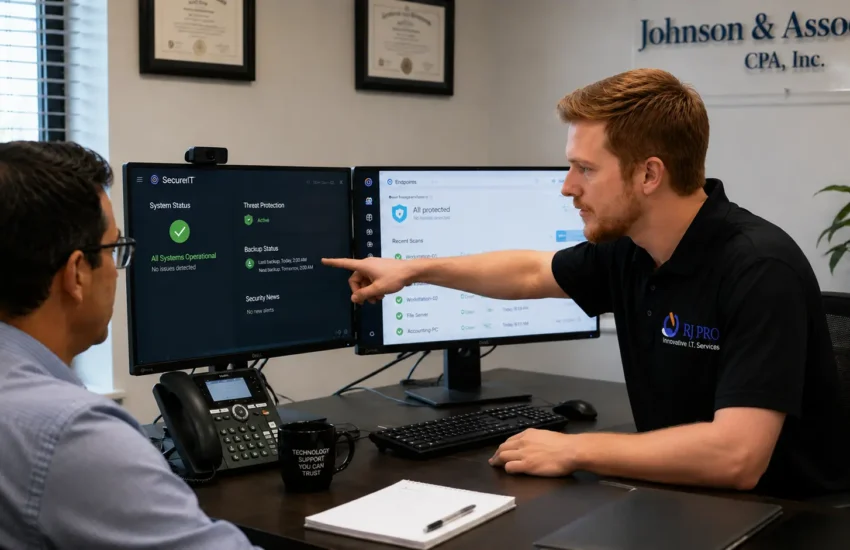
If you prepare tax returns for a living, there is a federal security rule that applies to your firm, and there’s a decent chance you’ve never read it. Most firms find out about the FTC Safeguards Rule in one of two ways. Their insurance broker asks a question they can’t answer, or something has already gone wrong.
Neither is a good time to start.
Financial advisory and accounting firms carry more risk per employee than almost any other small business in Folsom. A fifteen-person CPA practice holds social security numbers, bank details, and complete financial histories for several hundred households. A wealth management firm has signature authority over money that isn’t theirs. Compare that to a fifteen-person landscaping company, and the difference isn’t marginal.
This article covers what your firm actually needs from its technology, what it costs, and how to tell a competent provider from one that added “cybersecurity” to their website last year. If you’d rather skip ahead, RJ PRO Tech Group provides IT support in Folsom and across the Sacramento region, and a fifteen-minute call will tell you more about your situation than reading another guide.
Why Your Firm Is Different From the Rest of the Business Park
Three things separate financial and accounting firms from the other tenants on East Bidwell Street.
First, the data is concentrated. Everything an identity thief wants sits in one place: names, SSNs, dates of birth, account numbers, prior-year returns, dependents, employers. One breach of a small CPA firm can expose more usable personal information than a breach at a company fifty times its size.
Second, money moves through you. Wire instructions, ACH transfers, trust distributions, estimated tax payments. That means an attacker doesn’t need to steal data to profit. They just need one convincing email at the right moment.
Third, your product is trust. Nobody switches CPAs because of a slow computer. They switch because of a letter explaining that their tax return was exposed. In a town where clients came to you through referrals from other clients, that letter is a business problem long after it stops being a technical one.
The FTC Safeguards Rule Applies to More Firms Than Realize It
Here’s where most CPA and tax firms get caught out. The Safeguards Rule sits under the Gramm-Leach-Bliley Act, and the FTC’s definition of a “financial institution” covers tax preparers, accountants who prepare returns, and financial advisors who aren’t registered with the SEC. If you file returns for clients, assume you’re covered until someone qualified tells you otherwise.
What the rule expects:
- A written information security program. Not a conversation you had once. A document.
- A designated Qualified Individual. One named person responsible for the program. This can be an outside provider, which is how most firms of your size handle it.
- A risk assessment. Written, and updated as things change.
- Access controls. Staff should reach the client data their role requires and nothing beyond it. Shared logins break this immediately.
- Encryption. Customer information encrypted both at rest and in transit. That includes what leaves your office by email.
- Multi-factor authentication. On anyone accessing customer information. Not “on email for most people.”
- Service provider oversight. You’re expected to vet the vendors who touch your data, including your IT company.
- Monitoring and logging. A record of who accessed what.
- An incident response plan. Written down before you need it.
- Security awareness training. For staff, with evidence it happened.
One detail worth knowing, because it comes up in nearly every first conversation: firms handling information on fewer than five thousand consumers are exempt from some of the heavier requirements, including the written risk assessment, the written incident response plan, and the annual report to leadership. Most Folsom firms fall under that threshold. That’s a genuine reduction in paperwork, but it doesn’t exempt you from MFA, encryption, access controls or training. Those still apply.
Registered investment advisors sit under a different regime. The SEC expects safeguarding of client records, business continuity planning, and demonstrable oversight of vendors, and examiners have been asking about it with increasing specificity. FINRA-member firms carry their own supervisory obligations on top. The practical overlap is large. RJ PRO Tech Group handles the technical side of these requirements as part of managed IT services, including the documentation you’ll need when someone asks to see it.
Tax Season Is When You Get Hit
Attackers pay attention to your calendar. January through April is the window, and the reasons are practical rather than sinister.
Your staff are processing more documents than at any other point in the year, from more senders, under deadline pressure. A malicious attachment named after a W-2 doesn’t look unusual in February. Seasonal preparers arrive who haven’t been through your onboarding and don’t know your normal. Requests marked urgent get handled quickly, because in March everything is urgent.
And nobody has time to question anything.
This is also the worst possible time to discover your backup has been failing silently since November. A ransomware event in July is a bad week. The same event on April 8th is a different category of problem, because you cannot tell four hundred clients that their extensions will be late while you rebuild a server. Tested backup and disaster recovery is the difference between those two outcomes, and testing is the part almost every firm skips.
The firms that survive tax season cleanly are the ones that did the work in September.
| Going Into Tax Season Without Knowing Where You Stand? We’ll review your backups, MFA coverage and Safeguards Rule gaps before the busy period starts. It takes fifteen minutes to find out whether you have a problem. ▶ REQUEST A FREE CONSULTATION Or call us directly: (916) 345-3451 Valley Springs: (209) 920-4077 | help@rj-pro.net |
The Attacks That Actually Cost Firms Money
Fraudulent Wire Instructions
This is the expensive one. An attacker gets into an email account, usually with a stolen password, and then reads quietly for a while. They learn how your firm writes, who authorizes transfers, which client is mid-transaction. Then they send instructions from your real mailbox, or from a domain one character different, with new banking details.
Nothing gets encrypted. No alarm sounds. The money leaves, and because a real person approved it, recovery is difficult and often impossible.
Credential Theft
Most intrusions start with a login rather than an exploit. Someone enters their password into a page that looks exactly like the Microsoft 365 sign-in screen. That password frequently works elsewhere too, because people reuse them, and credentials from unrelated breaches get tested against business accounts automatically.
Ransomware During Peak Season
Attackers now sit inside a network for days before triggering anything, locating backups and encrypting those first. Timing the trigger to early April isn’t an accident. It maximizes the pressure to pay.
Client Portal Impersonation
Fake portal pages that mirror yours, sent to your clients, collecting their documents and credentials. Your systems were never touched, but the reputational damage lands on you. Email authentication and domain protection reduce this considerably, and they’re part of standard managed cybersecurity rather than an add-on.
What Your Setup Actually Needs
Security works in layers because no single control catches everything. Here’s what each one is for, and what RJ PRO puts in place as a package rather than a shopping list you assemble yourself.
- Multi-factor authentication, everywhere. Email, remote access, admin accounts, your tax software portal. Partial MFA is the single most common gap we find, and attackers only need the accounts you missed.
- Endpoint detection and response. Behavioral monitoring that spots a process encrypting files or an account signing in from two countries in an hour. Traditional antivirus won’t.
- Email security and impersonation protection. Catches lookalike domains and spoofed internal senders before they reach an inbox.
- Encrypted, tested backups. Isolated from the network, restored on a schedule, documented. A backup nobody has restored is a theory.
- Patch management. Updates tested against Lacerte, UltraTax, Drake, QuickBooks and your CRM before they roll out, because a Windows update that breaks your tax software in March is its own kind of outage.
- Network segmentation. Client Wi-Fi in the waiting area should not share a path with the server holding returns.
- Security awareness training. With simulated phishing, so you know who’s vulnerable before an attacker does. Run it in the fall, not in February.
- Monitoring and incident response. Someone watching at 2am, with a written plan for what happens when an alert is real.
These pieces depend on each other. Backups without monitoring means restoring into a network the attacker still occupies. Monitoring without a response plan means watching an incident happen in real time. RJ PRO delivers them together, alongside server management, endpoint and workstation protection, network monitoring and management and 24/7 helpdesk support.
Signs Your Current Arrangement Isn’t Enough
Count how many of these describe your firm.
- MFA is enabled for some accounts and you’re not certain which ones
- Nobody can name the date of the last successful backup restore
- Your IT support is one person who does this alongside another job
- Staff share a login for at least one system
- A former employee might still have an active account
- You have never seen a written information security program for your firm
- Client Wi-Fi and your server sit on the same network
- At least one machine runs software that no longer receives security updates
- You call IT after something breaks, never before
- You’d struggle to answer your cyber insurance questionnaire truthfully
Three or four is normal for a growing firm. Six or more means you’re relying on not being noticed.
What It Costs
Managed IT is priced per user or per device, monthly. Per-user suits firms where staff work across a laptop and a desktop. Per-device suits offices with shared workstations and seasonal preparers rotating through the same machines.
What moves the number:
- Headcount, including seasonal staff who need accounts for three months a year
- Whether you run an on-premise server or work entirely in Microsoft 365
- Hardware age, since older equipment costs more to maintain and secure
- How much compliance documentation you need produced and maintained
- Onsite response expectations, particularly during tax season
Initial remediation is usually quoted separately from the ongoing monthly fee. If a firm has been running without MFA, without tested backups, and with two end-of-life machines, that first phase is a project. The monthly figure after it is a different, smaller number.
Be suspicious of anyone who quotes a firm price before looking at your environment. They’re guessing, and the number will change.
Weigh the cost against one bad outcome. A single fraudulent wire is frequently five figures and rarely recovered. A week of downtime in March costs you billable hours you cannot make up, missed deadlines, and client conversations you’d rather not have. Managed IT isn’t competing against zero. It’s competing against the cost of the thing it prevents, spread across the years it doesn’t happen.
| Want a Real Number Instead of a Range? We’ll look at your environment and give you a scoped proposal with no obligation. You’ll know what needs fixing first and what it costs to maintain. ▶ REQUEST A FREE CONSULTATION Or call us directly: (916) 345-3451 Valley Springs: (209) 920-4077 | help@rj-pro.net |
Your Three Options
| The IT guy you call | One internal person | Managed IT provider | |
| Cost pattern | Unpredictable, worst in March | Salary plus tooling | Flat monthly, budgeted |
| April 14th at 6pm | Voicemail | They’re already exhausted | Contracted response, 24/7 |
| Safeguards Rule docs | Not their job | Only if they know the rule | Written program and evidence |
| Prevention | None. Breakage pays them | Whatever time is left | Monitoring and patching |
| Insurance questionnaire | You fill it in alone | Depends entirely on them | Answered from real records |
| Right for | Firms with nothing to lose | 40+ staff, multiple offices | Most Folsom firms, 5 to 50 staff |
The break-fix model has a structural problem that nobody likes discussing: your provider earns money when things break and nothing when they run well. Flat-rate managed IT reverses that incentive. Preventing your problems becomes their financial interest too.
How to Choose a Provider
Ask these. The answers sort competent providers from IT companies that added a compliance page to their site.
- Have you worked with CPA firms or RIAs before, and can you name the tax software you’ve supported?
- What’s your guaranteed response time, and is it different during tax season?
- Will you serve as our Qualified Individual under the Safeguards Rule, or help us designate one?
- What documentation will you produce, and will it hold up if we’re asked to show it?
- How do you test our backups, and how often will I see evidence?
- How do you test Windows updates against our tax software before deploying them?
- Will you help us complete our cyber insurance questionnaire accurately?
- What’s your onsite response time to our Folsom office specifically?
- Who owns our documentation, passwords and licenses if we leave?
- Can I speak to a client of similar size and type?
That last one is the most revealing question on the list. A provider comfortable with it will offer references and client case studies without hesitating. You can also read what our clients say before calling.
Why Local Matters More Here Than You’d Think
Most support happens remotely, and it should. But some problems need hands on hardware: a failed server, a dead switch, a compromised machine that has to come off the network immediately, a scanner that stopped talking to the workstation on the busiest morning of the year.
A remote-only vendor three timezones away puts you in a queue. RJ PRO Tech Group has offices in El Dorado Hills and Valley Springs, a short drive along Highway 50, and can reach a Folsom office the same day. We’ve supported Northern California businesses since 2010 and cover Folsom, Granite Bay, Orangevale, Roseville, Rancho Cordova, Cameron Park and the wider Sacramento region. Check the areas we service for your location.
There’s a second benefit that’s harder to quantify. A provider who works with firms in this area already knows the buildings, the connectivity limits, the vendors, and the compliance pressure your peers are under. That removes a lot of explaining, which matters most on the day you have least time for it. You can read more about IT support in Folsom on our service page.
Frequently Asked Questions
Does the FTC Safeguards Rule apply to my CPA firm?
Most likely yes. The FTC’s definition of a financial institution includes tax preparers, accountants who prepare returns, and financial advisors not registered with the SEC. Firms handling information on fewer than five thousand consumers are exempt from some requirements, including the written risk assessment and incident response plan, but MFA, encryption, access controls and staff training still apply regardless of size.
We’re a small firm. Are we really a target?
Size works against you here. Attacks are largely automated and select targets by finding weaknesses, not by researching firm size. Small financial and accounting practices hold unusually concentrated personal data with thinner defenses than a bank would have on the same information. Attackers know this, and they know your calendar.
How much does managed IT cost for a financial advisory or accounting firm?
Pricing runs per user or per device monthly, shaped by headcount, whether you have an on-premise server, hardware age, and how much compliance documentation you need. Initial remediation is quoted separately from the ongoing fee. Ask for a scoped proposal after an assessment, and compare proposals on what’s included rather than the monthly total alone.
What happens if we get hit during tax season?
It depends almost entirely on your backups and whether anyone is monitoring. With tested, isolated backups and a documented response plan, recovery is measured in hours. Without them, you’re rebuilding under deadline pressure while explaining delays to clients. This is why the work belongs in September, not March.
Will our cyber insurance pay out if we’re breached?
Only if the controls you attested to on the application were genuinely in place. Insurers review this after a claim. Partial MFA, untested backups and missing endpoint detection are common reasons for reduced or denied payouts. Read your last questionnaire against reality now, while there’s time to close the gaps.
Can we keep our current computers and software?
Usually most of it. An assessment separates what’s fine, what needs upgrading, and what’s a genuine risk, which typically means anything no longer receiving security updates. Replacement should be phased and budgeted rather than demanded all at once, unless a system is actively exposed.
How long does it take to get compliant if we’ve done nothing?
The high-impact controls move fast. MFA, email filtering and endpoint protection can usually be deployed within days. Backup redesign, network segmentation, replacing end-of-life machines and producing written documentation take longer, typically several weeks. Sequencing matters more than speed, so the largest risks close first.
What’s the difference between managed IT and managed cybersecurity?
Managed IT keeps things running: helpdesk, updates, hardware, accounts, day-to-day support. Managed cybersecurity assumes someone is actively trying to get in and focuses on preventing, detecting and responding to that. They overlap heavily, which is why most firms buy them together rather than splitting them across two vendors.
Where to Start
You don’t have to fix everything at once, and no competent provider will tell you otherwise. Start by finding out where you actually stand. Whether MFA genuinely covers every account. Whether your backups restore. Whether anything on your network can still be patched. Whether your insurance answers would survive scrutiny.
RJ PRO Tech Group provides IT support in Folsom and managed cybersecurity for financial advisors, CPA firms and accounting practices across Northern California, with 24/7 monitoring, proactive maintenance instead of break-fix, local technicians who can be onsite the same day, and flat-rate monthly pricing you can put in a budget.
| Find Out Where Your Firm Actually Stands Book a fifteen-minute call with a local team that has supported Northern California businesses since 2010. We’ll tell you honestly what needs fixing first, and what doesn’t. ▶ REQUEST A FREE CONSULTATION Or call us directly: (916) 345-3451 Valley Springs: (209) 920-4077 | help@rj-pro.net |


