

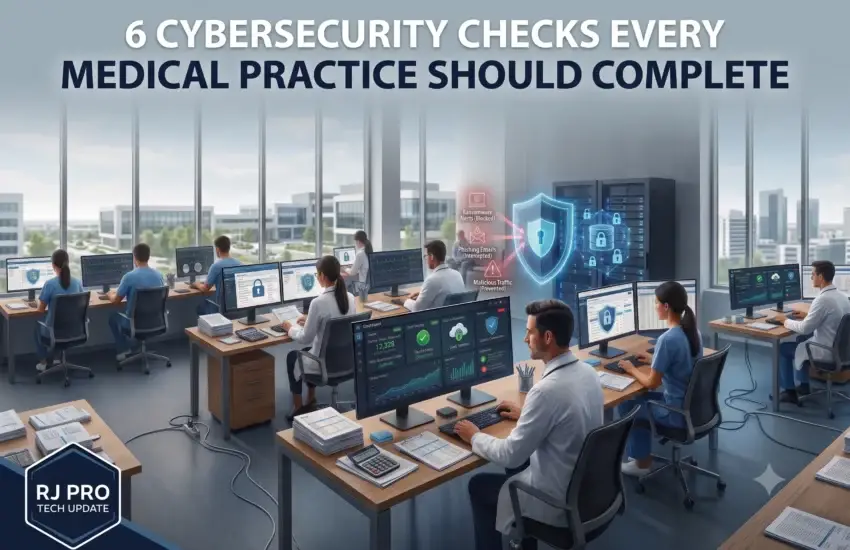
Most Stockton practices we assess believe patient data is protected. Many are partly right — there’s antivirus on the workstations, backups running somewhere, and a password policy that staff mostly follow.
The gap is between having protections and being able to demonstrate that they work. Under HIPAA, and in the aftermath of any actual incident, that distinction is the one that determines what happens next.
What follows are six checks you can run this week. None require a technical background, and each reveals something genuinely useful about where your practice stands.
Why medical practices are targeted so consistently
Before the checks, it’s worth understanding why healthcare draws the attention it does. This isn’t bad luck — it’s a set of characteristics attackers actively look for.
Patient records are unusually valuable. A stolen credit card can be cancelled in minutes. A medical record contains a name, date of birth, Social Security number, insurance details, and health history — none of which can be cancelled. On criminal markets, health records consistently command higher prices than financial data for exactly this reason.
Downtime has immediate clinical consequences. A manufacturer can pause production for a day. A practice with a full waiting room cannot. Attackers understand that a clinic unable to access charts is under pressure to resolve the situation quickly.
Regulatory exposure adds leverage. Beyond the operational disruption, a breach carries notification obligations, potential penalties, and reputational damage. Attackers factor that into what they demand.
Attack surfaces are broad. Practices run EHR systems, imaging equipment, practice management software, patient portals, VoIP phones, and increasingly connected medical devices — often from different vendors, with different update cycles, some running software the manufacturer stopped supporting years ago.
Security maturity varies widely. Hospital systems employ security teams. Independent practices frequently rely on a general IT vendor who resolves problems as they arise, which is a fundamentally different discipline from maintaining a security program.
Check 1: Is Multi-Factor Authentication enforced on every account?
Not available. Not enabled for the administrator. Enforced, for everyone, on email and on anything reachable from outside the building.
Stolen credentials remain the most common way attackers enter a practice, and MFA stops the overwhelming majority of those attempts. The test is simple: if a former employee’s password still worked today, could someone log in from anywhere in the world?
If the answer is yes, this is the first thing to fix. It’s also among the least expensive controls available, which makes it the clearest example of a gap that costs far more to leave open than to close.
Pay particular attention to exceptions. Practices often exempt physicians or the practice manager because MFA felt inconvenient during a busy clinic. Those are precisely the accounts with the broadest access, and attackers specifically look for the exemptions.
Check 2: When did you last restore from backup — not run one?
There is a meaningful difference between a backup job reporting success and someone actually recovering a file, a database, or a complete system.
We regularly encounter practices whose backups had been running “fine” for years and could not be restored when finally tested. The job completes, the log is green, and the data inside is unusable — corrupted, incomplete, or missing the one database that mattered.
There’s a second problem that matters more. Ransomware specifically hunts for connected backup storage, because attackers know a practice with working backups doesn’t pay. If your backup drive is reachable from an infected workstation, it will be encrypted alongside everything else.
Ask for the date of your last verified test restore. If nobody can name one, you don’t have backups — you have an assumption. Monitored, verified backup and disaster recovery with off-site replication closes this permanently.
Check 3: Who can see patient records, and who reviewed that list?
Access accumulates quietly. Staff change roles, cover for absent colleagues, and receive temporary permissions that nobody remembers to remove. Years later, people can open records they have no clinical reason to see.
HIPAA expects access limited to the minimum necessary for someone’s role. A straightforward review — who has access to what, and why — routinely surfaces surprises within the first ten minutes.
The list to check specifically:
- Former employees whose accounts remain active
- Staff who changed roles but kept their previous permissions
- Shared logins used by multiple people, which make it impossible to determine who accessed what
- Vendor and contractor accounts created for a specific project and never removed
- Anyone with administrator rights who doesn’t need them
This check costs nothing but time, and it addresses one of the most commonly cited findings in healthcare breach investigations.
Check 4: Are your workstations and medical devices actually patched?
Patch compliance is one of the most reliable indicators of overall security posture, and one of the most commonly neglected. When we assess practices, it is routine to find compliance somewhere in the 55–65% range, accompanied by the reasonable assumption that Windows Update was handling things.
Windows itself is usually the better-maintained part. The gaps tend to sit in third-party software — PDF readers, browsers, Java, and the various utilities that accumulate on clinical workstations — which are among the most frequently exploited applications on any network.
Imaging systems and connected medical devices deserve particular attention. They’re often overlooked precisely because they work reliably, while running embedded software that hasn’t been updated in years. Where a device genuinely can’t be patched, it should be isolated on the network rather than left sitting alongside everything else.
Check 5: What happens when a phishing email reaches your front desk?
Email is where nearly every incident begins. A message appearing to come from a vendor, an insurer, a laboratory, or a colleague, asking someone to log in or approve something.
Two things need to be true.
First, filtering should stop most of these before staff ever see them. Good email threat protection and DNS security removes a substantial proportion before anyone has to exercise judgment at 4pm during a busy clinic.
Second, when one does get through, staff should recognize it and know exactly who to tell — without any concern that reporting will get them in trouble. This second part matters more than most practices realize. If people fear being blamed, they stay quiet, and a phishing email that goes unreported may be sitting in a dozen other inboxes.
Practices that train staff briefly and regularly see measurably lower click rates. Practices that have never discussed it are relying entirely on chance.
Check 6: Could you produce documentation if asked tomorrow?
This is the check that separates practices that feel secure from practices that are defensibly secure.
If an auditor, an insurer, or a patient’s attorney asked you to demonstrate your safeguards — risk assessment, access controls, backup testing records, training completion, incident response plan — could you produce them?
HIPAA expects documented, ongoing effort rather than a one-time setup. The Security Rule is explicit about risk analysis being a continuing obligation, not something completed once and filed away.
Cyber insurance has moved in the same direction. Insurers increasingly require evidence of MFA, monitored backups, and endpoint protection before issuing or renewing coverage — and claims have been reduced or denied where a practice attested to controls that weren’t actually in place. The application is a legal document.
The practical implication is worth stating plainly: a practice running properly monitored, tested systems produces this documentation as a by-product. A practice without them faces a difficult scramble at the worst possible moment.
What an incident actually costs a practice
It’s worth being specific about consequences, because the ransom demand — when there is one — is rarely the largest number involved.
Clinical disruption. Charts inaccessible, imaging unavailable, scheduling gone. Appointments get cancelled and rescheduled, and the backlog persists for weeks after systems return. For a practice running on thin margins and full schedules, lost clinical hours don’t come back.
Breach notification. Depending on the number of records involved, notification obligations extend to affected individuals, the Department of Health and Human Services, and in larger incidents, the media. California’s requirements are among the more demanding in the country. Beyond the cost, the notification itself becomes a public record of what happened.
Regulatory examination. A reported breach frequently prompts scrutiny of the safeguards that were in place beforehand. A practice that can demonstrate documented, ongoing risk management is in a substantially different position from one that cannot.
Patient attrition. Patients rarely announce that they’re leaving because of a data breach. They simply don’t rebook, and the effect appears in the schedule months later, disconnected from its cause.
Recovery and remediation. Incident response specialists, forensic investigation, credit monitoring for affected patients, and after-hours technical work are all expensive precisely because they’re urgent.
Insurance consequences. Renewal after an incident is more costly and more restrictive — and, as noted, coverage increasingly depends on controls being genuinely in place beforehand.
Set against these, the cost of the preventive controls described here is modest. That asymmetry is the entire argument.
What good looks like for a Stockton practice
The practices we work with end up with a consistent set of protections, designed as layers rather than assembled piecemeal:
- Endpoint detection and response (EDR) watching for suspicious behavior, not merely known viruses
- MFA enforced across email, EHR, practice management, and remote access, without exceptions
- Email threat filtering and DNS security intercepting threats before they reach staff
- Automated patch management holding compliance above 98% without depending on anyone’s memory
- Verified backups with quarterly recovery testing, replicated off-site beyond the reach of an attacker on your network
- Continuous monitoring of every workstation, server, imaging system, and network device
- Documented controls and training records you can produce on request
Our cybersecurity services and managed IT deliver exactly this for medical and dental practices, with HIPAA safeguards treated as a design requirement rather than an afterthought. When something does need attention, our Help Desk responds in minutes — which matters when a full waiting room is depending on it.
The honest summary
Patient data protection isn’t a product you purchase once. It’s a set of controls that must stay current, be monitored continuously, and be tested on a schedule — which is precisely the work a busy Stockton practice has no spare capacity to manage internally.
If any of the six checks above left you uncertain, that uncertainty is worth resolving now, deliberately, rather than during an incident when every option is worse.
Schedule a complimentary IT assessment for your Stockton practice. We’ll run these checks properly and tell you plainly where you stand.


