

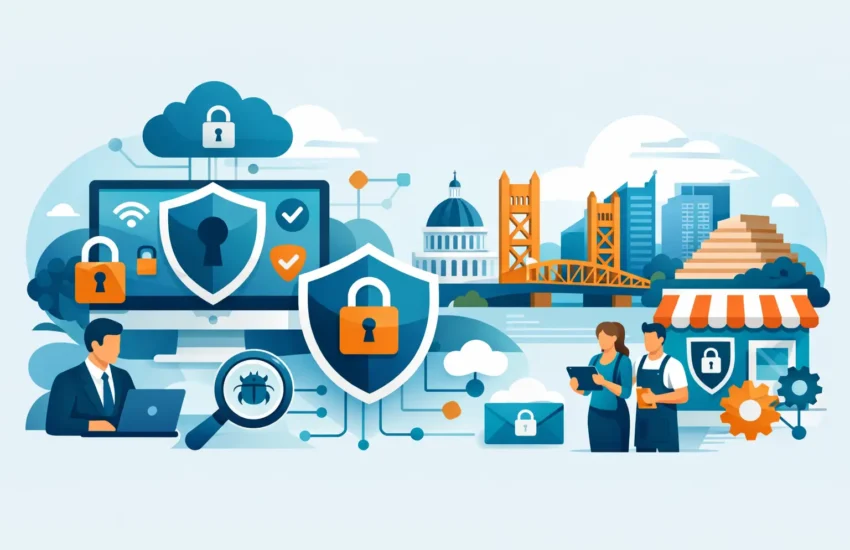
A fraudulent invoice does not need to fool everyone in your office. It only needs to reach one busy employee approving a payment between client calls, job-site updates, or payroll deadlines. That is why cybersecurity for small business Sacramento organizations cannot be treated as a one-time software purchase. It is an operating discipline that protects revenue, client trust, and your ability to keep working when something goes wrong.
Small businesses are not overlooked by cybercriminals because they are small. They are often selected because attackers expect fewer safeguards, limited internal IT resources, and employees who have not been trained to spot a convincing phishing message. A construction company, law office, medical practice, engineering firm, or financial services business may each hold valuable data and rely on systems that cannot be offline for long.
Why Small Businesses Face a Different Kind of Risk
Enterprise companies often have large security teams and dedicated response plans. Smaller organizations usually have leaner teams, shared responsibilities, and less room in the budget for a prolonged outage. When the office manager, controller, or owner is also responsible for technology decisions, security gaps can remain unnoticed until an incident stops work.
The real cost is rarely limited to the initial attack. A ransomware event can lock access to project files, accounting systems, emails, shared drives, and customer records. A compromised Microsoft 365 account can be used to send believable payment requests to vendors or clients. A lost laptop can expose confidential records if its drive is not encrypted and protected.
For Sacramento-area businesses, the practical question is not whether every possible security tool is necessary. It is which controls will most effectively reduce the risk of downtime, fraud, and data loss for the way your team actually works.
The Threats That Deserve Immediate Attention
Cybersecurity decisions should be based on business impact, not fear. Most small and medium-sized organizations benefit from addressing a short list of common, high-consequence risks first.
Phishing and business email compromise
Email remains one of the easiest ways into a business. Attackers impersonate executives, vendors, banks, software providers, or delivery services. Their goal may be to capture passwords, redirect a wire transfer, install malware, or gain access to an email account they can use for further fraud.
The messages are often polished and well-timed. An employee may receive an invoice from a real vendor name, but with altered bank details. Another may receive a password-reset notice that looks like it came from a trusted service. Training helps, but employees also need technical protections such as email filtering, multifactor authentication, and clear verification procedures for changes to payment instructions.
Ransomware and destructive malware
Ransomware can enter through email attachments, weak remote-access settings, unpatched systems, stolen credentials, or compromised third-party tools. It can spread beyond one computer to shared files and servers, turning a manageable problem into a business-wide interruption.
A backup alone is not a complete ransomware plan. If backups are connected to the same environment, inadequately protected, or never tested, they may be unavailable when needed. Effective recovery requires protected backup copies, defined recovery priorities, and regular testing that confirms critical systems can be restored within an acceptable time.
Weak passwords and unmanaged access
Former employees, shared passwords, unused administrator accounts, and excessive permissions create quiet exposure. An account does not have to be actively used to become a problem. If it remains connected to email, cloud storage, accounting platforms, or remote access, it is an open door waiting to be noticed.
Multifactor authentication is one of the strongest practical controls for small businesses. It adds a second confirmation step beyond a password, reducing the chance that a stolen credential alone can lead to account takeover. It should be required first for email, remote access, financial systems, cloud applications, and administrator accounts.
Unpatched devices and unsupported systems
Updates can feel disruptive, particularly for businesses with specialized applications, production equipment, or field teams. Yet delaying security patches indefinitely gives attackers time to exploit known weaknesses. The right approach is planned patch management: identify devices, test where necessary, schedule updates, and document exceptions that need compensating safeguards.
A Practical Cybersecurity Baseline for Small Business Sacramento Teams
No two businesses have the same compliance requirements, data types, or tolerance for downtime. A dental office handling patient information needs different controls than a contractor managing bids and plans. Still, the following baseline gives most organizations a strong starting point.
- Require multifactor authentication for email, remote access, cloud applications, administrator accounts, and financial platforms.
- Deploy managed endpoint protection that detects suspicious behavior, not just known viruses, across desktops, laptops, and servers.
- Maintain encrypted, monitored backups with protected copies separate from the production environment, then test restoration regularly.
- Apply a documented patching process for operating systems, browsers, firewalls, servers, and critical business applications.
- Filter malicious email and train employees to recognize phishing, report suspicious messages, and verify financial requests through a second channel.
- Limit access based on job duties, remove accounts promptly when personnel leave, and review privileged access routinely.
These measures are most effective when managed as one program. For example, multifactor authentication reduces the impact of stolen passwords, while endpoint protection can catch malicious activity that gets past an employee. Backups provide recovery options if preventive controls fail. Each layer covers a different failure point.
Start With the Business Impact, Not the Tool List
Buying security software without understanding your environment often creates false confidence. A useful assessment starts with a few direct questions: Which systems would stop revenue or operations if unavailable? Where is sensitive client, employee, financial, or medical information stored? Who can access it? How long could the business function without email, files, phones, or line-of-business applications?
The answers shape priorities. A law firm may focus on protecting case files, confidential communications, and secure remote access. A manufacturing operation may need to account for production equipment and supplier connections. An architectural or engineering firm may prioritize large project files, cloud collaboration platforms, and reliable access for teams in the field.
This is also where compliance enters the discussion. Regulations and contractual obligations can require specific safeguards, documentation, retention practices, or incident procedures. Compliance does not guarantee security, but it should influence how your cybersecurity plan is designed and maintained.
Make Employees Part of the Defense Plan
Security awareness training should not feel like an annual lecture employees rush through. People need short, relevant instruction tied to the decisions they make every day: spotting fake login pages, handling unexpected attachments, protecting mobile devices, reporting a mistaken click quickly, and confirming unusual payment requests.
The tone matters. Employees who fear blame may hide a mistake, giving an attacker more time to act. Encourage fast reporting and treat it as a business-protection step. A suspected phishing email reported within minutes is often a minor event. The same message ignored across several inboxes can become an account compromise or financial loss.
Written procedures add another layer of control. For example, payment-detail changes should require independent confirmation using a known phone number, not the contact information included in an email. This small process change can prevent a costly business email compromise scheme.
Plan for Recovery Before an Incident Forces the Issue
Security is not only about preventing attacks. It is also about making sure a disruption does not become a prolonged crisis. Your organization should know who makes decisions during an incident, who contacts vendors or insurance providers, how employees communicate if email is unavailable, and which systems must be restored first.
A recovery plan needs to be realistic. Restoring every device and file immediately may not be possible or necessary. Many businesses can resume critical work faster by prioritizing email, identity systems, accounting, phones, core applications, and the data required for active clients or projects.
Test the plan in a controlled way. Confirm that backups restore successfully, contact lists are current, and responsible employees understand their roles. Testing may reveal inconvenient details, such as a missing software license, an undocumented administrator account, or recovery times that do not meet business needs. Finding those issues during a test is far less expensive than finding them after an attack.
When Managed Cybersecurity Makes Sense
Some businesses can handle portions of security internally, especially when they have knowledgeable staff and a simple technology environment. The trade-off is consistency. Monitoring alerts, reviewing logs, applying patches, managing accounts, testing backups, and responding after hours require time and specialized attention.
A managed IT partner can provide ongoing oversight without requiring you to build an internal security department. RJ PRO Tech Group helps businesses turn cybersecurity from a collection of reactive purchases into an accountable plan with monitoring, support, protection, backup, and recovery measures aligned to operational priorities.
The goal is not to eliminate every risk. No provider or technology can promise that. The goal is to make attacks harder to succeed, detect trouble earlier, limit the damage, and restore operations with confidence.
A useful next step is to identify your three most business-critical systems, verify that multifactor authentication is active, and confirm when your backups were last tested. Those answers give you a clear starting point for stronger protection and fewer unwelcome surprises.
