
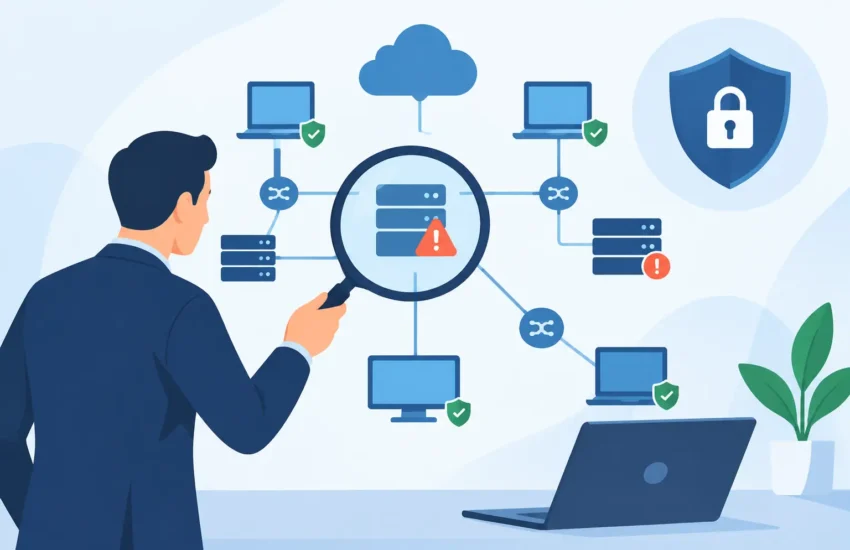
A slow application, an unexpected internet outage, or a failed backup rarely begins as a single obvious problem. More often, it is the result of small network issues that went unnoticed: an aging switch, an unmanaged device, an old employee account, or equipment that nobody has documented. Knowing how to audit a business network gives you a clear view of those risks before they interrupt work, expose sensitive data, or turn into an expensive emergency.
For small and medium-sized organizations, a network audit is not about creating a technical report that sits unread in a folder. It is a practical business exercise. The goal is to identify what supports your operations, where vulnerabilities exist, and which improvements will protect uptime, productivity, and your budget.
Start With the Business Impact
Before reviewing hardware or running scans, define what the network must support. A law firm may depend on secure access to case files and reliable video meetings. A construction company may need field staff to reach project documents from job sites. A medical or dental practice must protect patient information while keeping scheduling, imaging, and payment systems available.
Ask department leaders which systems cannot be unavailable for even a few hours. Include cloud applications, file servers, phones, internet connections, printers, line-of-business software, and remote access. Then identify the consequences of downtime. Can employees continue working? Will customers be affected? Could an outage create a compliance issue or delay billing?
This step keeps the audit focused. Not every device carries the same level of risk, and not every upgrade deserves the same urgency.
How to Audit a Business Network Step by Step
A useful audit combines documentation, technical verification, and business judgment. The following process creates a baseline your leadership team can use to make informed decisions.
1. Build a complete inventory
You cannot protect or maintain equipment you do not know exists. Document every network-connected asset, including firewalls, routers, switches, wireless access points, servers, workstations, laptops, mobile devices, printers, cameras, phone systems, and specialized equipment.
For each item, record its location, owner, purpose, operating system or firmware version, warranty status, and whether it is still supported by the manufacturer. Include internet service details, circuit speeds, provider contacts, and any backup connection.
This is also the right time to identify shadow IT. Employees may use personal wireless routers, file-sharing tools, cloud storage accounts, or unapproved devices to get work done faster. Those workarounds often signal a real business need, but they can create security gaps if they are not reviewed and managed.
2. Map the network and its connections
A network diagram should show how information moves through your organization. At a minimum, document the internet connection, firewall, switches, wireless networks, servers, cloud services, remote users, and any third parties with access.
The diagram does not need to be overly technical to be valuable. A clear map helps you answer basic but critical questions: Is guest Wi-Fi separated from business systems? Can a compromised workstation reach a server holding financial records? Does a vendor have remote access that is no longer needed?
Network segmentation is often one of the highest-value findings in an audit. Separating guest devices, employee devices, servers, voice systems, and specialized equipment limits how far an incident can spread. The right design depends on the size of the company and the systems involved. A five-person office does not need the same structure as a multi-site manufacturer, but both need sensible boundaries.
3. Review security controls, not just security products
A firewall alone does not make a business network secure. Review whether core controls are installed, configured, monitored, and updated. Check for active endpoint protection, multi-factor authentication, secure remote access, email filtering, patch management, encrypted backups, and centralized logging.
Pay special attention to identity and access. Review active user accounts, administrator privileges, shared passwords, former employee accounts, and vendor access. Each person should have only the access needed for their role. Shared administrator credentials may seem convenient, but they eliminate accountability and make incident response much harder.
Also verify that firmware on firewalls, switches, and wireless access points is current. Network equipment is easy to overlook because it may continue functioning for years. However, unsupported devices can carry known vulnerabilities that attackers actively target.
4. Test wireless, remote access, and backup connectivity
Wireless problems are often reported as “the internet is slow,” even when the internet service itself is fine. Test Wi-Fi coverage, signal strength, capacity, and roaming in the areas where employees work. Look for dead zones, overcrowded access points, weak encryption, and wireless networks using outdated passwords.
Remote access deserves the same level of attention. Confirm that employees and vendors use secure, approved methods to reach business resources. Remote access should be protected with multi-factor authentication, limited by role, and removed promptly when no longer needed.
Finally, test backup and recovery connections. Backups are only useful if they complete successfully, are protected from ransomware, and can be restored within the time your business can tolerate. Review backup reports and perform a restore test. A green status message is not proof that a critical file, server, or application can be recovered when it matters.
5. Measure performance and capacity
A network audit should uncover the causes of employee frustration, not simply confirm that equipment is online. Review internet bandwidth, switch capacity, Wi-Fi utilization, recurring helpdesk tickets, application response times, and error logs.
Look for patterns. If video calls fail every afternoon, your internet connection may be saturated at peak use. If accounting software becomes slow when large files are transferred, traffic may need to be prioritized or separated. If a switch is near capacity, expansion should be planned before a new hire or office move causes disruption.
Performance findings should be connected to business costs. Ten employees losing 15 minutes each day to slow systems can add up to far more than the cost of a targeted network improvement.
6. Review resiliency and single points of failure
A network can be secure and still be fragile. Identify components that could stop operations if they fail: one firewall, one aging switch, one internet connection, one server, or one person who understands how the system works.
Redundancy is not necessary everywhere. It is an investment that should reflect the cost of downtime. A professional office may need a cellular internet failover and a spare firewall, while a business with limited online dependency may accept a longer recovery window. What matters is making that decision intentionally rather than discovering the risk during an outage.
Document power protection as well. Confirm that network equipment is connected to properly sized battery backups, that batteries are tested, and that critical systems can shut down safely during an extended power event.
Turn Findings Into a Practical Action Plan
The value of an audit comes from what happens next. Organize findings by business impact, likelihood, cost, and urgency. A useful plan usually separates immediate risks from planned improvements.
Immediate items may include disabling former employee accounts, applying critical security updates, replacing an unsupported firewall, or correcting an exposed remote access setting. Near-term projects might include improving Wi-Fi coverage, implementing multi-factor authentication, segmenting the network, or formalizing backups. Longer-term initiatives can cover lifecycle replacement, internet redundancy, server modernization, and compliance requirements.
Avoid treating every recommendation as equally urgent. Replacing all equipment at once may not be necessary, especially when budgets are limited. But postponing known high-risk issues without a timeline can lead to surprise repair costs, unplanned downtime, or a preventable security incident.
A strong action plan should identify the owner for each task, estimated cost, target date, and expected business result. That turns technical information into accountable decisions.
When an Outside Assessment Makes Sense
Internal teams can perform routine checks, particularly when documentation and responsibilities are already well established. An outside assessment can be valuable when there has been rapid growth, an office move, recurring outages, a cyber incident, a compliance concern, or uncertainty about whether current IT support is being proactive enough.
An experienced managed IT provider can bring objective testing, current cybersecurity knowledge, and a perspective shaped by similar businesses. For organizations in Sacramento and nearby communities, local support also matters when an on-site issue requires more than remote troubleshooting.
A network audit should leave you with fewer unknowns, not more technical jargon. The right next step is the one that reduces your most meaningful risk while keeping your team productive. Start by documenting what you have, test what you depend on, and address the gaps that could stop your business from serving clients tomorrow.
