
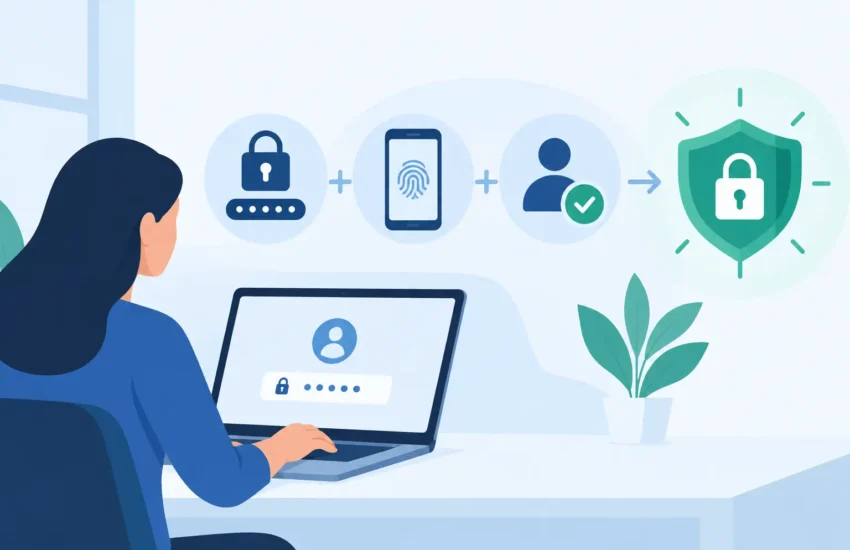
A convincing phishing email does not need to fool your entire team to create a serious problem. It only needs one employee to enter a password for a Microsoft 365 account, accounting platform, file-sharing system, or remote-access tool. From there, an attacker may read sensitive email, reset other passwords, send fraudulent payment requests, or deploy ransomware. That is why business leaders ask, “why is multi factor authentication necessary?” The answer is simple: passwords alone are no longer enough to protect the systems your business depends on.
Multi-factor authentication, usually called MFA, requires a second proof of identity after a user enters a password. That extra step can prevent a stolen password from becoming a costly security incident. For small and medium-sized businesses, MFA is one of the most practical ways to reduce cyber risk without disrupting day-to-day work.
Why Is Multi Factor Authentication Necessary for Business?
Passwords are easy to steal, guess, reuse, or buy. Employees may use the same password across multiple services, accidentally submit it to a fake sign-in page, or have it exposed through a breach at another vendor. Even strong passwords can be compromised if someone is tricked into sharing them.
MFA changes the equation. A criminal who has a password must also satisfy another requirement, such as approving a sign-in through an authenticator app, entering a time-based code, using a security key, or confirming access with a biometric factor. In most cases, that second requirement stops the attempted login before the attacker reaches company data.
The operational value is significant. A compromised email account can halt projects while employees verify communications, change credentials, investigate payment instructions, and notify clients. A ransomware event can take servers, shared files, or line-of-business software offline for days. MFA does not solve every security problem, but it removes one of the most common paths attackers use to gain an initial foothold.
For organizations handling financial records, legal files, patient information, engineering plans, or client data, MFA also supports a more defensible security posture. Many cyber insurance applications, vendor agreements, and compliance frameworks now expect it, especially for email, administrative accounts, remote access, and systems containing regulated information.
How Multi-Factor Authentication Stops Stolen Credentials
Authentication factors generally fall into three categories: something a person knows, something they have, and something they are. A password is something known. An authenticator app on a managed phone or a physical security key is something the user has. A fingerprint or facial recognition check is something the user is.
The key benefit is separation. If a password is captured through phishing, the attacker still lacks the employee’s device, approved authentication prompt, or security key. That extra barrier gives your security controls a chance to block the login and alert the right people.
Not all MFA methods offer the same level of protection. Text-message codes are better than password-only access, but they can be vulnerable to phone-number theft and social engineering. Authenticator apps are typically a stronger and more manageable choice for many businesses. For executives, administrators, finance staff, and other high-risk users, phishing-resistant security keys or passkeys provide stronger protection because they are designed to resist fake login pages.
A good MFA strategy should match the risk of the account. A basic application with limited information may justify an app-based approval. An administrator account that can create users, access backups, or change security settings deserves the highest level of protection available.
Where MFA Matters Most
A common mistake is enabling MFA only for remote workers. The most valuable systems are often cloud-based and accessible from anywhere, whether employees work from the office, a job site, home, or while traveling. If a login page is exposed to the internet, it is a potential target.
Start with business email and identity platforms, since those accounts often control password resets for other applications. Then address remote access tools, cloud file storage, accounting systems, payroll, customer relationship management platforms, backup portals, and any system that stores client, employee, or financial information.
Administrative accounts require special attention. A single administrator login can have broad authority over user accounts, security settings, devices, and data. Those accounts should use separate credentials for administrative work, strong MFA, and close monitoring. Employees should not share accounts, even when a team needs access to a common function. Shared credentials remove accountability and make it far harder to contain an incident.
The Trade-Off: Better Security Must Still Be Usable
MFA adds a step, and that step can feel inconvenient when it is poorly implemented. Employees may lose a phone, receive repeated approval prompts, or struggle with older applications that do not support modern authentication. Those are legitimate planning issues, not reasons to leave critical accounts protected only by passwords.
The goal is to reduce friction without reducing security. Remembered-device settings can limit unnecessary prompts on approved company devices. Clear enrollment instructions reduce helpdesk calls. Backup authentication methods prevent lockouts when a phone is replaced. For staff who cannot use a personal phone, a company-provided token or security key may be the appropriate option.
Approval prompts also require training. Employees should never approve an MFA notification they did not initiate. Attackers sometimes trigger repeated notifications hoping a tired or distracted user will eventually tap “Approve.” This tactic, often called MFA fatigue, is less effective when users understand the risk and when the organization uses number matching, location details, or phishing-resistant methods.
MFA should not be treated as a checkbox. It works best alongside managed devices, security awareness training, endpoint protection, reliable backups, least-privilege access, and active monitoring. A determined attacker may use malware, social engineering, or an already-compromised device to bypass other defenses. Layered security reduces the chance that one mistake becomes a business interruption.
A Practical MFA Rollout for Small Businesses
A rushed rollout can create confusion, but postponing MFA leaves a known gap open. A measured process protects the business while giving employees the support they need. Four steps make the transition more manageable:
- Identify priority accounts. Inventory email, cloud applications, remote access, administrative accounts, and systems that handle sensitive data. Focus first on accounts that could disrupt operations or expose clients.
- Choose appropriate methods. Use authenticator apps, passkeys, or security keys where possible. Decide how employees will recover access safely if a device is lost or replaced.
- Enroll and educate users. Provide short, plain-language instructions and explain what unexpected prompts look like. Set expectations for when MFA will be required and where to get help.
- Enforce, monitor, and improve. Turn on enforcement after a defined enrollment period. Review failed logins, suspicious prompts, inactive accounts, and exceptions regularly. Temporary exceptions should have an owner and an expiration date.
Business leaders should also plan for continuity. Keep secure, tightly controlled emergency access procedures for critical systems. Document who can approve an account recovery, who has authority over security settings, and how former employees are removed promptly. These details matter during an urgent event, when a missed handoff or undocumented admin account can delay recovery.
For organizations without an internal IT department, an experienced managed IT partner can coordinate the technical setup, user enrollment, policy decisions, and ongoing monitoring. The benefit is not simply turning on a feature. It is making sure MFA is consistently applied, supported, and connected to the rest of the company’s security and continuity plan.
The practical next step is to ask a direct question: if an employee’s password were stolen this afternoon, which business systems could an attacker access before anyone noticed? The answer will show where MFA should begin and where stronger protection can prevent the next disruption.
